FA Embedded Image Viewer

Embeds the clicked Image on the Current Site, so you can view it without loading the submission Page

За да инсталирате този скрипт, трябва да имате инсталирано разширение като Tampermonkey, Greasemonkey или Violentmonkey.

За да инсталирате този скрипт, трябва да инсталирате разширение, като например Tampermonkey .

За да инсталирате този скрипт, трябва да имате инсталирано разширение като Tampermonkey или Violentmonkey.

За да инсталирате този скрипт, трябва да имате инсталирано разширение като Tampermonkey или Userscripts.

За да инсталирате скрипта, трябва да инсталирате разширение като Tampermonkey.

За да инсталирате този скрипт, трябва да имате инсталиран скриптов мениджър.

(Вече имам скриптов мениджър, искам да го инсталирам!)

Advertisement:

За да инсталирате този стил, трябва да инсталирате разширение като Stylus.

За да инсталирате този стил, трябва да инсталирате разширение като Stylus.

За да инсталирате този стил, трябва да инсталирате разширение като Stylus.

За да инсталирате този стил, трябва да имате инсталиран мениджър на потребителски стилове.

За да инсталирате този стил, трябва да имате инсталиран мениджър на потребителски стилове.

За да инсталирате този стил, трябва да имате инсталиран мениджър на потребителски стилове.

(Вече имам инсталиран мениджър на стиловете, искам да го инсталирам!)

Advertisement:

Автор
Midori Dragon
Инсталации дневно
0
Инсталации общо
262
Рейтинг
0 0 0
Версия
2.5.12
Създаден
27.01.2023
Обновен
11.05.2026
Размер
40 КБ
Лиценз
MIT
Работи на

FA Embedded Image Viewer

A userscript/browser extension that enhances image viewing on FurAffinity by providing an embedded image viewer. When any submission is clicked, instead of opening the page this script will embedd the clicked image on the current site.

See documentation on FA-Embedded-Image-Viewer.
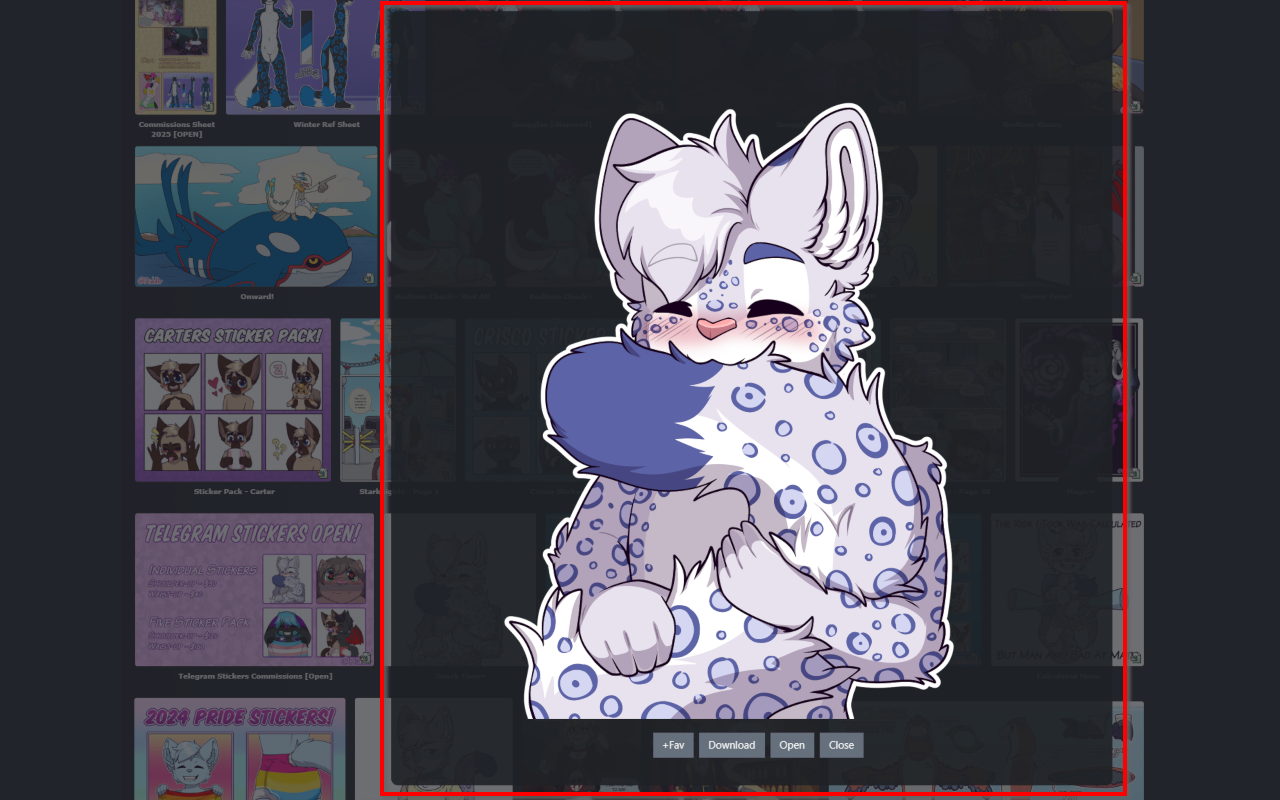
How to use

  • Load this script from GreasyFork or use it inside the browser extensions
  • The viewer automatically handles:
    • Image loading and display
    • Loading animations
    • Quality settings
    • various buttons and options on the embedded page
  • To use just click on any submission and it will be embedded on the current page

Feature Roadmap

Feature Status
Embedded image viewer ✅ Completed
Preview quality settings ✅ Completed
Loading animations ✅ Completed
New tab opening ✅ Completed
Download functionality ✅ Completed
Zooming and panning ✅ Completed

Settings

  • openInNewTab - Whether to open images in a new tab (default is true)
  • loadingSpinSpeedFav - Controls the speed of the favorite loading animation (default is 600)
  • loadingSpinSpeed - Controls the speed of the loading animation (default is 1000)
  • closeEmbedAfterOpen - Whether to close the embed after opening in new tab (default is true)
  • previewQuality - Controls the quality of the preview image. Options: Auto detect, Lower (200px), Low (300px), Medium (400px), High (500px), Higher (600px) (default is Auto detect)
  • enableInMinigallery - Whether to enable the embedded image viewer in the Mini-Gallery on the Submission page (default is true)
  • showWatchingInfo - Controls whether to show if the user is watching the Submissions Author (default is false)