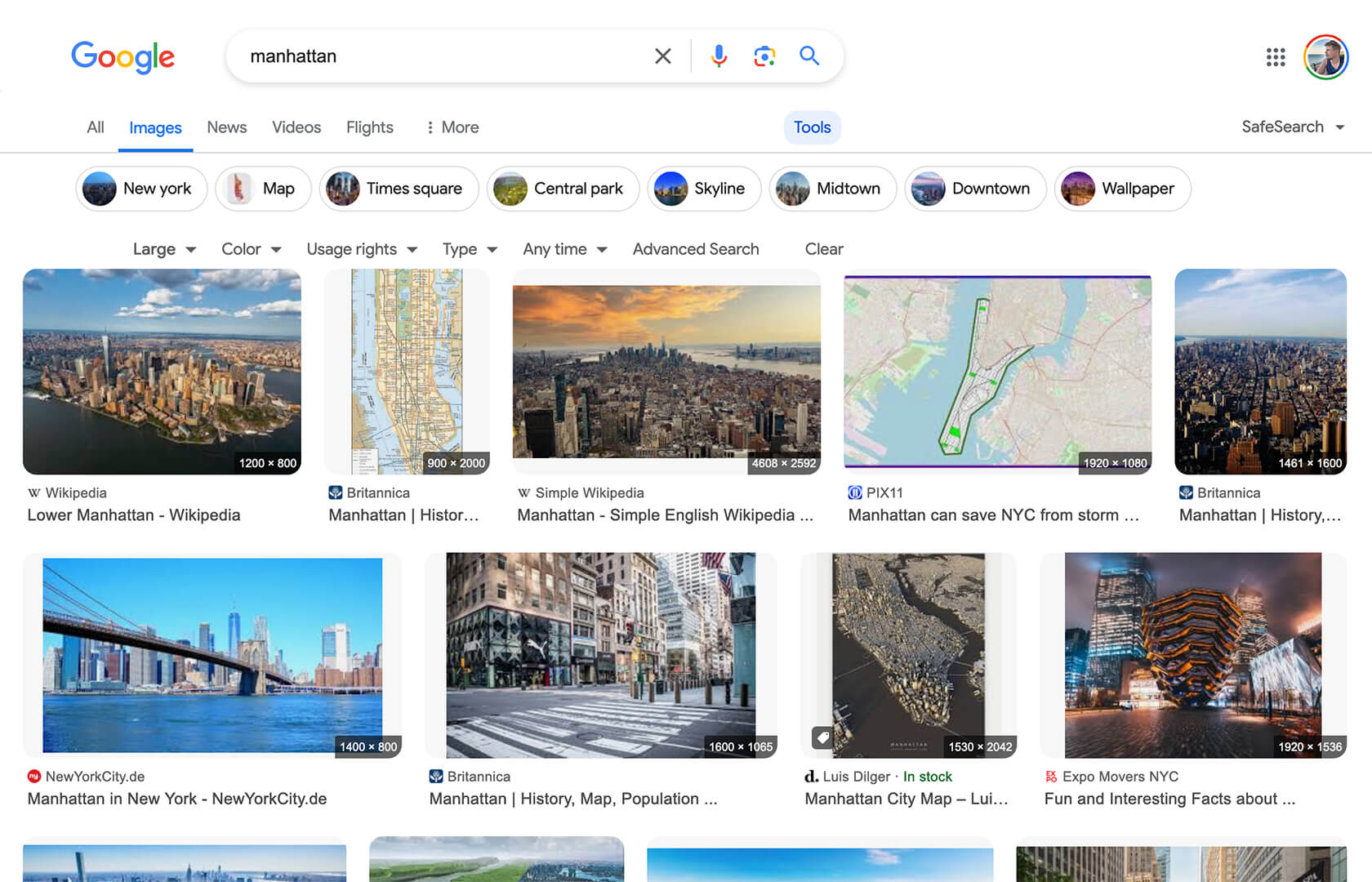
Google Image Search - Show Image Dimensions

Displays image dimensions (eg. "1920 × 1080") for each thumbnail on the Google Image Search results page.

K instalaci tototo skriptu si budete muset nainstalovat rozšíření jako Tampermonkey, Greasemonkey nebo Violentmonkey.

You will need to install an extension such as Tampermonkey to install this script.

K instalaci tohoto skriptu si budete muset nainstalovat rozšíření jako Tampermonkey nebo Violentmonkey.

K instalaci tohoto skriptu si budete muset nainstalovat rozšíření jako Tampermonkey nebo Userscripts.

You will need to install an extension such as Tampermonkey to install this script.

K instalaci tohoto skriptu si budete muset nainstalovat manažer uživatelských skriptů.

(Už mám manažer uživatelských skriptů, nechte mě ho nainstalovat!)

You will need to install an extension such as Stylus to install this style.

You will need to install an extension such as Stylus to install this style.

You will need to install an extension such as Stylus to install this style.

You will need to install a user style manager extension to install this style.

You will need to install a user style manager extension to install this style.

You will need to install a user style manager extension to install this style.

(Už mám manažer uživatelských stylů, nechte mě ho nainstalovat!)

Autor
Tad Wohlrapp
Denně instalací
3
Celkem instalací
10.950
Hodnocení
56 2 6
Verze
1.5.0
Vytvořeno
19. 04. 2020
Aktualizováno
16. 12. 2025
Size
9,7 KB
Kompatibilita
Kompatibilní s Firefox Kompatibilní s Chrome Kompatibilní s Opera Kompatibilní s Edge
Licence
MIT
Spustit na

Icon

Google Image Search - Show Image Dimensions

This userscript reintroduces image dimensions on thumbnails on the Google Image Search results page.

Screenshot

Screenshot

Installation

To use userscripts you need to first install a userscript manager. They come as extensions for various browsers:

After you have installed a userscript manager, head over to greasyfork.org/scripts/401432 and click on the green "Install this script" button there.

Usage

After you have installed a userscript manager and this script, just visit the Google Image Search page (https://www.google.com/imghp) and start searching 😃