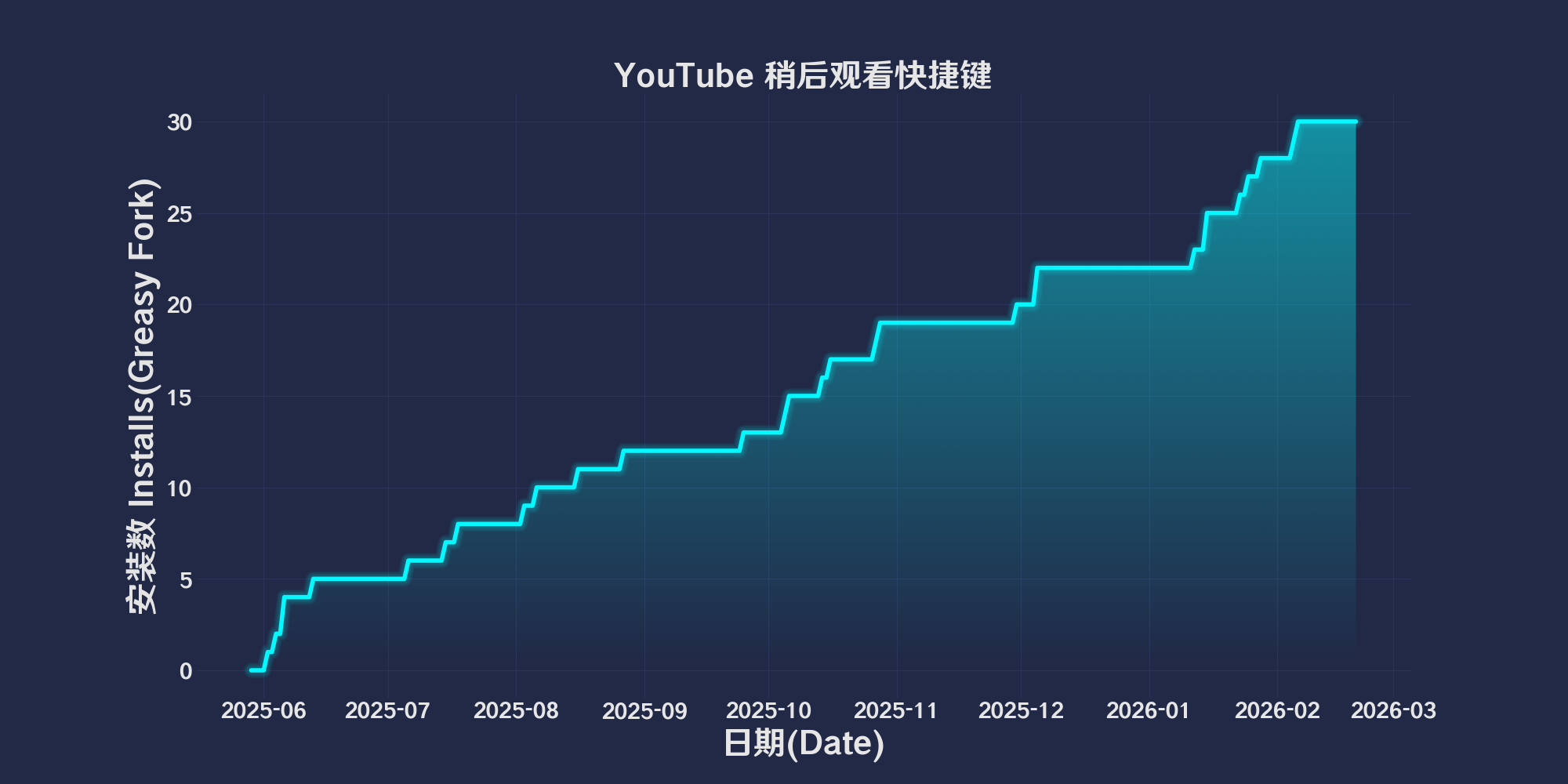
Οι συντομεύσεις παρακολούθησης YouTube αργότερα

Χρησιμοποιήστε συντομεύσεις πληκτρολογίου για να προσθέσετε ή να διαγράψετε το τρέχον βίντεο στο YouTube από ή από τη λίστα προβολής του YouTube.

θα χρειαστεί να εγκαταστήσετε μια επέκταση όπως το Tampermonkey, το Greasemonkey ή το Violentmonkey για να εγκαταστήσετε αυτόν τον κώδικα.

You will need to install an extension such as Tampermonkey to install this script.

θα χρειαστεί να εγκαταστήσετε μια επέκταση όπως το Tampermonkey ή το Violentmonkey για να εγκαταστήσετε αυτόν τον κώδικα.

θα χρειαστεί να εγκαταστήσετε μια επέκταση όπως το Tampermonkey ή το Userscripts για να εγκαταστήσετε αυτόν τον κώδικα.

You will need to install an extension such as Tampermonkey to install this script.

Θα χρειαστεί να εγκαταστήσετε μια επέκταση διαχείρισης κώδικα χρήστη για να εγκαταστήσετε αυτόν τον κώδικα.

(Έχω ήδη έναν διαχειριστή κώδικα χρήστη, επιτρέψτε μου να τον εγκαταστήσω!)

You will need to install an extension such as Stylus to install this style.

You will need to install an extension such as Stylus to install this style.

You will need to install an extension such as Stylus to install this style.

You will need to install a user style manager extension to install this style.

You will need to install a user style manager extension to install this style.

You will need to install a user style manager extension to install this style.

(Έχω ήδη έναν διαχειριστή στυλ χρήστη, επιτρέψτε μου να τον εγκαταστήσω!)

Δημιουργός
人民的勤务员
Ημερήσιες εγκαταστάσεις
0
Σύνολο εγκαταστάσεων
22
Βαθμολογίες
0 0 0
Έκδοση
2025.6.2.1
Δημιουργήθηκε την
29/05/2025
Ενημερώθηκε την
02/06/2025
Μέγεθος
50 KB
Συμβατότητα
Συμβατό με Firefox Συμβατό με Chrome Συμβατό με Opera Συμβατό με Safari Συμβατό με Edge
Άδεια
MIT
Εφαρμόζεται σε

简体中文 | English | 한국어 | Tiếng Việt | 繁體中文

👆️access GitHub Readme file on for a better experience。

Recommended use:
Support
Support
Support
💡 Tip: The script manager and browser listed above do not represent all
The script runs normally in the following environment
Passed

YouTube Watch shortcuts later

「 Use keyboard shortcuts to add or delete the current YouTube video to or from the Youtube later viewing list. 」

Views

Download:Github | ⭐Greasy Fork

YouTube Watch Later Shortcut

  1. Alt + Shift + R Add video to“Watch it later”。
  2. Alt + Shift + F from“Watch it later”Remove video。

💖 The script referenced or used the following script:

🧑‍💻 @kyleczhang ⇒ 📜 YouTube Watch Later Shortcut

Help

Recommended browser and script manager:

  • Greasemonkey + Waterfox
  • Tampermonkey/Violentmonkey + Firefox
  • Tampermonkey/Violentmonkey + Chrome
  • Userscripts + ios Safari
  • Violentmonkey/KiWiBrowser + Android

If you need to learn more about how to install user scripts,Click meView the teaching of pictures and texts!

View all publish scripts