
Welcome to Greasy Fork, a site for user scripts.
What are user scripts?
User scripts put you in control of your browsing experience. Once installed, they automatically make the sites you visit better by adding features, making them easier to use, or taking out the annoying bits. The user scripts on Greasy Fork were written by other users and posted to share with the world. They're free to install and easy to use.
Step 1: install a user script manager
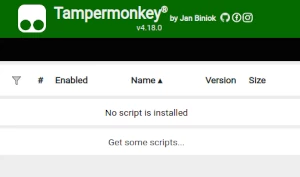
To use user scripts you need to first install a user script manager. Which user script manager you can use depends on which browser you use.
Desktop Mobile (Android) Mobile (iOS)
- Chrome: Tampermonkey
- Firefox: Greasemonkey, Tampermonkey, or Violentmonkey
- Safari: Tampermonkey or Userscripts
- Microsoft Edge: Tampermonkey
- Opera: Tampermonkey or Violentmonkey
- Maxthon: Violentmonkey
- AdGuard: (no additional software required)
- Firefox: Greasemonkey, Tampermonkey, or Violentmonkey
- Microsoft Edge: Tampermonkey
- Maxthon: Violentmonkey
- Dolphin: Tampermonkey
- UC: Tampermonkey
- XBrowser
- Safari: Tampermonkey or Userscripts
- Gear: (no additional software required)
Step 2: install a user script
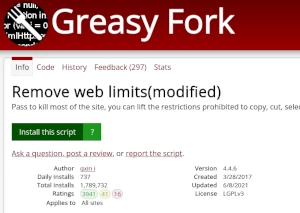
Browse this site to find a user script you want to try. Here is a sample of the most popular scripts:
- DownloadAllContent - Lightweight web scraping script. Fetch and download main textual content from the current page, provide special support for novels
- Twitch - Disable automatic video downscale - Disables the automatic downscaling of Twitch streams while tabbed away
- Chaoxing Automatic Learning Tool[AI Answer][One-click start] [Minimize run] - 【mobile phone supported】Supports videos, chapter tests, documents, live broadcasts, homework, and exams of [Chaoxing], [Xueyin Online]; scripts can be started with one click, run automatically on a single page, and can be minimized and run without interruption; does not occupy network speed or traffic; [300 millions questions] covers 99% of questions, supports single-choice, multiple-choice, fill-in-the-blank, judgment [picture questions, programming questions, listening questions]
- Kour.rip - Basic Kour.io cheats.
- Taming.io Auto Farm - Auto farm resources and use gapples in Taming.io
Once you've found a user script, click the green install button on the user script's page, and your user script manager will ask you to confirm the install.
Step 3: use the user script
Go to the site the user script affects. It should automatically do its thing. After trying out the user script for a while, go back to where you installed the user script and leave some feedback for the user script's author.