FA Embedded Image Viewer

Embeds the clicked Image on the Current Site, so you can view it without loading the submission Page

Tendrás que instalar una extensión para tu navegador como Tampermonkey, Greasemonkey o Violentmonkey si quieres utilizar este script.

You will need to install an extension such as Tampermonkey to install this script.

Tendrás que instalar una extensión como Tampermonkey o Violentmonkey para instalar este script.

Necesitarás instalar una extensión como Tampermonkey o Userscripts para instalar este script.

Tendrás que instalar una extensión como Tampermonkey antes de poder instalar este script.

Necesitarás instalar una extensión para administrar scripts de usuario si quieres instalar este script.

(Ya tengo un administrador de scripts de usuario, déjame instalarlo)

Tendrás que instalar una extensión como Stylus antes de poder instalar este script.

Tendrás que instalar una extensión como Stylus antes de poder instalar este script.

Tendrás que instalar una extensión como Stylus antes de poder instalar este script.

Para poder instalar esto tendrás que instalar primero una extensión de estilos de usuario.

Para poder instalar esto tendrás que instalar primero una extensión de estilos de usuario.

Para poder instalar esto tendrás que instalar primero una extensión de estilos de usuario.

(Ya tengo un administrador de estilos de usuario, déjame instalarlo)

Autor
Midori Dragon
Instalaciones diarias
0
Instalaciones totales
247
Calificaciones
0 0 0
Versión
2.5.10
Creado
27/1/2023
Actualizado
7/3/2026
Tamaño
36,6 KB
Licencia
MIT
Funciona en

FA Embedded Image Viewer

A userscript/browser extension that enhances image viewing on FurAffinity by providing an embedded image viewer. When any submission is clicked, instead of opening the page this script will embedd the clicked image on the current site.

See documentation on FA-Embedded-Image-Viewer.
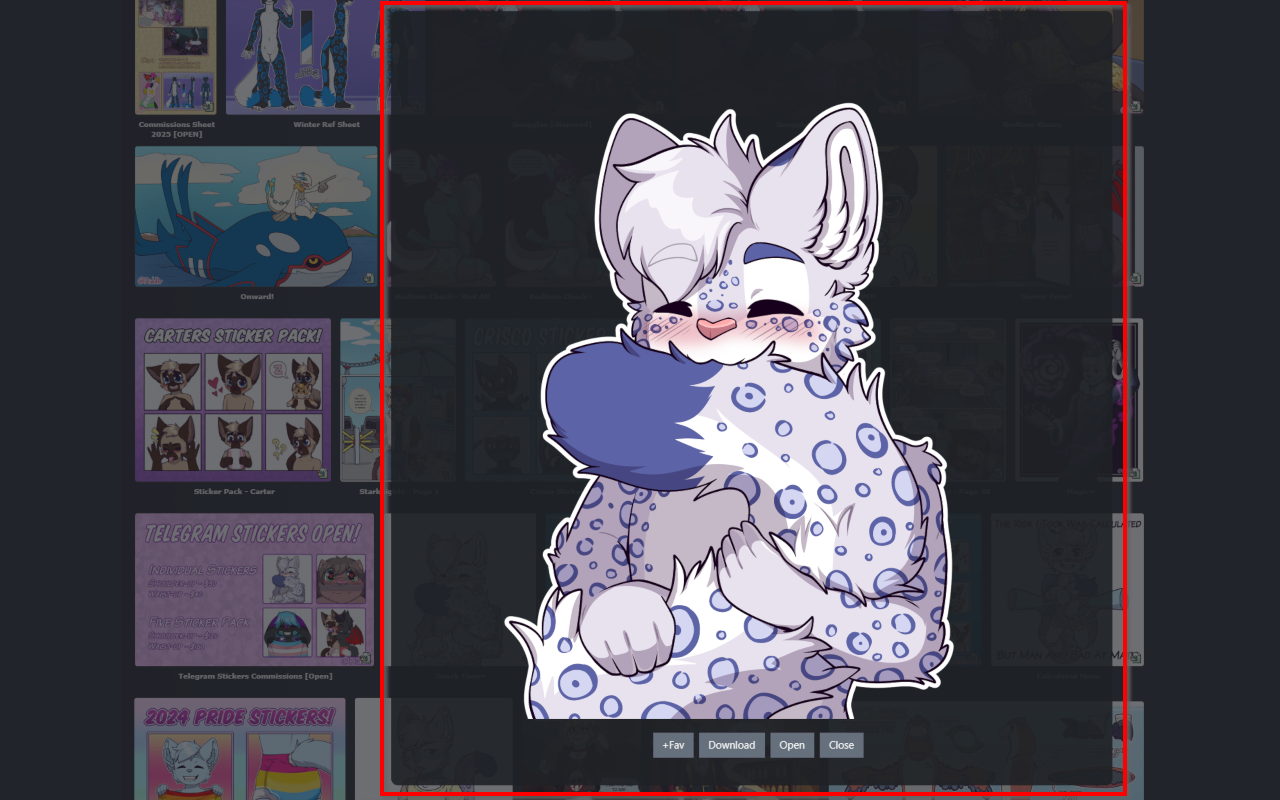
How to use

  • Load this script from GreasyFork or use it inside the browser extensions
  • The viewer automatically handles:
    • Image loading and display
    • Loading animations
    • Quality settings
    • various buttons and options on the embedded page
  • To use just click on any submission and it will be embedded on the current page

Feature Roadmap

Feature Status
Embedded image viewer ✅ Completed
Preview quality settings ✅ Completed
Loading animations ✅ Completed
New tab opening ✅ Completed
Download functionality ✅ Completed
Zooming and panning ✅ Completed

Settings

  • openInNewTab - Whether to open images in a new tab (default is true)
  • loadingSpinSpeedFav - Controls the speed of the favorite loading animation (default is 600)
  • loadingSpinSpeed - Controls the speed of the loading animation (default is 1000)
  • closeEmbedAfterOpen - Whether to close the embed after opening in new tab (default is true)
  • previewQuality - Controls the quality of the preview image. Options: Auto detect, Lower (200px), Low (300px), Medium (400px), High (500px), Higher (600px) (default is Auto detect)
  • enableInMinigallery - Whether to enable the embedded image viewer in the Mini-Gallery on the Submission page (default is true)
  • showWatchingInfo - Controls whether to show if the user is watching the Submissions Author (default is false)