Restore YouTube Username from Handle to Custom

Restaurar el nombre de usuario de YouTube de la manija al personalizado

Versión del día 5/7/2023. Echa un vistazo a la versión más reciente.

Tendrás que instalar una extensión para tu navegador como Tampermonkey, Greasemonkey o Violentmonkey si quieres utilizar este script.

You will need to install an extension such as Tampermonkey to install this script.

Necesitarás instalar una extensión como Tampermonkey o Violentmonkey para instalar este script.

Necesitarás instalar una extensión como Tampermonkey o Userscripts para instalar este script.

Necesitará instalar una extensión como Tampermonkey para instalar este script.

Necesitarás instalar una extensión para administrar scripts de usuario si quieres instalar este script.

(Ya tengo un administrador de scripts de usuario, déjame instalarlo)

Necesitará instalar una extensión como Stylus para instalar este estilo.

Necesitará instalar una extensión como Stylus para instalar este estilo.

Necesitará instalar una extensión como Stylus para instalar este estilo.

Necesitará instalar una extensión del gestor de estilos de usuario para instalar este estilo.

Necesitará instalar una extensión del gestor de estilos de usuario para instalar este estilo.

Necesitará instalar una extensión del gestor de estilos de usuario para instalar este estilo.

(Ya tengo un administrador de estilos de usuario, déjame instalarlo)

Autor
𝖢𝖸 𝖥𝗎𝗇𝗀
Calificaciones
0 0 0
Versión
0.7.2
Creado
15/6/2023
Actualizado
5/7/2023
Tamaño
67,2 KB
Compatibilidad
Compatible con Firefox Compatible con Chrome Compatible con Opera Compatible con Safari Compatible con Edge
Licencia
MIT
Funciona en
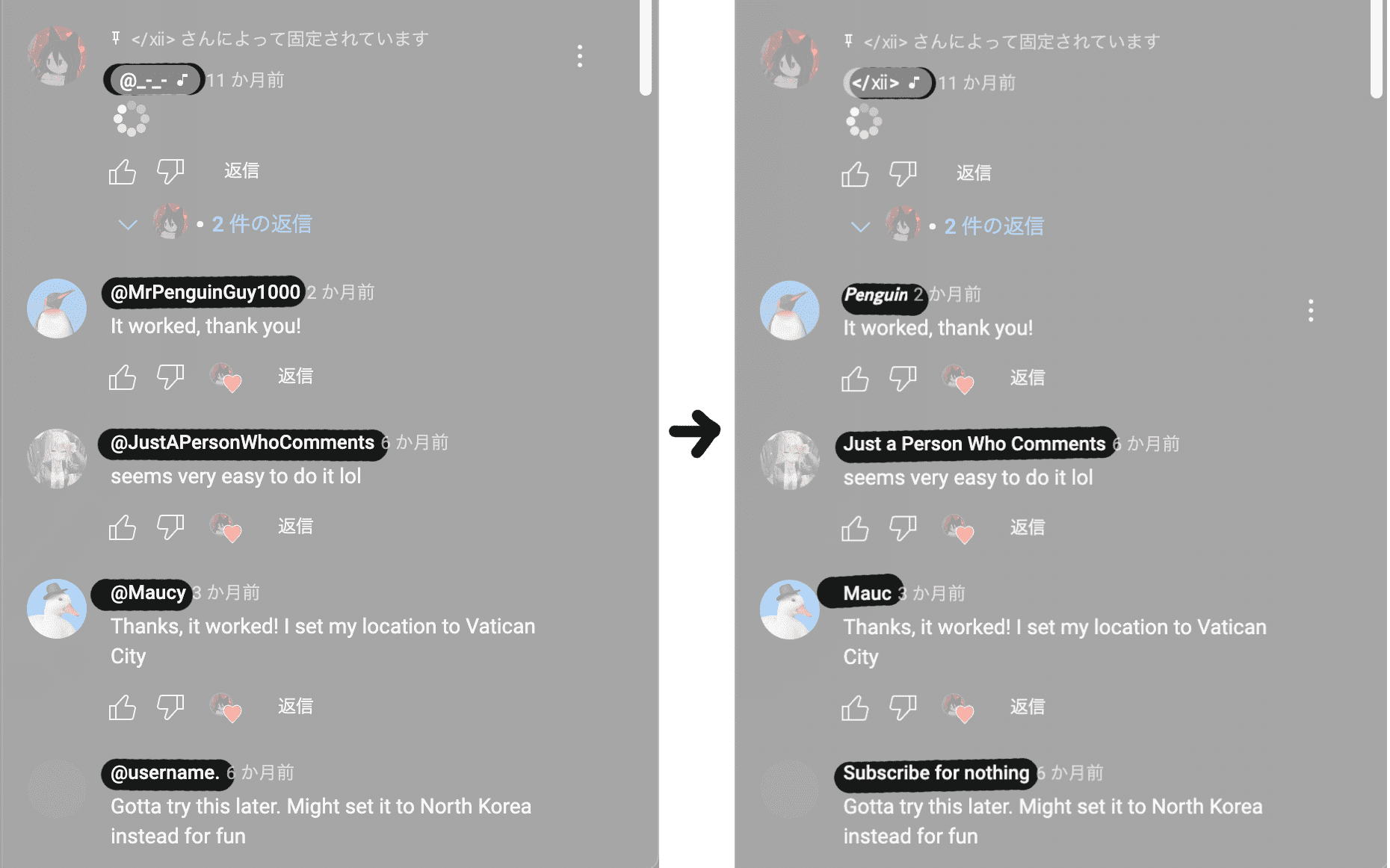
  • Similar Feature as Return YouTube Comment Username [aka YouTubeコメント欄の名前を元に戻す], but completely different implementation

  • Full Compatible with ALL UserScripts, Plugins, and Extensions

  • Full Compatible with Tampermonkey, Violentmonkey, FireMonkey

  • Support Comments inside Watch Page (Example), Community Page (Example), Shorts Page (Example)

  • Support Mentions inside Comments

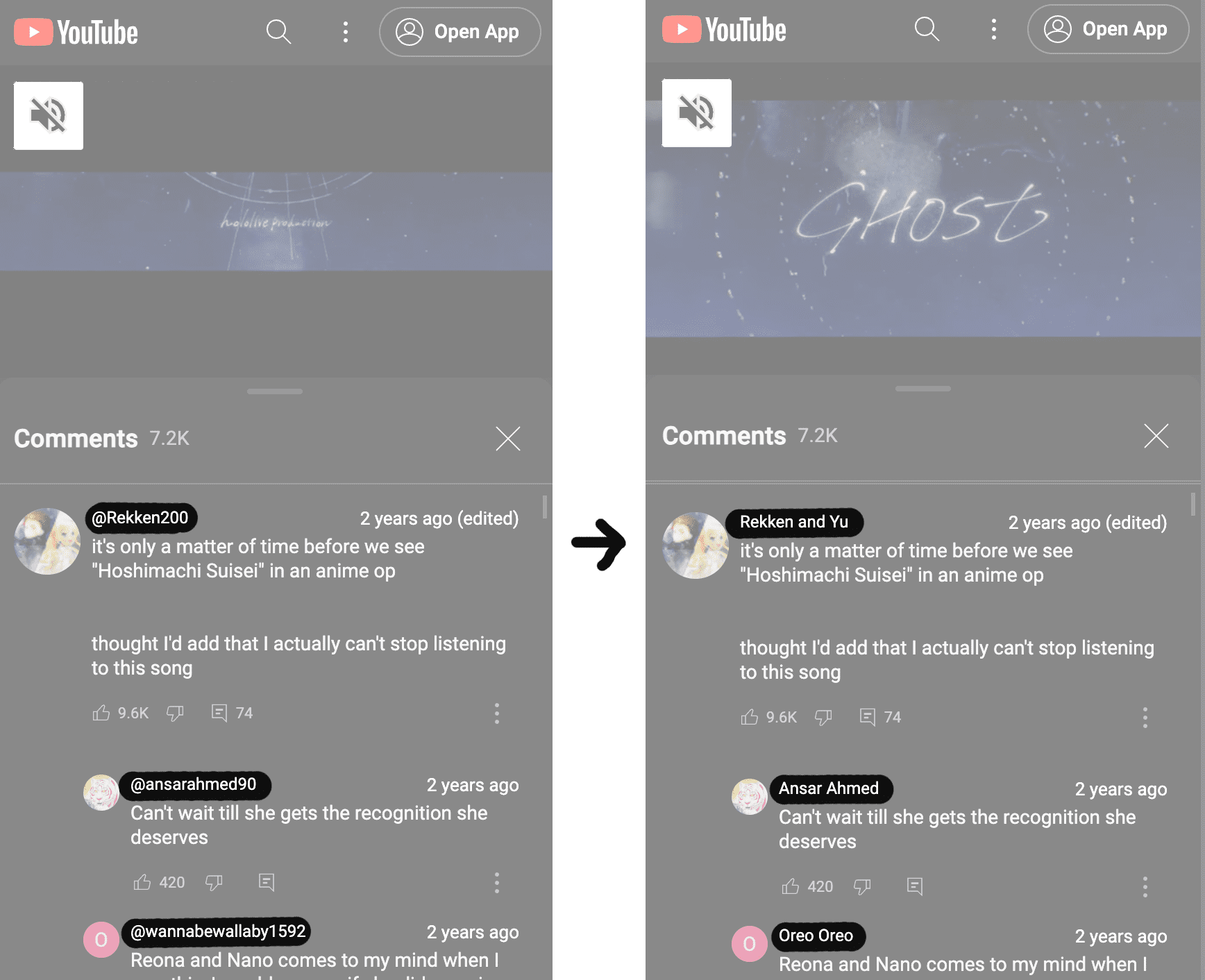
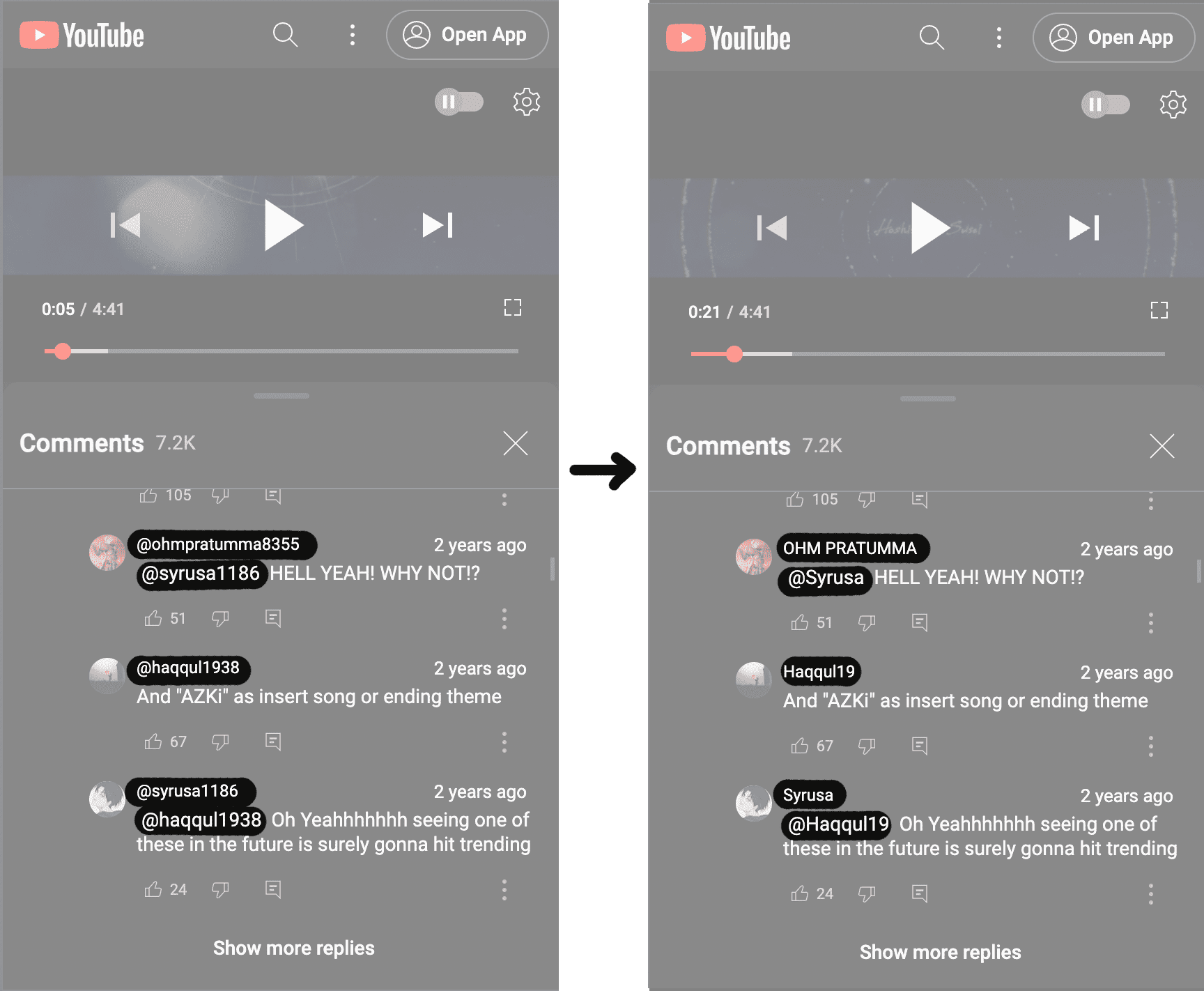
  • Support Mobile Layout (YouTube Mobile: m.youtube.com) since v0.5.0

  • Designed for Ultimate Performance with Mutex for various platforms

  • Supported Special Characters in Custom Username (Example)

  • Network Cache for Youtube Desktop since v0.6.0

  • Recommend for Android: Firefox + Tampermonkey

Minimum Browser Versions:

Android:

Firefox + Tampermonkey

IOS:

Stay * Not yet tested for compatibility

Restore YouTube Username from Handle to Custom

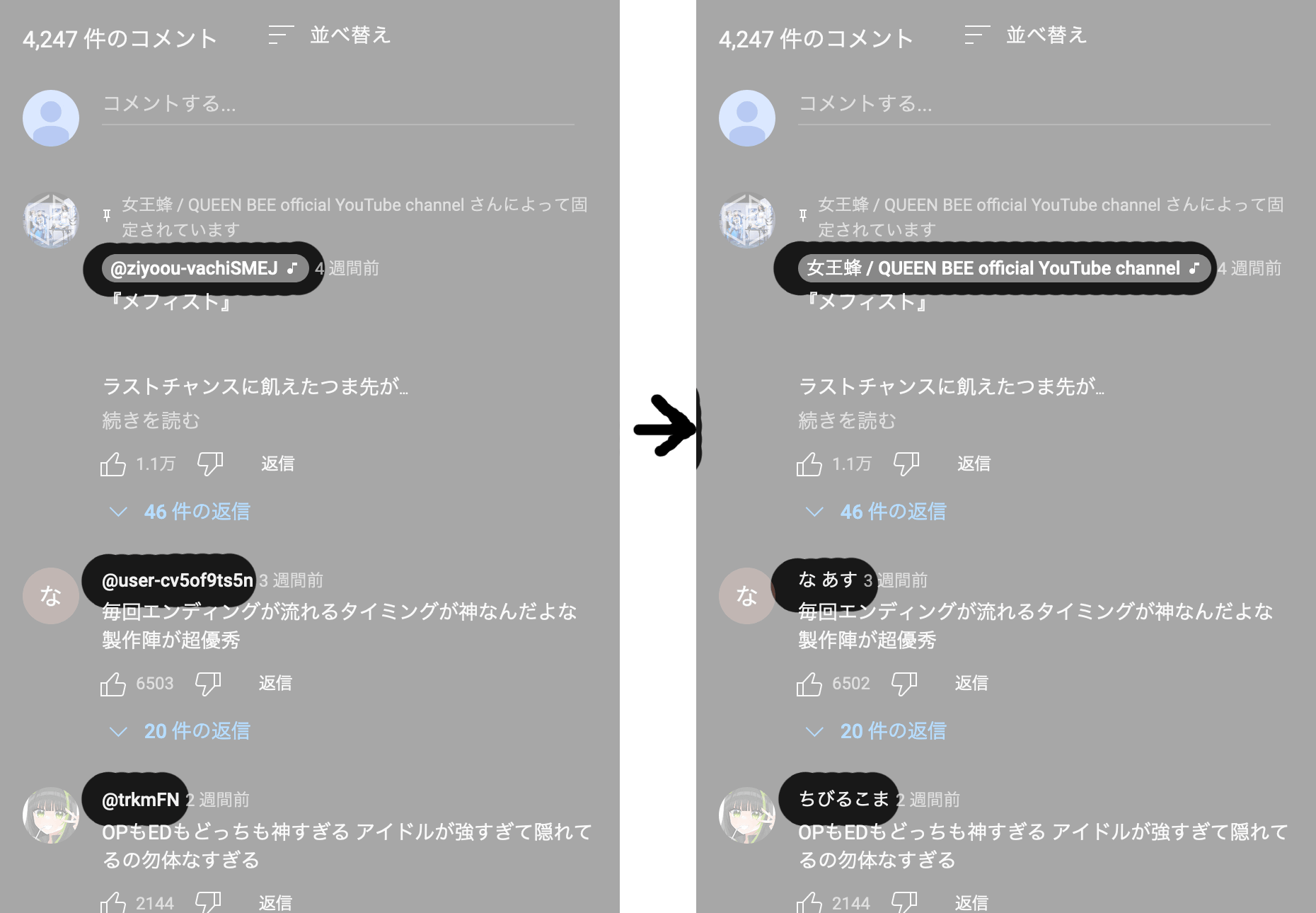
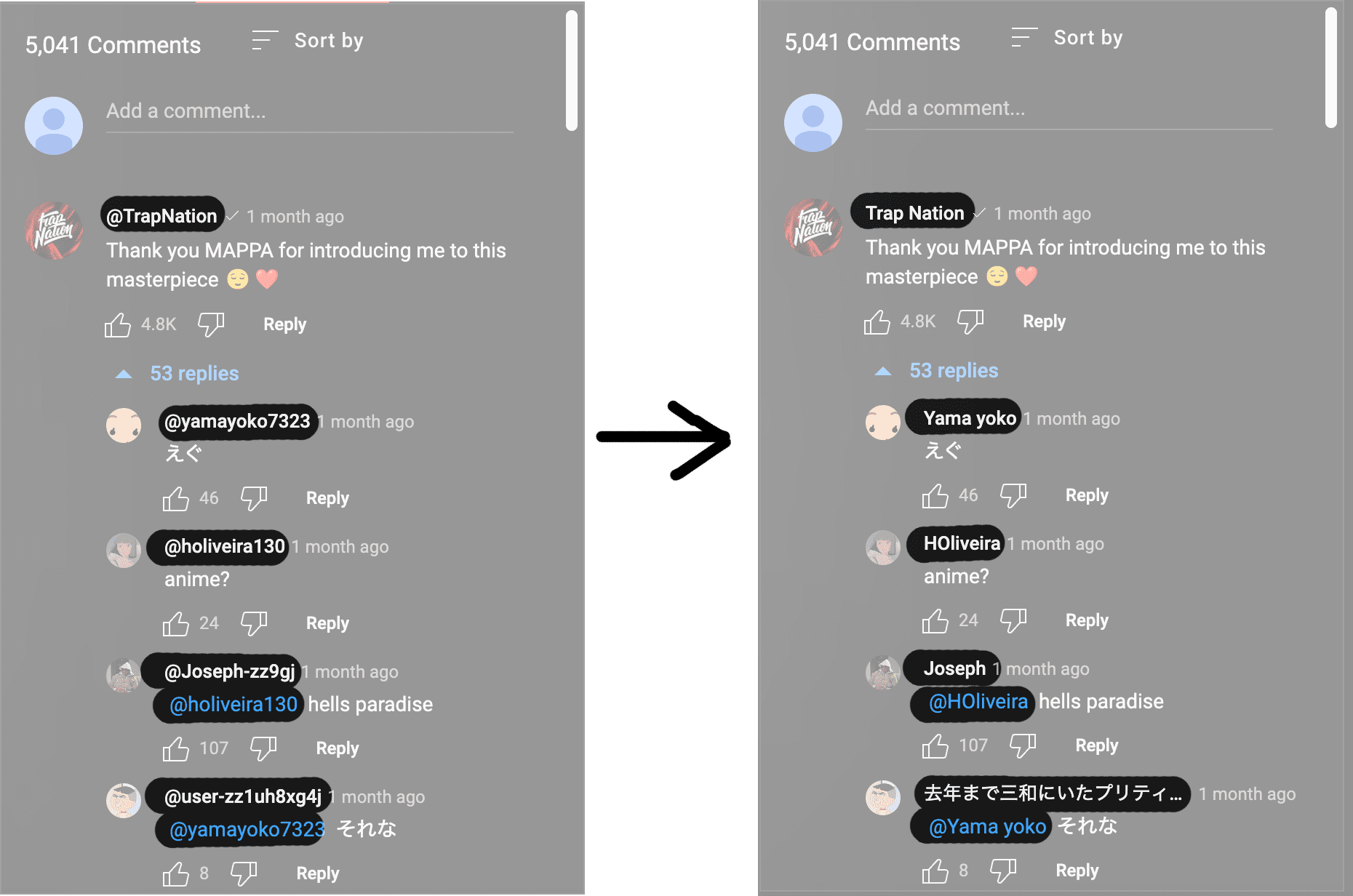
This user script, named "Restore YouTube Username from Handle to Custom," is designed to restore the traditional custom name on YouTube. It aims to replace the handle-based usernames with the custom usernames that were previously used on the platform.

Description

The script utilizes the Tampermonkey extension and runs on the YouTube website. It fetches the necessary data to restore the custom username and replaces the handle-based usernames displayed on the page.

Author

This user script is developed by CY Fung.

Compatibility

The script is compatible with the YouTube websites (https://www.youtube.com/* & https://m.youtube.com/*).

  • www.youtube.com : OK
  • m.youtube.com : OK (>=v0.5.0)
  • youtube.com : NG
  • studio.youtube.com : NG

Functionality

The script works by making requests to the YouTube API to retrieve the necessary data for each channel. It fetches the channel's metadata, including the custom username, and replaces the handle-based username displayed on the page.

Important: Before installing any user script, ensure that you review the script's source and verify its authenticity to ensure your safety and security.


Example 1 img

Example 2 img

Example 3 (Mobile) img

Example 4 (Mobile) img

Example 5 (Special Characters) img