Gemini Download Conversation

Download a conversation from Gemini to a markdown file.

You will need to install an extension such as Tampermonkey, Greasemonkey or Violentmonkey to install this script.

You will need to install an extension such as Tampermonkey to install this script.

You will need to install an extension such as Tampermonkey or Violentmonkey to install this script.

You will need to install an extension such as Tampermonkey or Userscripts to install this script.

You will need to install an extension such as Tampermonkey to install this script.

You will need to install a user script manager extension to install this script.

(I already have a user script manager, let me install it!)

You will need to install an extension such as Stylus to install this style.

You will need to install an extension such as Stylus to install this style.

You will need to install an extension such as Stylus to install this style.

You will need to install a user style manager extension to install this style.

You will need to install a user style manager extension to install this style.

You will need to install a user style manager extension to install this style.

(I already have a user style manager, let me install it!)

יוצר
DavidLJz
התקנות יומיות
0
סה"כ התקנות
57
דירוגים
0 0 0
גרסה
0.1.2
נוצר
09-02-2025
עודכן
09-02-2025
Size
6.99 קילו-בייט
רישיון
MIT
חל על

Gemini Download Conversation

This is a Tampermonkey user script that allows you to download a conversation from Gemini to a markdown file.
Features

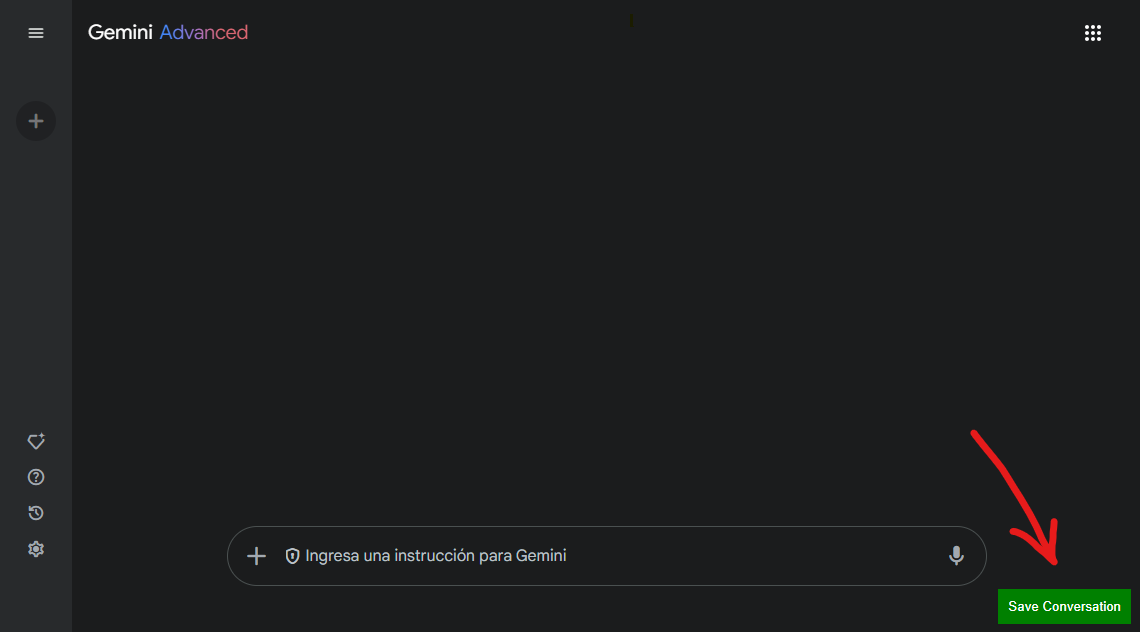
  • Adds a floating button to the page to trigger the conversation download.
  • Copies each message in the conversation to the clipboard.
  • Saves the conversation as a markdown file with a unique filename based on the conversation ID.

Screenshot of Button

Usage

  1. Navigate to a conversation on the Gemini website.
  2. Click the "Save Conversation" button that appears at the bottom right of the page.
  3. The script will scroll through the conversation, copy each message, and save the conversation as a markdown file.
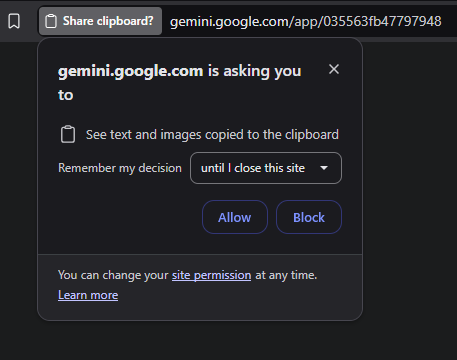
  4. On first Run the following message may appear. Please click the "Allow" button so the script can continue.

Screenshot of Prompt

Chromium Users

Please be aware that Userscripts in TamperMonkey may not work for Chromium-Based browsers other than Chrome.

Refer to the following FAQ to solve the issue.

https://www.tampermonkey.net/faq.php#Q209

To Do

  • [x] Include user dialogue in the downloaded file.
  • [ ] Allow customizing the export's name.
  • [ ] Download as other formats:
    • [ ] PDF
    • [ ] HTML
    • [ ] Zip with Attachments
  • [ ] Adjust button style.

License

This script is provided as-is without any warranty. Use it at your own risk.