typescript pixelplace.io bot
Fully featured pixelplace.io bot userscript written in Typescript. Made by azti 🦈 If you want to make your own version or contribute to the original one, visit the GitHub
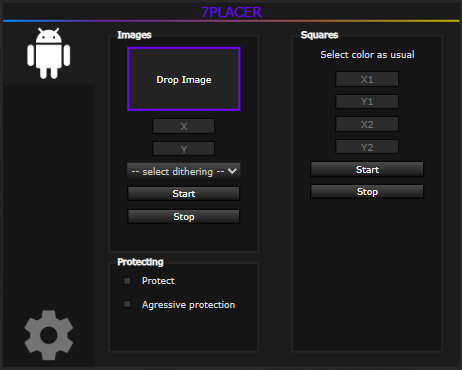
seven.commandhere()Make sure to be in the top javascript context (the dropdown at the top left in the console.)
X - Makes a square, press to select Pos1 then Pos2. (select color normally)
B - Press on the canvas to set the coordinates in the image botter.
Alt + W - Stops all botting.
multi.getAuth() // Returns the auth of the currently logged account.
multi.saveAuth(username, authId, authKey, authToken) // Saves the account auth and username from the arguments.
multi.saveAccount() // Automatically saves the currently logged account.
multi.deleteAccount(username or index)// Deletes either the username or the index of the accounts list in the args.
multi.connect(username) // Connects specific account to the websocket for the multibot.
multi.disconnect(username or 'all') // Disconnect specific account from the websocket for the multibot.
multi.connectAll() // Connects all the accounts in the account list.
multi.disconnectAll() // Disconnects all the accounts connected.
bots: [], // array of active bots (there will be always 1, which is the client)
pixelspeed: 21, // ms from one pixel to the next one.
queue: [], // current pixels in the queue.
inprogress: false, // queue in progress. (boolean)
protect: false, // queue pixel protection.
tickspeed: 1000, // lag prevention from continous loops. (lower to reduce lag)
order: 'fromCenter', // Current sorting methods are 'none', 'rand', 'colors', 'vertical', 'horizontal', 'circle', 'topleft', 'grid'. (if invalid will be circle)
multi: Object, // This is an object that contains all multi commands.
dither: undefined, // Current dithers: FloydSteinberg, FalseFloydSteinberg, Stucki, Atkinson, Jarvis, Burkes, Sierra, TwoSierra, SierraLite
agressive_protection: false // Basically protects instantly (without waiting to finish the initial botting)
Tags: pixelplace pixelplace.io, pixelplaceio bot, pixelplace, pxp, MXO, MXO bot, bababoy, turuslan, 0vc4, owmince, PPClient, 7placer, 7p, PPClient++, azti, multibot, place, rplace, r/place, reddit, 7placer+
