CodePTIT Copier

Sửa lỗi dòng trống thừa khi copy trên CodePTIT. Tạo nút copy nhanh Testcase và Mã bài + Tên bài được chuẩn hóa

Versione datata 13/10/2025. Vedi la nuova versione l'ultima versione.

Dovrai installare un'estensione come Tampermonkey, Greasemonkey o Violentmonkey per installare questo script.

You will need to install an extension such as Tampermonkey to install this script.

Dovrai installare un'estensione come Tampermonkey o Violentmonkey per installare questo script.

Dovrai installare un'estensione come Tampermonkey o Userscripts per installare questo script.

Dovrai installare un'estensione come ad esempio Tampermonkey per installare questo script.

Dovrai installare un gestore di script utente per installare questo script.

(Ho già un gestore di script utente, lasciamelo installare!)

Dovrai installare un'estensione come ad esempio Stylus per installare questo stile.

Dovrai installare un'estensione come ad esempio Stylus per installare questo stile.

Dovrai installare un'estensione come ad esempio Stylus per installare questo stile.

Dovrai installare un'estensione per la gestione degli stili utente per installare questo stile.

Dovrai installare un'estensione per la gestione degli stili utente per installare questo stile.

Dovrai installare un'estensione per la gestione degli stili utente per installare questo stile.

(Ho già un gestore di stile utente, lasciamelo installare!)

Autore
nvbangg
Valutazione
0 0 0
Versione
1.4.5
Creato il
15/05/2025
Aggiornato il
13/10/2025
Dimensione
8,56 KB
Licenza
MIT
Applica a

CodePTIT Copier

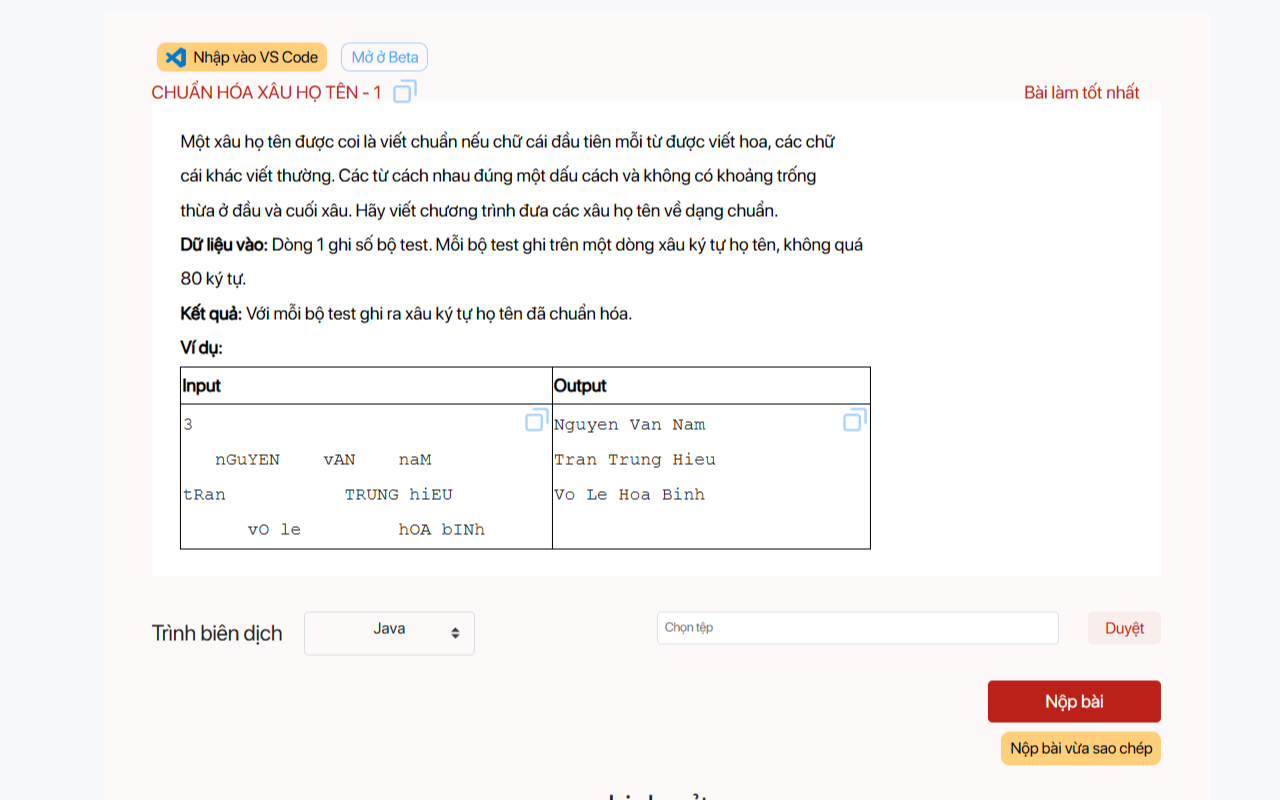
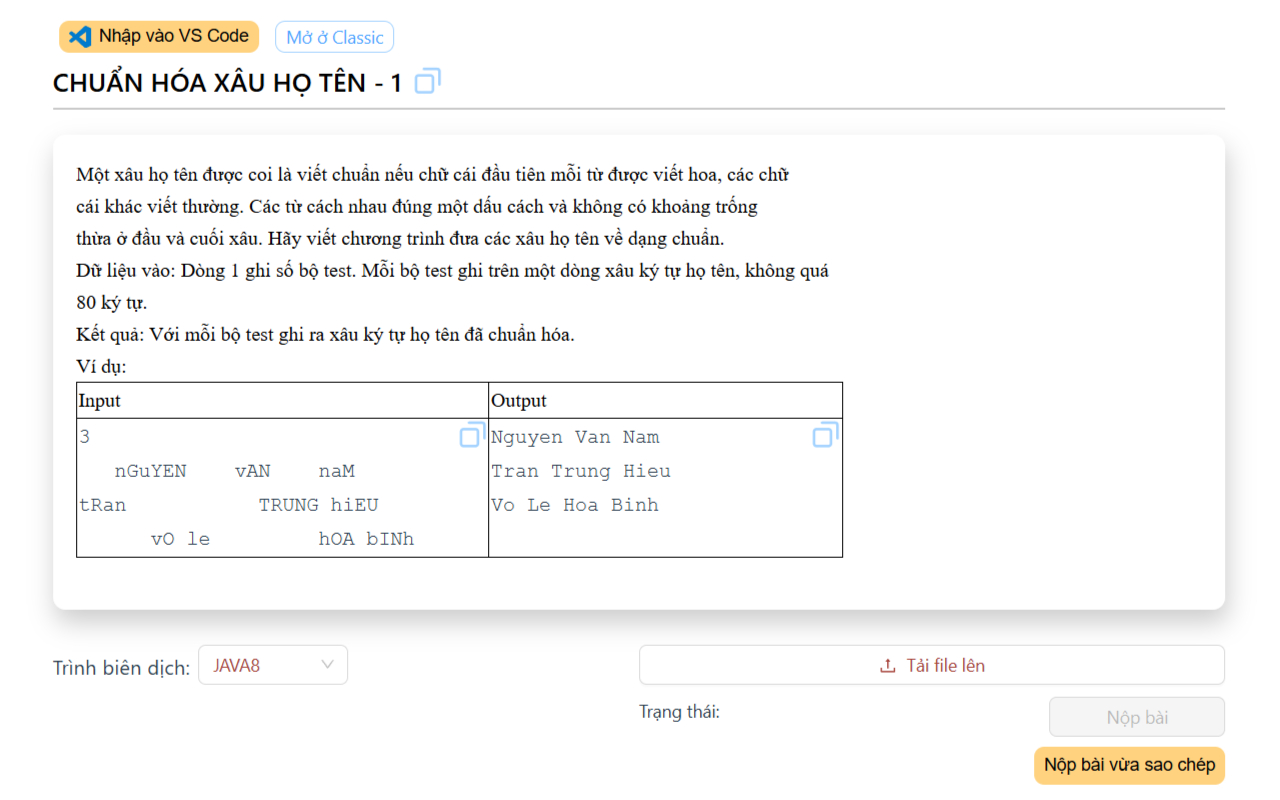
Xóa dòng trống thừa và copy nhanh Testcase, Mã bài + Tên bài được chuẩn hóa trên CodePTIT

TÍNH NĂNG:

  • Sửa lỗi dòng trống thừa và Tạo nút copy nhanh Testcase trên CodePTIT (trang cũ lẫn beta)
  • Copy nhanh Mã bài_Tên bài được chuẩn hóa để đặt tên cho file
    • Ví dụ sao chép: PYKT13017_BoBaSoPytagoBanKho.cpp cho bài BỘ BA SỐ PYTAGO (bản khó)
  • Hỗ trợ copy và paste nhanh input, output cùng lúc vào CPH (dùng cùng KeyClipboard)

CÁCH CÀI ĐẶT:

Demo1 Demo2