Google Tools Button Clicker

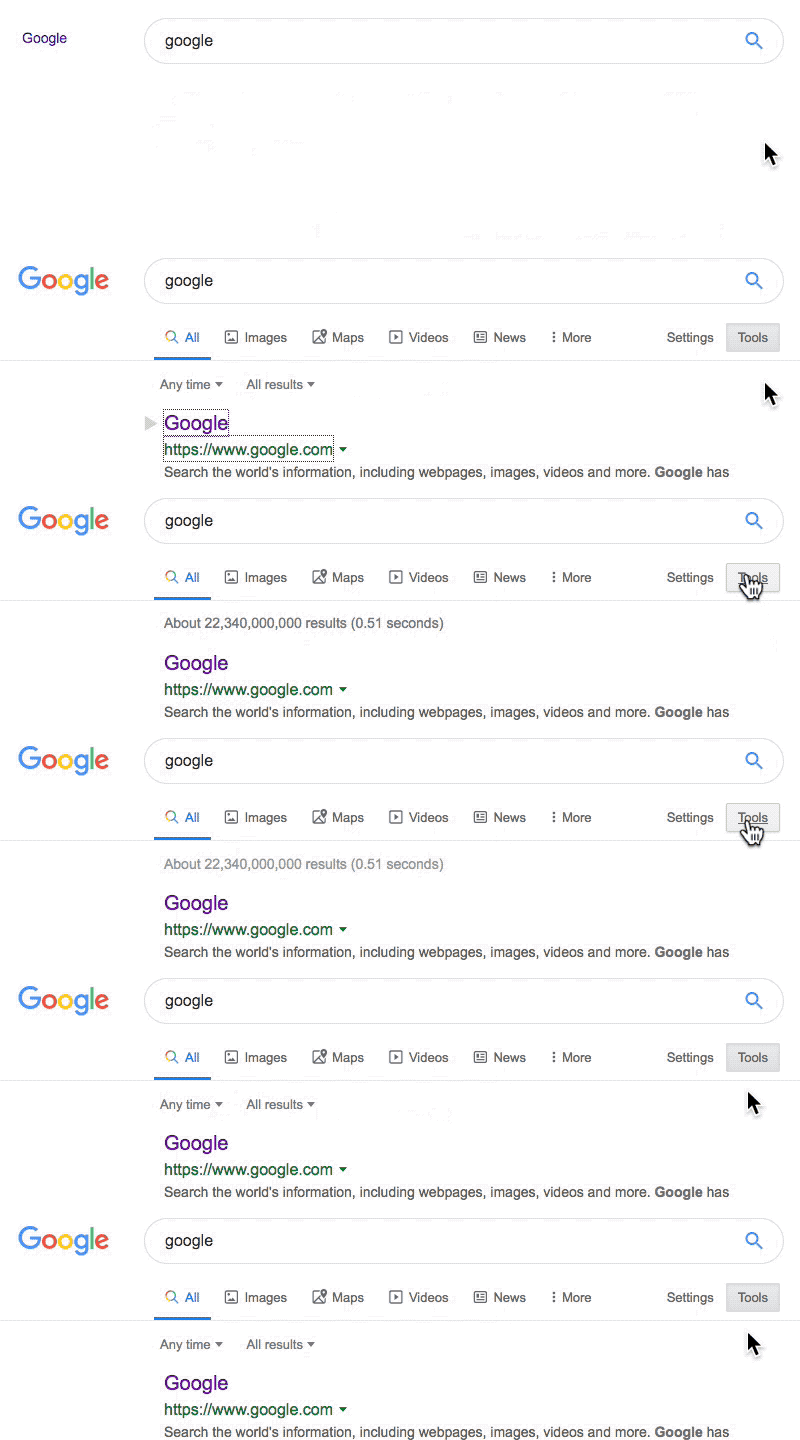
Automatically clicks Tools button on Google search.

You will need to install an extension such as Tampermonkey, Greasemonkey or Violentmonkey to install this script.

You will need to install an extension such as Tampermonkey to install this script.

You will need to install an extension such as Tampermonkey or Violentmonkey to install this script.

You will need to install an extension such as Tampermonkey or Userscripts to install this script.

You will need to install an extension such as Tampermonkey to install this script.

You will need to install a user script manager extension to install this script.

(I already have a user script manager, let me install it!)

You will need to install an extension such as Stylus to install this style.

You will need to install an extension such as Stylus to install this style.

You will need to install an extension such as Stylus to install this style.

You will need to install a user style manager extension to install this style.

You will need to install a user style manager extension to install this style.

You will need to install a user style manager extension to install this style.

(I already have a user style manager, let me install it!)

ავტორი
knoa
დღიური ინსტალაციები
0
მთლიანი ინსტალაციები
1 766
რეიტინგი
18 2 0
ვერსია
3.0.0
შექმნილია
08.07.2017
განახლებულია
01.10.2020
Size
8,56 KB
ლიცენზია
პ/გ
გამოყენებს მათ

English | 日本語 | 中文

How to install UserScripts:
https://greasyfork.org/en/help/installing-user-scripts

When you search something on google, it immediately clicks the Tools button.


Donate for this script:
- PayPal.Me/kantankikaku ←You can send me $1 🤗
- Amazon Wish List ←Snacks while coding 😋
- Amazon CPU Tamer ←Enjoy shopping as well 🥳
- Any kind of referral links are also appreciated 🎉

List of my scripts:
- Google scripts
- All scripts

Twitter:
@kantankikaku
#GoogleToolsButtonClicker

Keywords:
Chrome, Firefox, Edge, Safari, Greasemonkey, Tampermonkey, Violentmonkey, UserScript, Extension, Add-on

Screenshots: