Better Indeed

Removes bloat on Indeed by giving users the option to remove sponsored and/or Job Spotter postings

이 스크립트를 설치하려면 Tampermonkey, Greasemonkey 또는 Violentmonkey와 같은 확장 프로그램이 필요합니다.

이 스크립트를 설치하려면 Tampermonkey와 같은 확장 프로그램을 설치해야 합니다.

이 스크립트를 설치하려면 Tampermonkey 또는 Violentmonkey와 같은 확장 프로그램이 필요합니다.

이 스크립트를 설치하려면 Tampermonkey 또는 Userscripts와 같은 확장 프로그램이 필요합니다.

이 스크립트를 설치하려면 Tampermonkey와 같은 확장 프로그램이 필요합니다.

이 스크립트를 설치하려면 유저 스크립트 관리자 확장 프로그램이 필요합니다.

(이미 유저 스크립트 관리자가 설치되어 있습니다. 설치를 진행합니다!)

이 스타일을 설치하려면 Stylus와 같은 확장 프로그램이 필요합니다.

이 스타일을 설치하려면 Stylus와 같은 확장 프로그램이 필요합니다.

이 스타일을 설치하려면 Stylus와 같은 확장 프로그램이 필요합니다.

이 스타일을 설치하려면 유저 스타일 관리자 확장 프로그램이 필요합니다.

이 스타일을 설치하려면 유저 스타일 관리자 확장 프로그램이 필요합니다.

이 스타일을 설치하려면 유저 스타일 관리자 확장 프로그램이 필요합니다.

(이미 유저 스타일 관리자가 설치되어 있습니다. 설치를 진행합니다!)

작성자
LuigiA
일일 설치 수
0
총 설치 수
275
평점
1 0 1
버전
1.1.1
생성일
2018-08-27
갱신일
2018-10-12
크기
6.29KB
라이선스
MIT - https://opensource.org/licenses/MIT
적용 사이트

Better Indeed

license

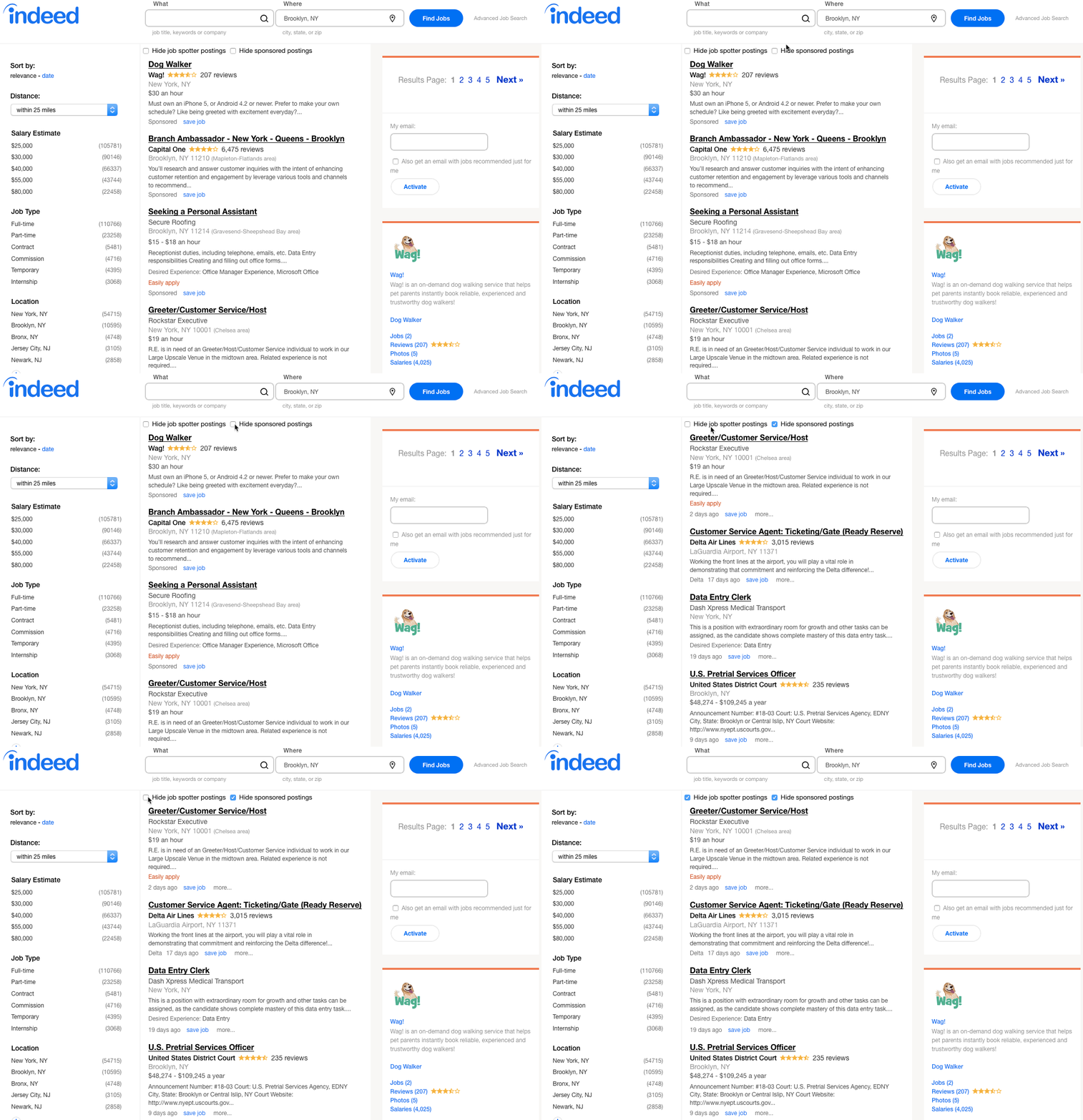
Better Indeed is a browser userscript to enhance your experience and make your job search on Indeed easier. The small tool gives users the option to remove sponsored postings or postings made by Job Spotter on Indeed. The pagination is also moved to the side. This allows page navigation from the top or bottom of the page as Indeed moves the sidebar on scroll.
Screenshots

gif

More screenshots

Why Use This

Sponsored posts can get annoying when jobs are sorted by date instead of relevance. They'll ignore the sort rule and still show jobs that were posted over 30 days ago. Job Spotter and sponsored posts can still be relevant to the job seeker which is why the options to hide them are toggable.

Features

  • Pagination is moved to the sidebar to allow page navigation from any part of the page
  • Uses the css display property to make selected job postings toggable
  • Left and right arrow keys to navigate pages (keyboard navigation)
  • Works logged in or logged out
  • Hides sponsored job postings
  • Hides Job Spotter postings
  • Saves the users option

Installation

  1. Install Violentmonkey (Chrome) or Violentmonkey (Firefox) or Tampermonkey (Safari) or a userscript manager of your choice.
  2. Open the script in raw view to install it or click the big green install button below.
  3. Visit Indeed and search for job postings.
  4. Click the checkboxes at the top of the page to block sponsored postings or Job Spotter postings or both.

Available at GitHub (Better Indeed), Greasy Fork (Better Indeed), and OpenUserJS (Better Indeed).

Install