Always on focus

Prevents websites from knowing that you switched tabs or unfocused the window

이 스크립트를 설치하려면 Tampermonkey, Greasemonkey 또는 Violentmonkey와 같은 확장 프로그램이 필요합니다.

이 스크립트를 설치하려면 Tampermonkey와 같은 확장 프로그램을 설치해야 합니다.

이 스크립트를 설치하려면 Tampermonkey 또는 Violentmonkey와 같은 확장 프로그램이 필요합니다.

이 스크립트를 설치하려면 Tampermonkey 또는 Userscripts와 같은 확장 프로그램이 필요합니다.

이 스크립트를 설치하려면 Tampermonkey와 같은 확장 프로그램이 필요합니다.

이 스크립트를 설치하려면 유저 스크립트 관리자 확장 프로그램이 필요합니다.

(이미 유저 스크립트 관리자가 설치되어 있습니다. 설치를 진행합니다!)

이 스타일을 설치하려면 Stylus와 같은 확장 프로그램이 필요합니다.

이 스타일을 설치하려면 Stylus와 같은 확장 프로그램이 필요합니다.

이 스타일을 설치하려면 Stylus와 같은 확장 프로그램이 필요합니다.

이 스타일을 설치하려면 유저 스타일 관리자 확장 프로그램이 필요합니다.

이 스타일을 설치하려면 유저 스타일 관리자 확장 프로그램이 필요합니다.

이 스타일을 설치하려면 유저 스타일 관리자 확장 프로그램이 필요합니다.

(이미 유저 스타일 관리자가 설치되어 있습니다. 설치를 진행합니다!)

작성자
daijro
일일 설치 수
3
총 설치 수
14,393
평점
8 1 1
버전
1.5.3
생성일
2021-07-20
갱신일
2024-06-09
크기
2.49KB
라이선스
해당 없음
적용 사이트
모든 사이트

Always on focus

Userscript to trick websites into thinking the tab is always on focus


Installation

  1. Download the Tampermonkey browser extension

  2. Click here to install the userscript

  3. Toggle the userscript on/off from the Tampermonkey dashboard


What it does

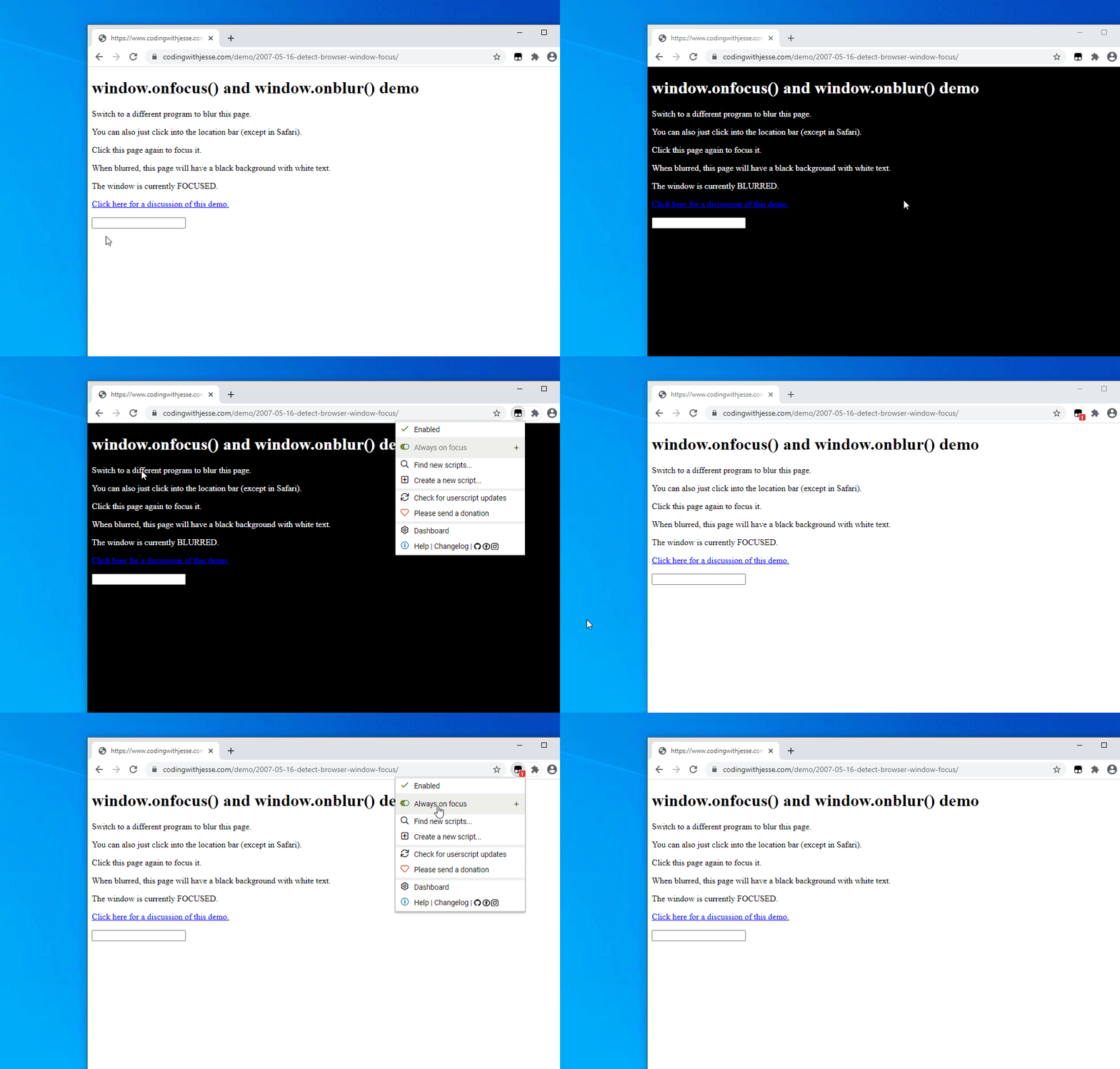
Always on focus is a lightweight userscript that prevents websites from knowing that you switched tabs or unfocused the window. This is a fork of this userscript that adds these:

  • Disables the Page Visibility API

  • Disables the window.onblur() event and and sets window.hasFocus() and window.onFocus() to always true (Ex.)

  • Removes the visibilitychange and blur event listeners (Ex.)

Example:

Here is an example website that changes color when the window isn't focused: