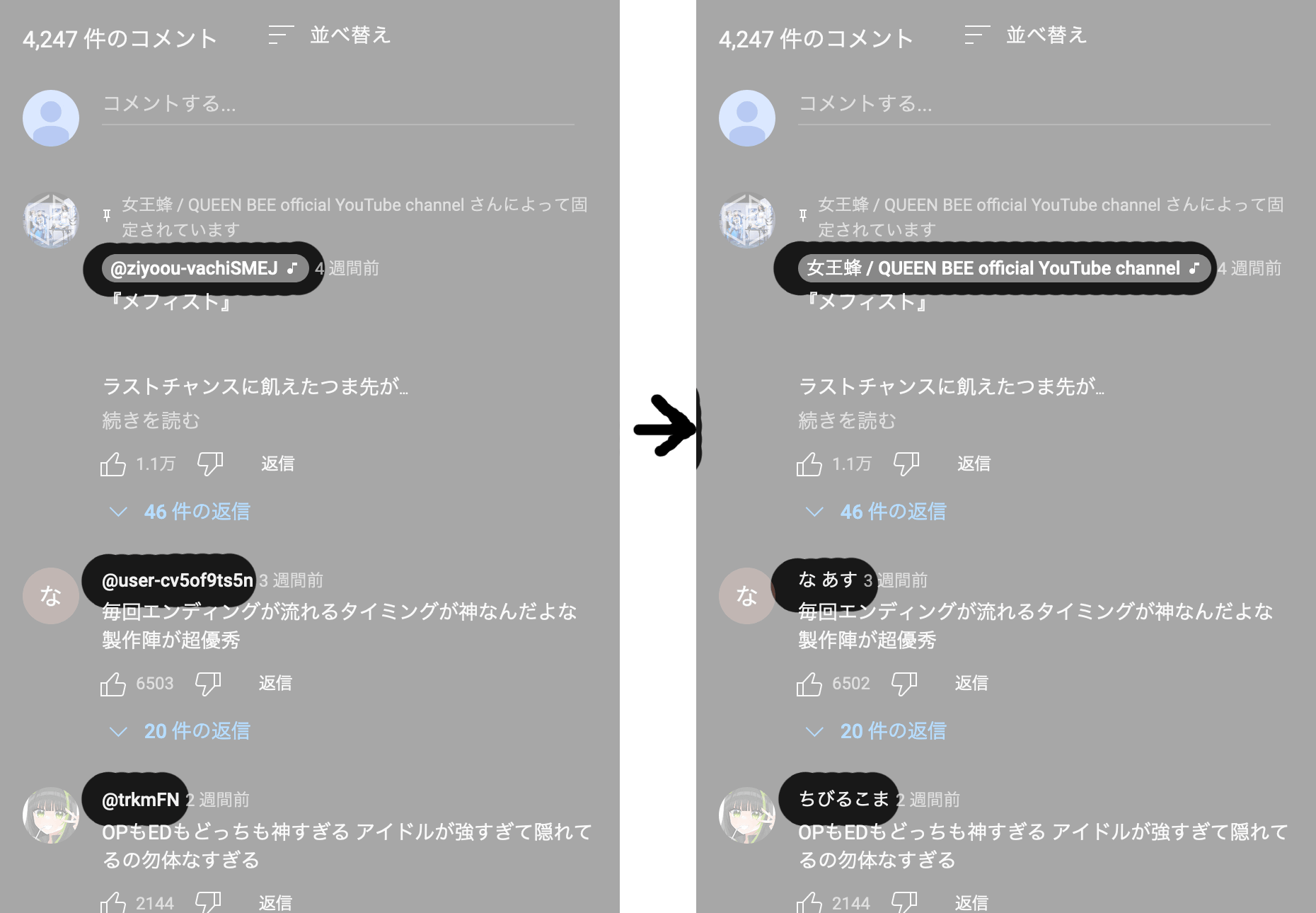
To restore YouTube Username to the traditional custom name
Minimum Browser Versions:


This user script, named "Restore YouTube Username from Handle to Custom," is designed to restore the traditional custom name on YouTube. It aims to replace the handle-based usernames with the custom usernames that were previously used on the platform.
The script utilizes the Tampermonkey extension and runs on the YouTube website. It fetches the necessary data to restore the custom username and replaces the handle-based usernames displayed on the page.
This user script is developed by CY Fung.
The script is compatible with the YouTube website (https://www.youtube.com/*).
The script works by making requests to the YouTube API to retrieve the necessary data for each channel. It fetches the channel's metadata, including the custom username, and replaces the handle-based username displayed on the page.
Important: Before installing any user script, ensure that you review the script's source and verify its authenticity to ensure your safety and security.