evolve-game-speed

override the default game speed

이 스크립트를 설치하려면 Tampermonkey, Greasemonkey 또는 Violentmonkey와 같은 확장 프로그램이 필요합니다.

이 스크립트를 설치하려면 Tampermonkey와 같은 확장 프로그램을 설치해야 합니다.

이 스크립트를 설치하려면 Tampermonkey 또는 Violentmonkey와 같은 확장 프로그램이 필요합니다.

이 스크립트를 설치하려면 Tampermonkey 또는 Userscripts와 같은 확장 프로그램이 필요합니다.

이 스크립트를 설치하려면 Tampermonkey와 같은 확장 프로그램이 필요합니다.

이 스크립트를 설치하려면 유저 스크립트 관리자 확장 프로그램이 필요합니다.

(이미 유저 스크립트 관리자가 설치되어 있습니다. 설치를 진행합니다!)

이 스타일을 설치하려면 Stylus와 같은 확장 프로그램이 필요합니다.

이 스타일을 설치하려면 Stylus와 같은 확장 프로그램이 필요합니다.

이 스타일을 설치하려면 Stylus와 같은 확장 프로그램이 필요합니다.

이 스타일을 설치하려면 유저 스타일 관리자 확장 프로그램이 필요합니다.

이 스타일을 설치하려면 유저 스타일 관리자 확장 프로그램이 필요합니다.

이 스타일을 설치하려면 유저 스타일 관리자 확장 프로그램이 필요합니다.

(이미 유저 스타일 관리자가 설치되어 있습니다. 설치를 진행합니다!)

작성자
jules_
일일 설치 수
1
총 설치 수
107
평점
1 0 0
버전
1.2
생성일
2024-11-24
갱신일
2025-05-10
크기
3.77KB
라이선스
MIT
적용 사이트

Install to pull at the magic thread (warning: may ruin your fun!)
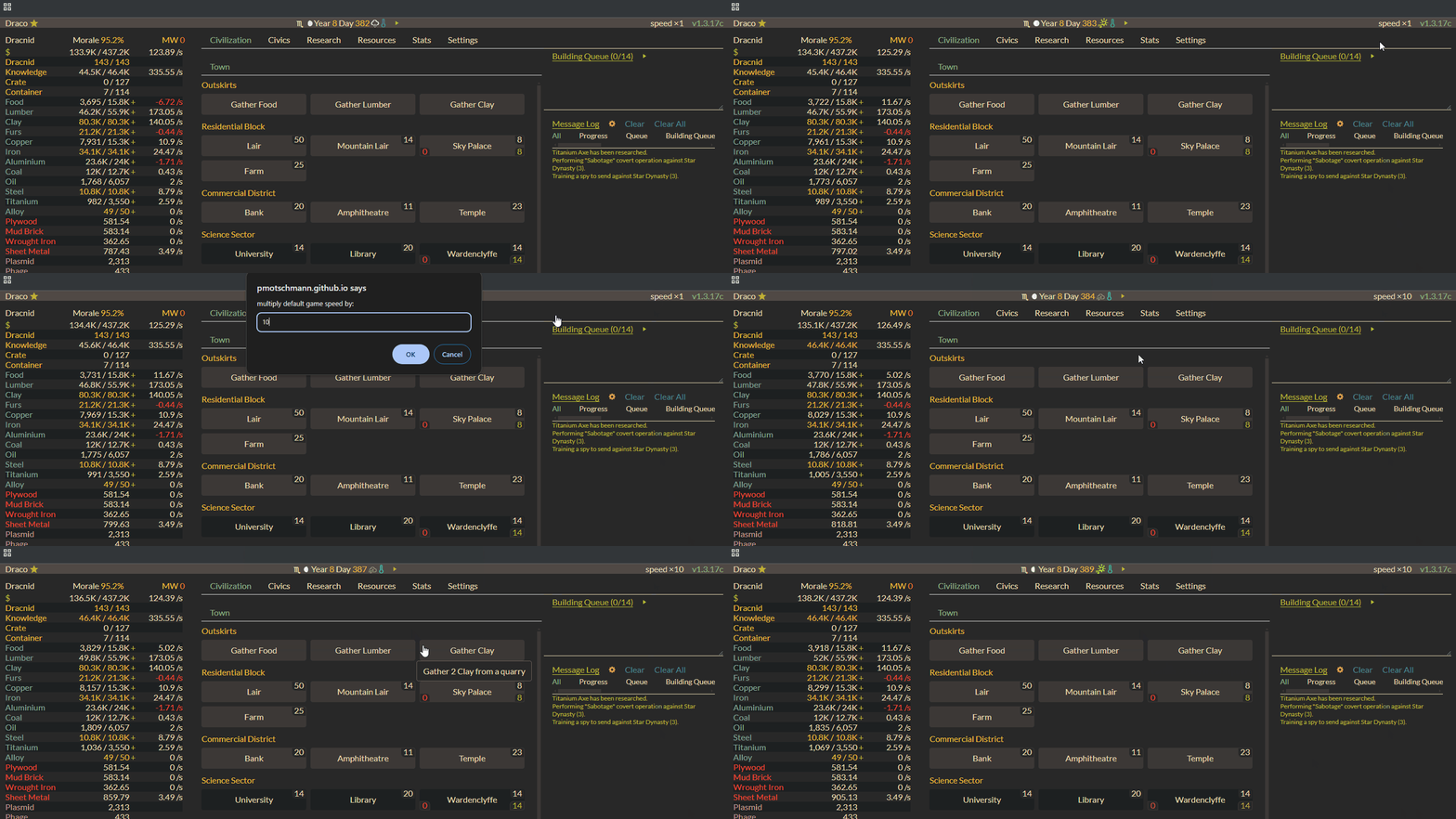
multiplying the default game speed by 10

What it does

This userscript adds a speed multiplier button to Evolve, letting you fast-forward through the waiting game. Click the button in the top-right corner to accelerate time!

Usage

  1. Click the Install link above
  2. Navigate to Evolve
  3. Look for the speed multiplier in the top-right corner
  4. Click to accelerate time! Any number above 1x is allowed

Tips & Troubleshooting

  • While any speed is technically possible, things get wonky beyond 10x
  • If the game acts up, try:
    1. Pausing and resuming
    2. If that doesn't work, refresh the page
    3. If all else fails, try a lower speed multiplier