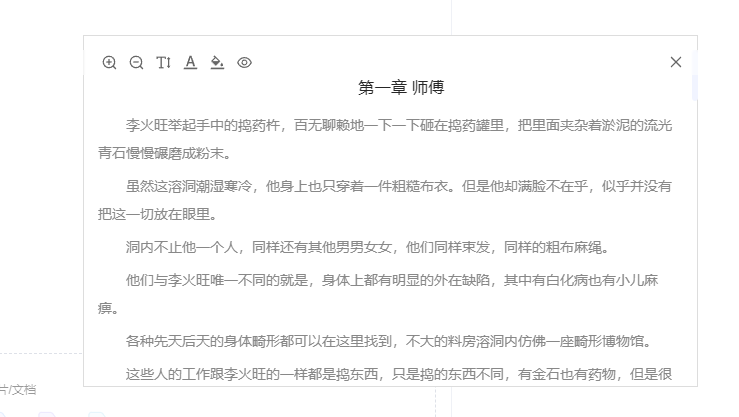
上班摸鱼小说阅读器

一款简单的网页小说阅读器,可以隐藏在网页中,自定义书籍,功能持续维护升级中。

You will need to install an extension such as Tampermonkey, Greasemonkey or Violentmonkey to install this script.

You will need to install an extension such as Tampermonkey to install this script.

You will need to install an extension such as Tampermonkey or Violentmonkey to install this script.

You will need to install an extension such as Tampermonkey or Userscripts to install this script.

You will need to install an extension such as Tampermonkey to install this script.

You will need to install a user script manager extension to install this script.

(I already have a user script manager, let me install it!)

You will need to install an extension such as Stylus to install this style.

You will need to install an extension such as Stylus to install this style.

You will need to install an extension such as Stylus to install this style.

You will need to install a user style manager extension to install this style.

You will need to install a user style manager extension to install this style.

You will need to install a user style manager extension to install this style.

(I already have a user style manager, let me install it!)

Forfatter
overrei
Daglige installasjoner
0
Totale installasjoner
10
Vurderinger
0 2 0
Versjon
0.0.3
Lagd
26.08.2025
Oppdatert
23.09.2025
Size
1,8 MB
Lisens
MIT
Gjelder

上班摸鱼小说阅读器

一个简单的小说阅读器。可以自定义小说来源网站,从而嵌入指定的网页内阅读。功能还在继续完善中,有BUG或者建议的朋友可以留言告诉我。 第一次阅读书籍的时候可能会出现BUG显示不出来,可以刷新一下网页。

功能列表

  • 书架 可以添加、阅读、删除、导入列表、导出列表(建议可以导出添加好的书籍列表作为备份)。
  • 阅读窗口样式设置,可以设置字号,颜色,背景透明度。
  • 阅读窗口自由拖拽调整大小,位置。可以吸附浏览器边缘。
  • 隐藏模式(有两种)。
    • 1.点击空白隐藏,隐藏后在浏览器右下角会显示一个按钮,点击可以显示出来。
    • 2.鼠标离开隐藏,鼠标离开后会自动隐藏(此模式下找不到隐藏的窗口可以快速三次点击键盘“V”显示窗口)。

使用方法

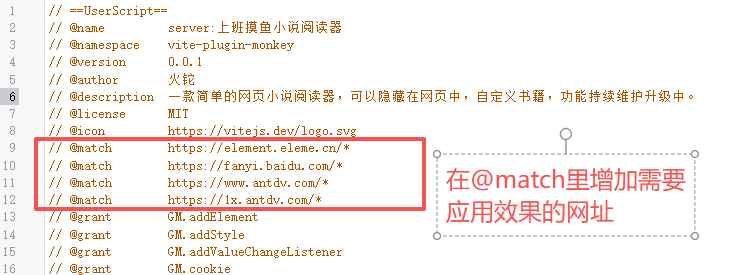
第一步 配置生效地址

添加脚本后,需要配置此脚本需要生效的网站地址。 配置脚本生效的网站地址

第二步 刷新页面

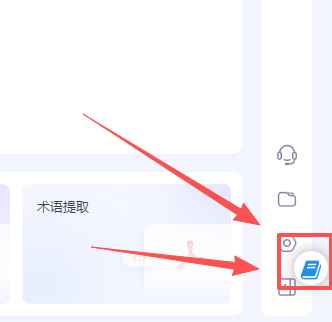
刷新页面后,窗口会自动隐藏在网页右下角,击菜单图标才会显示出来 注意:窗口的隐藏模式默认是点击空白处隐藏到浏览器右下角,找不到窗口的时候可以在右下角寻找菜单窗口 菜单位置 菜单图标
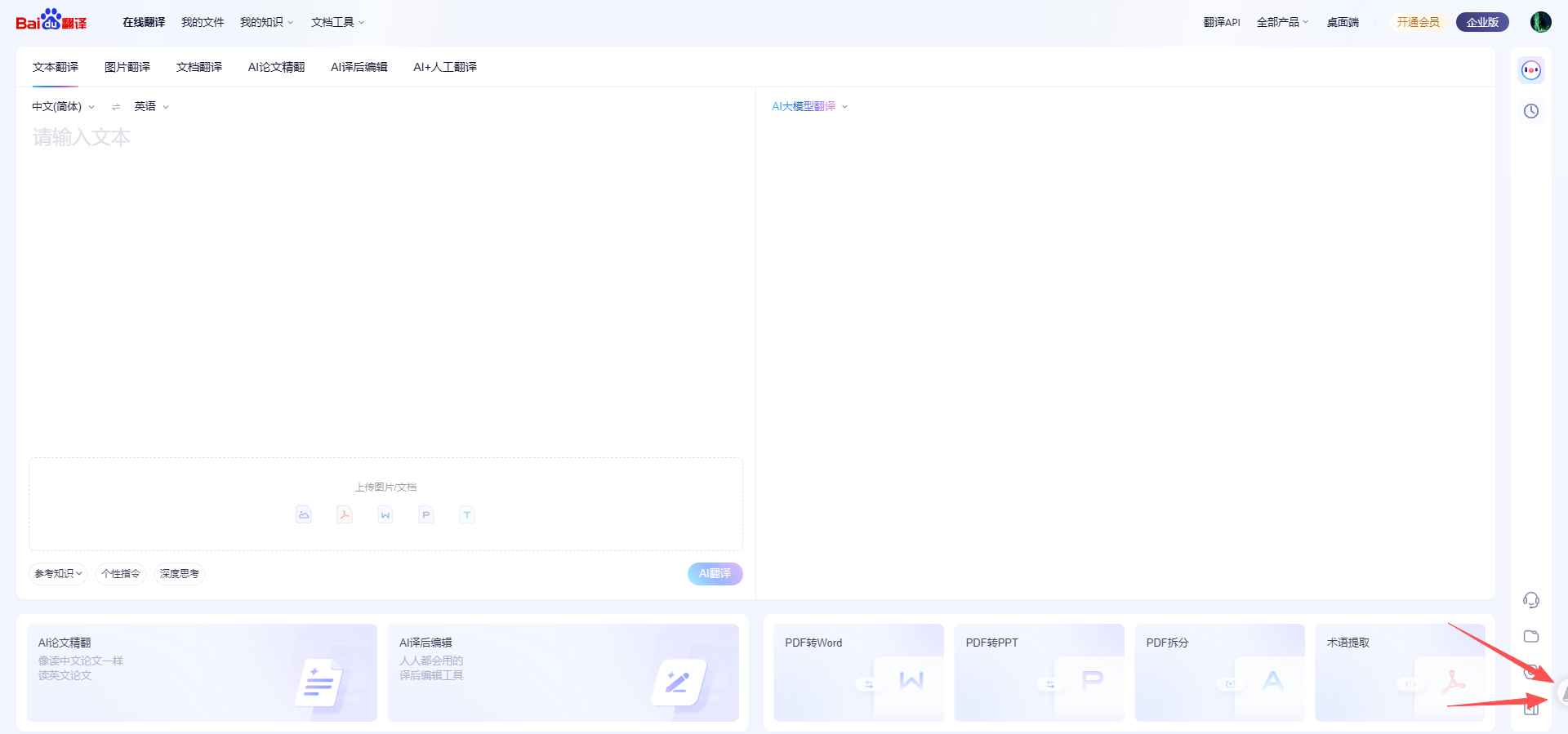
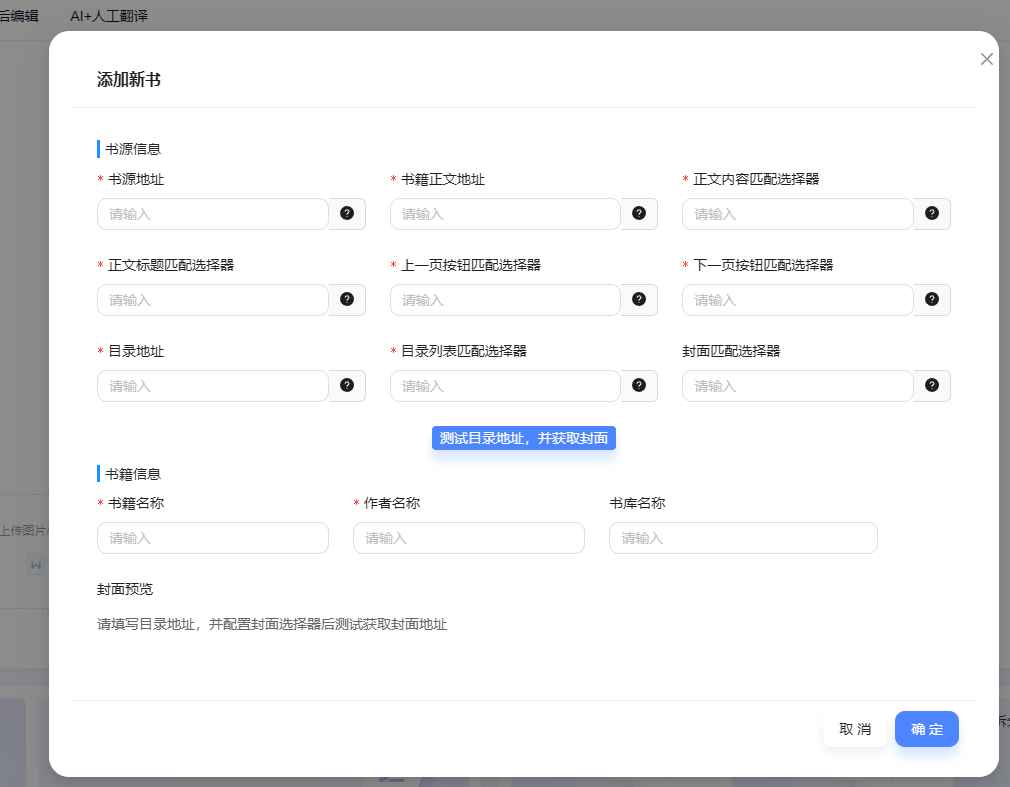
第三步 添加书源

点击图标,网页会出现一个小窗口,默认进入书架页面。可以添加书源。 1.鼠标移入窗口顶部,可以拖动窗口位置,拖拽到浏览器四周可以吸附 2.鼠标移入窗口右下角,可以拖动窗口大小。 注:有些网站的样式会覆盖弹出窗口内表单元素样式,一般不影响使用。 图
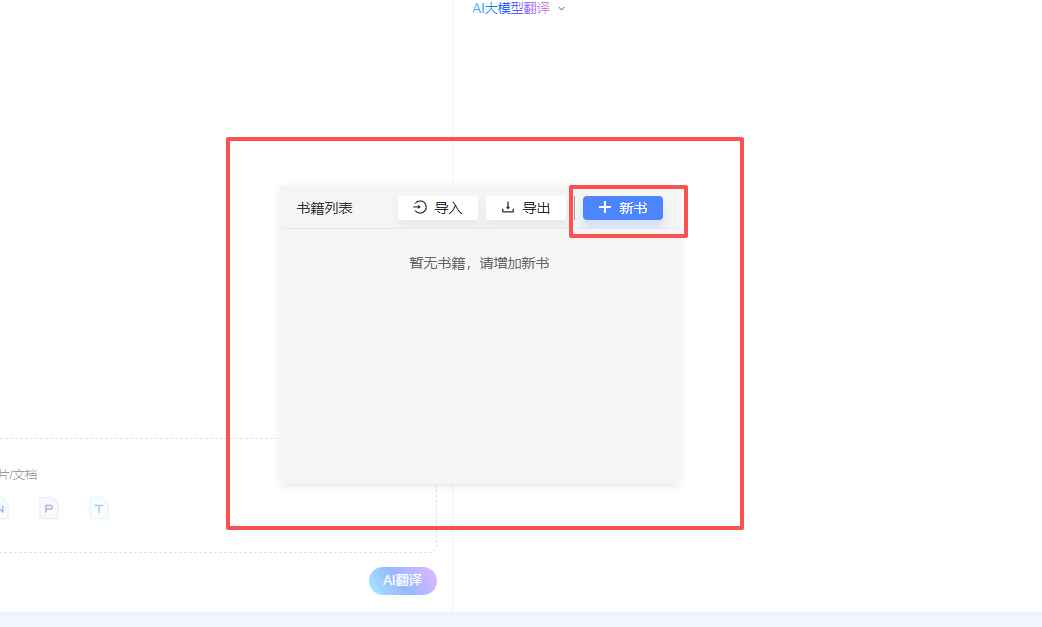
第四步 添加书源介绍

图

寻找一个可以看小说网址。这里我随便找一个地址。比如https://www.xinbisw.com/,小说就看《道诡异仙》 书源地址:https://www.xinbisw.com/ 书籍正文地址:https://www.xinbisw.com/ 正文内容匹配选择器:#content (就是小说开始阅读时,页面内包含正文的html元素的id或class选择器。如果不知道这个怎么找的朋友,在小说页面按F12按钮,在右侧打开的开发者窗口内,选择元素菜单,然后在页面的html结构内,找到正文所在的html元素。)
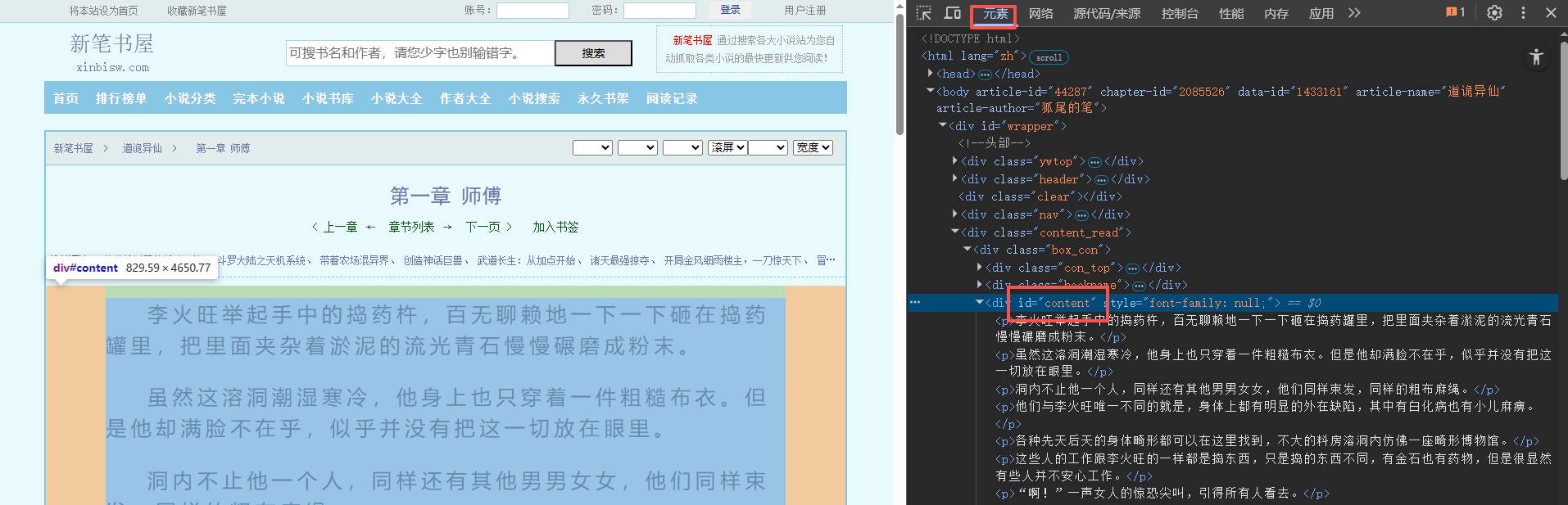
图

正文标题匹配选择器:.bookname>h1>a (方法同上)

图

上一页按钮匹配选择器,#prev_url (方法同上) 下一页按钮匹配选择器:#next_url (方法同上)
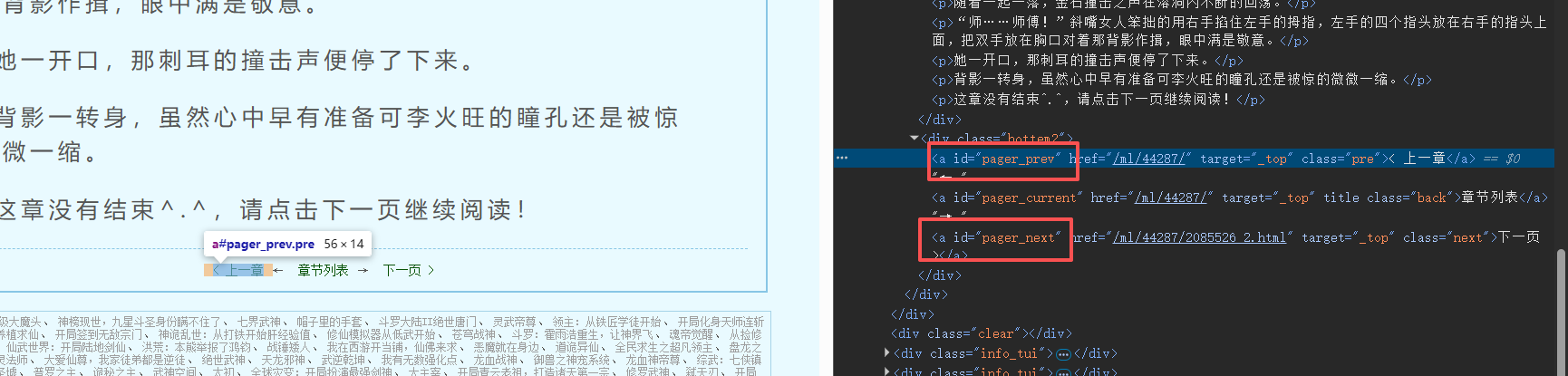
图

目录地址:https://www.xinbisw.com/ml/44287/ 这里使用可以看到完整小说目录的网址即可 目录列表匹配选择器:#list dd a (方法同上,但是需要定位到具体的每一章目录的html元素上。细节如图)
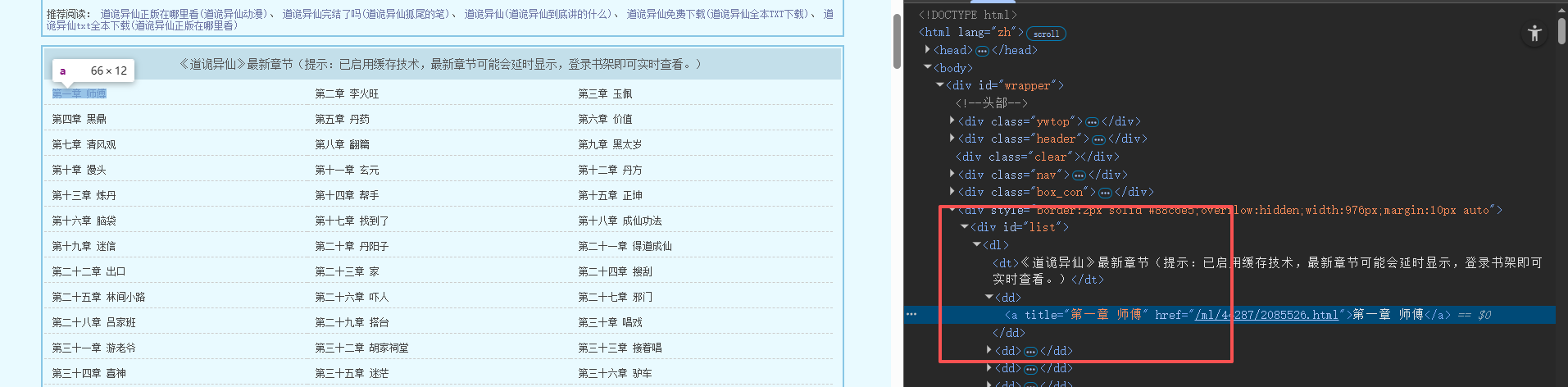
图

封面匹配选择器:#fmimg img (方法同上)

第五步 测试目录地址获取封面

点击测试按钮,如果能出现目录地址,则证明以上配置正确,可以阅读

图

第六步 开始阅读

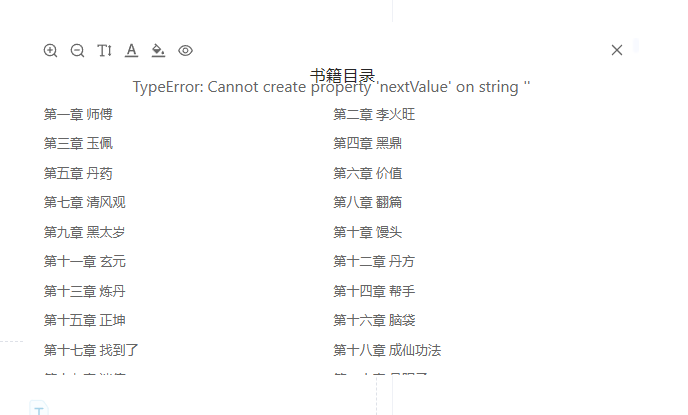
点击确定,保存书源信息。保存后,即可看到书籍列表中已经增加了新的书籍,点击进入目录,点击目录即可阅读
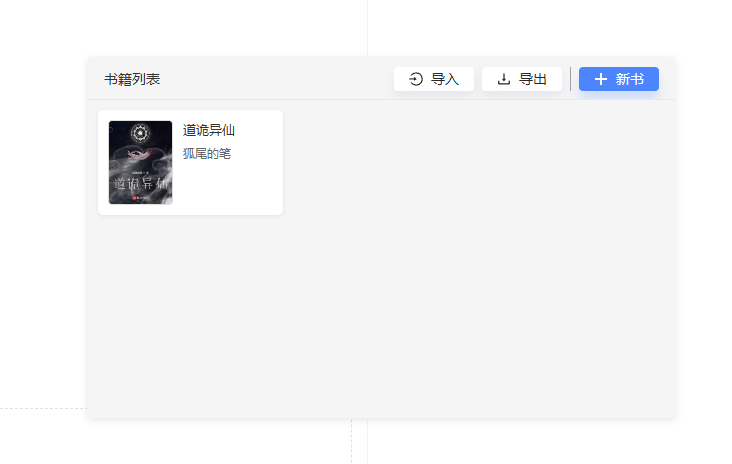
图 图 图