GitHub Useful Forks

Adds a button to GitHub repositories to see useful forks of the repo.

Na nainštalovanie skriptu si budete musieť nainštalovať rozšírenie, ako napríklad Tampermonkey, Greasemonkey alebo Violentmonkey.

Na inštaláciu tohto skriptu je potrebné nainštalovať rozšírenie, ako napríklad Tampermonkey.

Na nainštalovanie skriptu si budete musieť nainštalovať rozšírenie, ako napríklad Tampermonkey, % alebo Violentmonkey.

Na nainštalovanie skriptu si budete musieť nainštalovať rozšírenie, ako napríklad Tampermonkey alebo Userscripts.

Na inštaláciu tohto skriptu je potrebné nainštalovať rozšírenie, ako napríklad Tampermonkey.

Na inštaláciu tohto skriptu je potrebné nainštalovať rozšírenie správcu používateľských skriptov.

(Už mám správcu používateľských skriptov, nechajte ma ho nainštalovať!)

Na inštaláciu tohto štýlu je potrebné nainštalovať rozšírenie, ako napríklad Stylus.

Na inštaláciu tohto štýlu je potrebné nainštalovať rozšírenie, ako napríklad Stylus.

Na inštaláciu tohto štýlu je potrebné nainštalovať rozšírenie, ako napríklad Stylus.

Na inštaláciu tohto štýlu je potrebné nainštalovať rozšírenie správcu používateľských štýlov.

Na inštaláciu tohto štýlu je potrebné nainštalovať rozšírenie správcu používateľských štýlov.

Na inštaláciu tohto štýlu je potrebné nainštalovať rozšírenie správcu používateľských štýlov.

(Už mám správcu používateľských štýlov, nechajte ma ho nainštalovať!)

Autor
bethro
Denne inštalácií
0
Celkový počet inštalácií
54
Hodnotenie
1 0 0
Verzia
1.1
Vytvorené
29.05.2024
Aktualizované
29.05.2024
Veľkosť
3,8 KB
Licencia
MIT
Spustiť na

GitHub Useful Forks Button

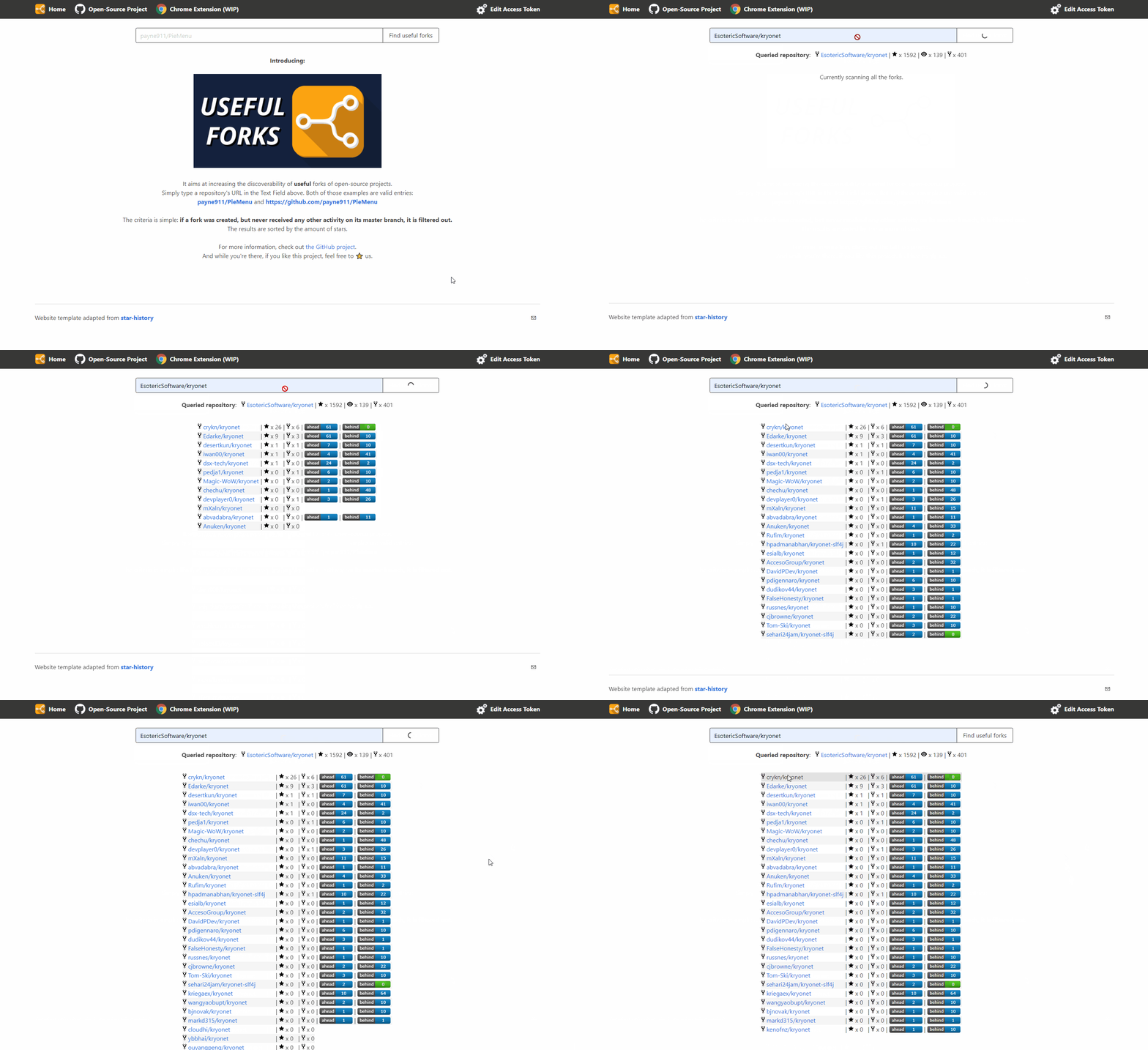
Description: This user script adds a button to GitHub repository pages, allowing users to quickly check useful forks of the repository using the Useful Forks service. The button appears next to the forks counter on the repository page and opens a new tab with the Useful Forks website showing detailed information about the forks.

This is a fork of useful-forks chrome extension.

Features:

  • Adds a "Useful" button to GitHub repository pages.
  • The button uses the Useful Forks service to provide detailed information about forks.
  • Automatically adapts to GitHub's dynamic content loading (e.g., PJax) to ensure the button is always available.

Usage:

  1. Install a user script manager like Tampermonkey or Greasemonkey.
  2. Install this script from Greasy Fork.
  3. Navigate to any GitHub repository page.
  4. Click the "Useful" button next to the forks counter to see detailed information about useful forks.

extension_btn

Installation:

  1. Install Tampermonkey or Greasemonkey extension in your browser.
  2. Click the "Install" button on this page to add the script to your script manager.
  3. Navigate to any GitHub repository to see the new button in action.

Technical Details:

  • The script identifies the current repository's user and repo name from the URL.
  • It constructs a URL to the Useful Forks service and assigns it to the button.
  • Uses a MutationObserver to handle GitHub's dynamic content changes without requiring a full page reload.

example