Torn Racing Telemetry
Enhance Torn racing with a cleaner leaderboard, realistic live telemetry, API-driven stats/history analysis, and race-result export tools.
What's New in v3.5.0
- Migrated to a modular source layout with a single-file build output for userscript deployment.
- Replaced chart-based history/stats views with fast API-first cards, timeline, and sortable tables.
- Added true paginated official-race ingestion via
/user/races links.
- Redesigned expanded driver dropdown cards (desktop/mobile) and improved telemetry animation behavior.
- Reduced dead code and cleaned stale legacy paths.
Table of Contents
Overview
Torn Racing Telemetry replaces Torn's default race list with a telemetry-first interface and adds API-powered analysis panels. It is designed for practical race-day usage: fast reads, clear comparisons, and easy export.
- Author: TheProgrammer (2782979)
- Distribution: final bundled userscript (
tornracingtelemetry.js)
- Compatibility: browser userscript managers and Torn PDA flow
Key Features
Enhanced UI and Telemetry
- Optional replacement of Torn's leaderboard with always-sorted custom list.
- Live speed, acceleration, and optional progress display.
- Color-coded telemetry by acceleration/deceleration.
- Expandable per-driver detail cards with lap metrics and API racing stats.
Data and Analysis
- Stats panel with summary cards, comparison windows, and sortable track/car/race tables.
- History panel with summary cards, race-event timeline, and sortable recent-races table.
- Track and car static-data caching for faster panel loads.
- Comparison metrics tuned for limited-history windows (no hard 40-race requirement).
Export and Configuration
- Export final race results as HTML, Markdown, CSV, TXT, or JSON.
- Copy exported race data to clipboard.
- Full settings panel for telemetry, animation, smoothing, API behavior, and UI toggles.
- Torn PDA API-key placeholder auto-setup support.
Enhanced Driver List
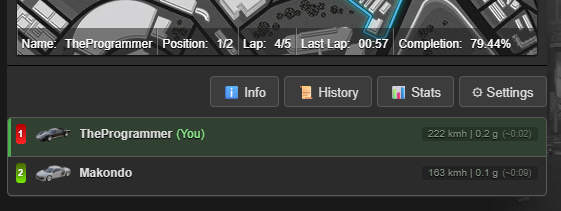
The collapsed list keeps race order and top-line telemetry easy to scan.
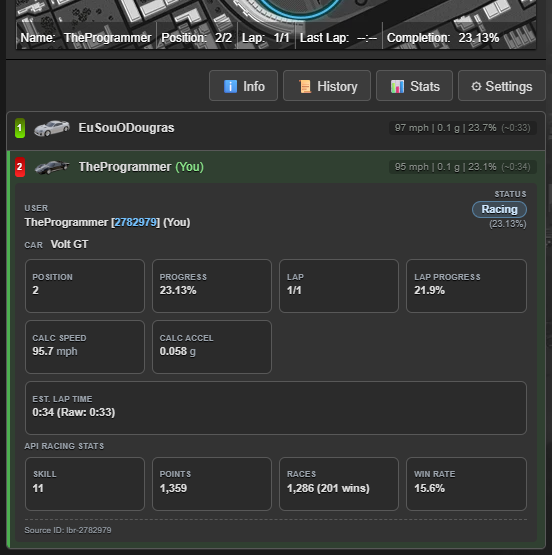
Expanding a driver shows status, lap/progress cards, calculated speed/accel, estimate data, and API racing stats.
Telemetry color semantics:
- Green: positive acceleration.
- Red: braking/deceleration.
- Neutral: low/near-zero acceleration.
History Panel
The History panel loads official races from the API on open and renders summary cards plus timeline/table views.
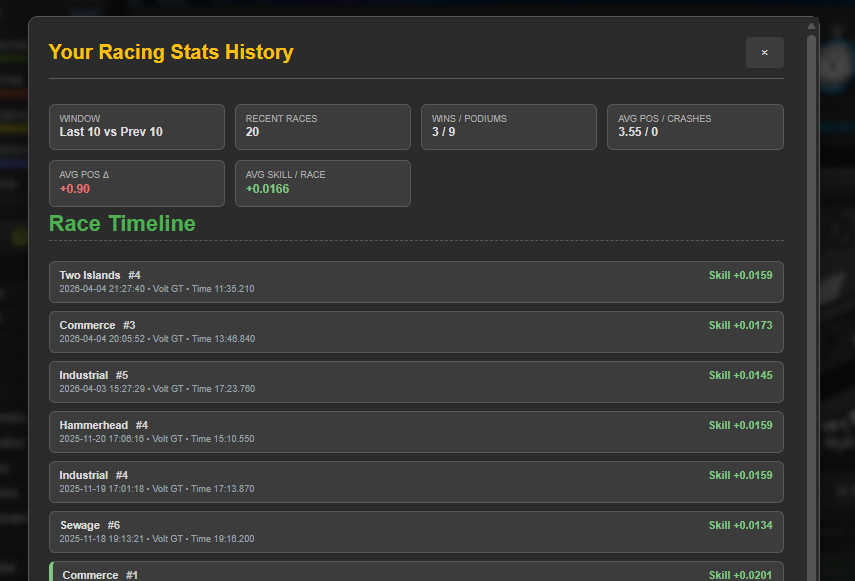
Highlights:
- Window comparison cards (
Last N vs Prev N) for position trends.
- Average skill-per-race metric across loaded history.
- Race timeline for quick event review.
- Sortable recent-races table for detailed inspection.
Stats Panel
The Stats panel focuses on performance analytics and breakdowns from official race history.
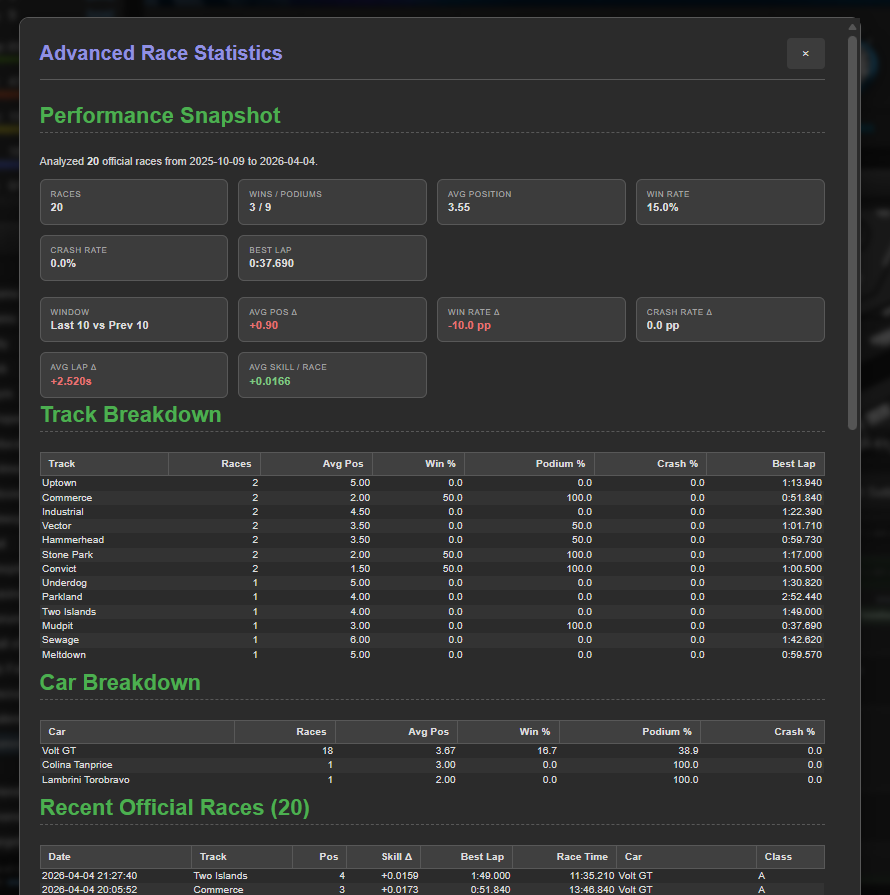
Highlights:
- Performance snapshot cards (wins, podiums, rates, best lap, etc.).
- Window-based deltas for position/win/crash/lap behavior.
- Track breakdown table and car breakdown table.
- Recent official races table with sortable columns.
Export Panel
Export final race results in multiple formats or copy the output directly.
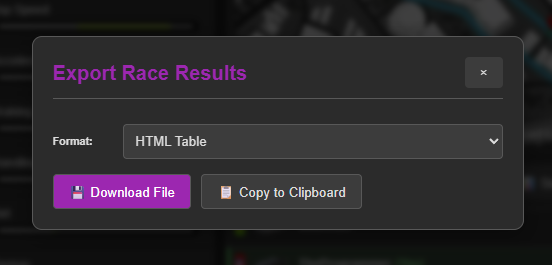
Available formats:
- HTML Table
- Markdown Table
- CSV
- Plain Text
- JSON
Settings Panel
Configure all major behavior from one place.
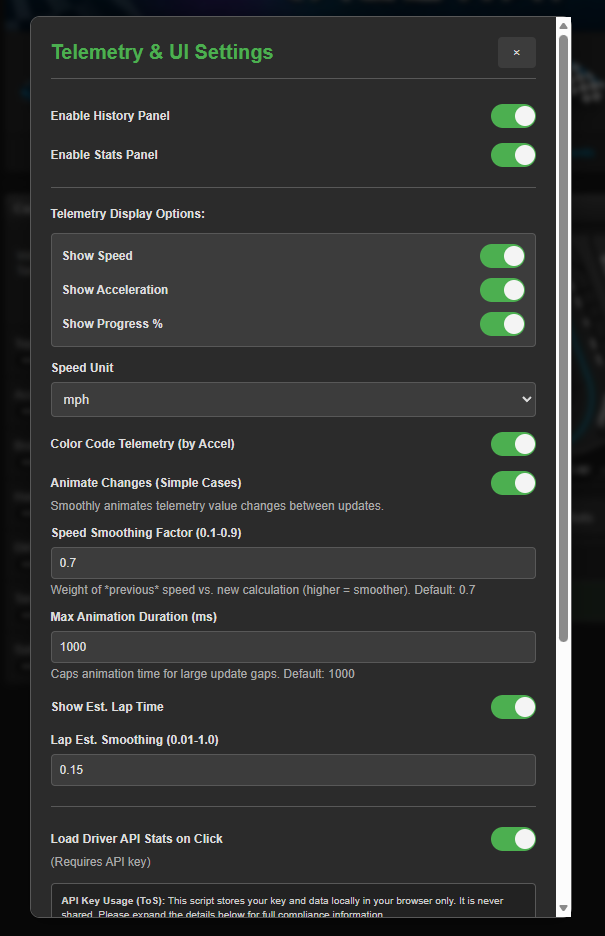
Main controls:
- Enable/disable History and Stats panels.
- Telemetry display options (speed, acceleration, progress).
- Speed unit, color coding, animation toggle, smoothing values.
- API key, API stats-on-click toggle, and race analysis limit.
- Hide/show Torn's original leaderboard.
API Usage and Privacy
This script stores settings and API key locally in userscript storage and only sends API requests to Torn's official API.
| Item |
Behavior |
| Data storage |
Local only |
| Data sharing |
None |
| API destination |
api.torn.com only |
| Typical key level |
Limited Access (custom selections) |
| Required selections |
user (personalstats, races), racing (tracks, cars, records)
|
Installation
- Install a userscript manager (Tampermonkey or Violentmonkey).
- Install the script from GreasyFork: https://greasyfork.org/en/scripts/522245-torn-racing-telemetry
- Open Torn racing page and configure settings.
- Add API key for full Stats/History/driver API features.
- Torn PDA users can use the managed placeholder flow (
###PDA-APIKEY###).
FAQ
Does this break Torn rules?
No. It is a UI enhancement script using Torn's public API endpoints.
Is my API key safe?
The key is stored locally in userscript storage and used only for Torn API requests.
Why do I need an API key?
Core on-page telemetry works without it, but Stats panel, History panel, and per-driver API stats require it.
Why can Avg Pos Delta be red when it is positive?
Because lower finishing position is better. A positive delta means average finishing position number increased (worse performance).
What if the script looks stale after update?
Hard refresh the page first. If needed, use Settings -> Clear Script Data.


