🌱【付费使用】华医网继续教育|华医网学分|付费版本可一键启动全自动加速学习+自动考试,见收费版本:https://doc.zhanyc.cn/pages/hywjxjy/

付费脚本,需付费后才能使用。可一键启动全自动加速学习+自动考试,一杯咖啡钱,保你无忧学习,且永久使用|接各类脚本开发、代挂工作,微信:zhanyc_cn 备用微信:zhanfengkuo 个人网站:http://doc.zhanyc.cn

คุณจะต้องติดตั้งส่วนขยาย เช่น Tampermonkey, Greasemonkey หรือ Violentmonkey เพื่อติดตั้งสคริปต์นี้

You will need to install an extension such as Tampermonkey to install this script.

คุณจะต้องติดตั้งส่วนขยาย เช่น Tampermonkey หรือ Violentmonkey เพื่อติดตั้งสคริปต์นี้

You will need to install an extension such as Tampermonkey or Userscripts to install this script.

You will need to install an extension such as Tampermonkey to install this script.

You will need to install a user script manager extension to install this script.

(I already have a user script manager, let me install it!)

You will need to install an extension such as Stylus to install this style.

You will need to install an extension such as Stylus to install this style.

You will need to install an extension such as Stylus to install this style.

You will need to install a user style manager extension to install this style.

You will need to install a user style manager extension to install this style.

You will need to install a user style manager extension to install this style.

(I already have a user style manager, let me install it!)

ผู้เขียน
Dagobert
จำนวนติดตั้งประจำวัน
0
จำนวนติดตั้งทั้งหมด
24
คะแนน
0 0 0
เวอร์ชัน
1.0
สร้างเมื่อ
06-03-2025
อัปเดตเมื่อ
06-03-2025
Size
37.7 กิโลไบต์
สัญญาอนุญาต
GPL
ปรับใช้กับ

本这个是付费脚本,需付费后才能使用。可一键启动全自动加速学习+自动考试

以下是付费功能的功能描述

功能&费用

标准版本:10 元/1个学生账号/不限时/不限设备,账号数量多价格可优惠

功能:

  • 一键启动视频加速学习+自动考试
  • 不可过人脸识别!!!

使用说明

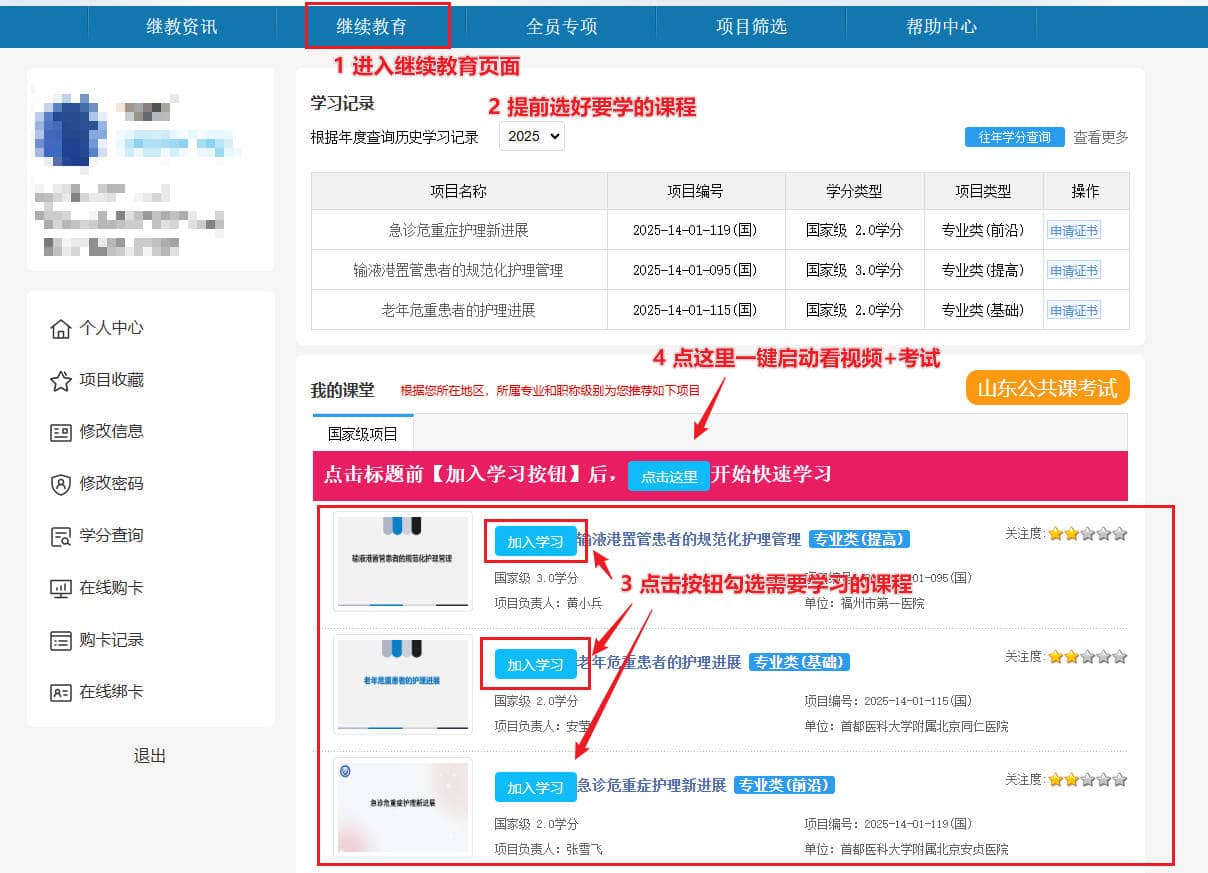
安装好脚本后,刷新下浏览器。在获取脚本后(自助购买或联系客服授权),选好课程后,进入继续教育页面,选好课程之后,按下图启动脚本。

使用过程,不要最小化浏览器!可以盖住浏览器做其他事情,当时别让浏览器处于后台标签中

首次使用,请提前把浏览器的弹窗选项设置为允许,否则在视频看完准备考试的时候会卡住

启动入口1

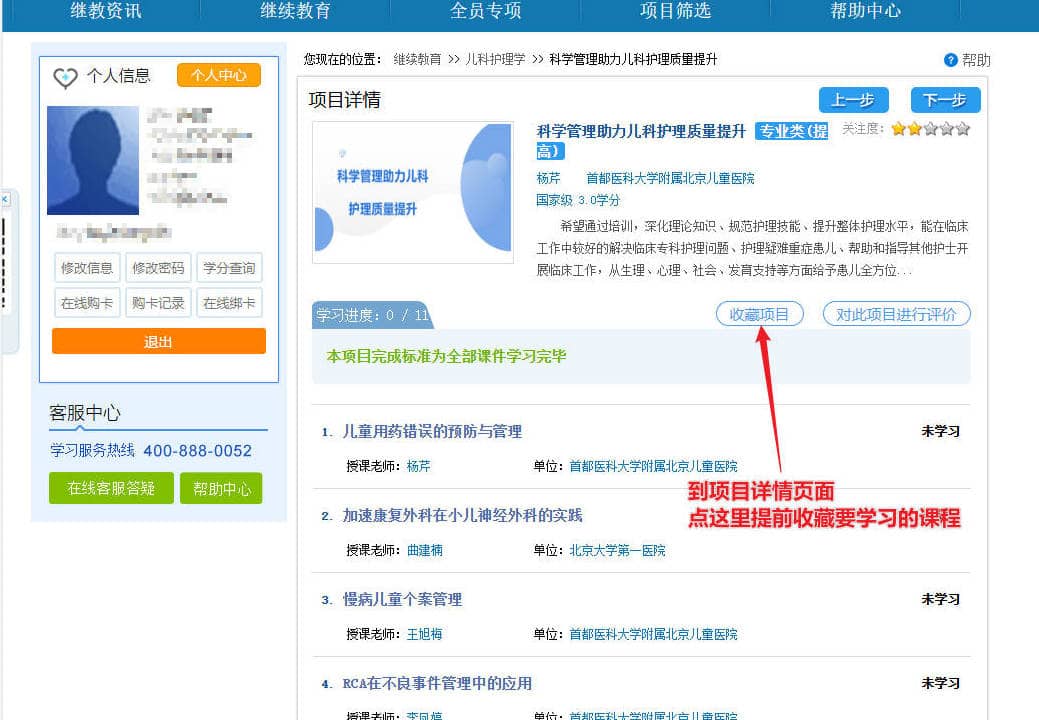
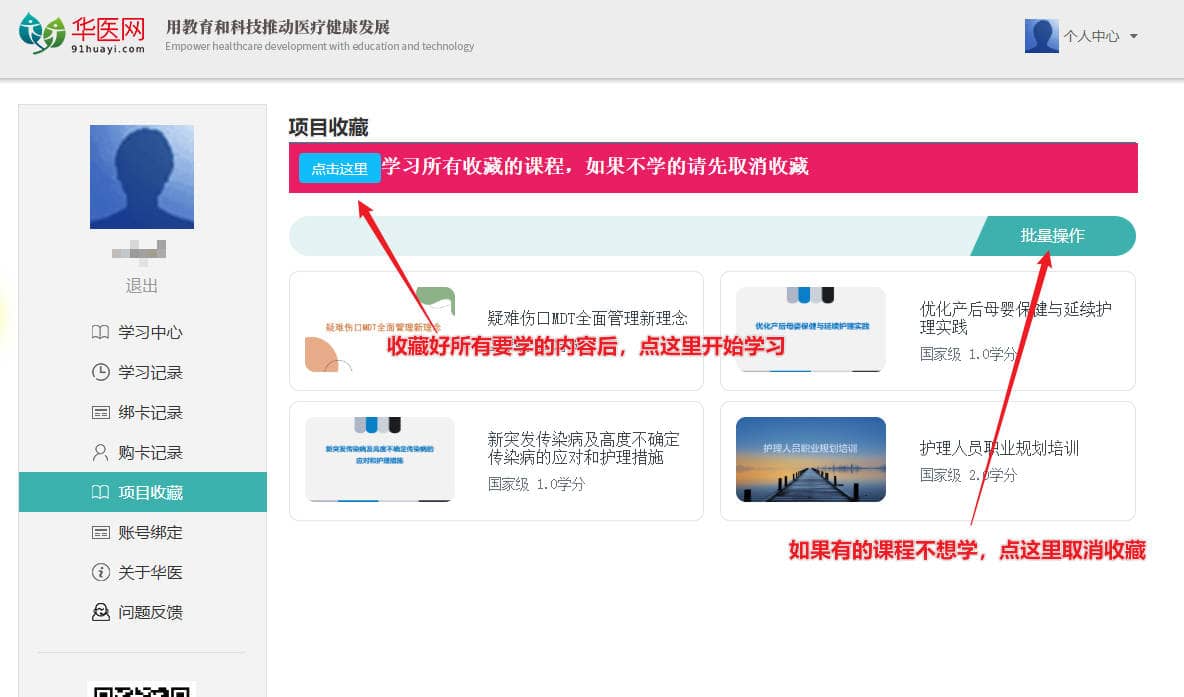
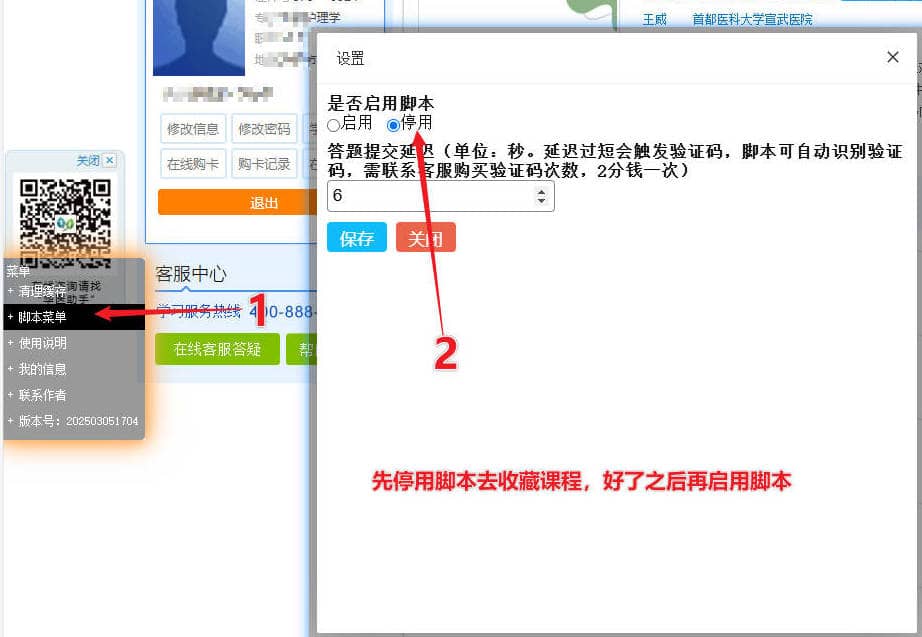
先收藏要学的课程,然后开始学习。在收藏之前记得先临时关闭脚本(通过页面左侧脚本菜单,开边。
启动入口2