Greasy Fork is available in English.

Github Deployments and Repository Dispatch Trigger

Trigger deployment or repository_dispatch event for Github Actions

Bu betiği kurabilmeniz için Tampermonkey, Greasemonkey ya da Violentmonkey gibi bir kullanıcı betiği eklentisini kurmanız gerekmektedir.

Bu betiği yüklemek için Tampermonkey gibi bir uzantı yüklemeniz gerekir.

Bu betiği kurabilmeniz için Tampermonkey ya da Violentmonkey gibi bir kullanıcı betiği eklentisini kurmanız gerekmektedir.

Bu betiği kurabilmeniz için Tampermonkey ya da Userscripts gibi bir kullanıcı betiği eklentisini kurmanız gerekmektedir.

Bu betiği indirebilmeniz için ayrıca Tampermonkey gibi bir eklenti kurmanız gerekmektedir.

Bu komut dosyasını yüklemek için bir kullanıcı komut dosyası yöneticisi uzantısı yüklemeniz gerekecek.

(Zaten bir kullanıcı komut dosyası yöneticim var, kurmama izin verin!)

Bu stili yüklemek için Stylus gibi bir uzantı yüklemeniz gerekir.

Bu stili yüklemek için Stylus gibi bir uzantı kurmanız gerekir.

Bu stili yükleyebilmek için Stylus gibi bir uzantı yüklemeniz gerekir.

Bu stili yüklemek için bir kullanıcı stili yöneticisi uzantısı yüklemeniz gerekir.

Bu stili yüklemek için bir kullanıcı stili yöneticisi uzantısı kurmanız gerekir.

Bu stili yükleyebilmek için bir kullanıcı stili yöneticisi uzantısı yüklemeniz gerekir.

(Zateb bir user-style yöneticim var, yükleyeyim!)

Yazar
Te Qi
Günlük kurulumlar
0
Toplam kurulumlar
143
Değerlendirmeler
1 0 0
Versiyon
0.3
Oluşturulma
21.12.2019
Güncellenme
25.12.2019
Boyut
5,14 KB
Lisans
N/A
Geçerli

Github Deployments and Repository Dispatch Trigger

A Tampermonkey userscript for triggering Github deployments and repository dispatch event with one click

Screenshot Screenshot Screenshot

Prerequisite

Tampermonkey / Greasemonkey

Usage

  1. Install Tampermonkey or Greasemonkey in your favorite browser.
  2. Install the script from Greasefork (Recommended, as you can receive updates) or by copying.
  3. Get github personal access token with repo permissions. Copy it.
  4. Open the repo you want to trigger deployments or repo dispatch event.

For repository_dispatch event

  1. Click the "Repo Dispatch" button.
  2. At the first time, you will be asked to input your personal access token.
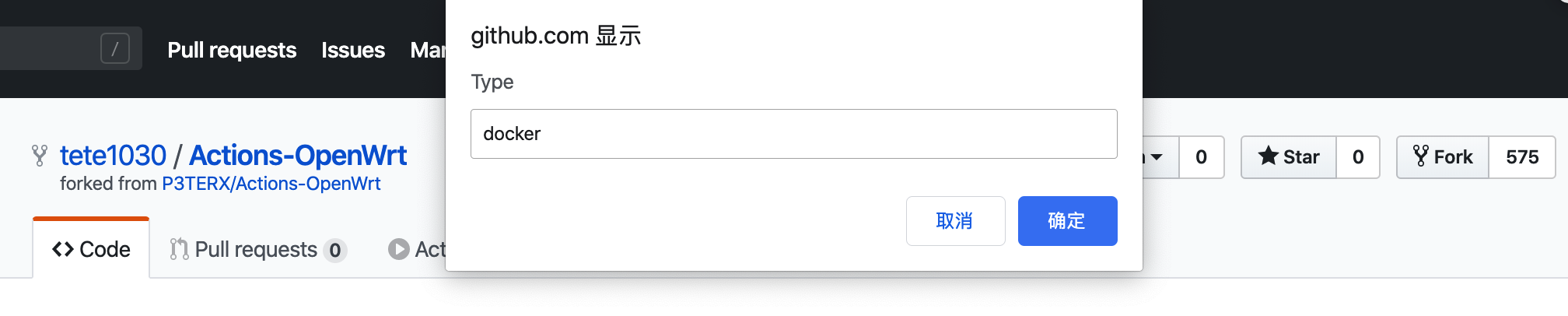
  3. Input your dispatch type (or any name you want. The name can be used to identify the event in Github Actions).
  4. Input your dispatch payload (optional, in json. E.g. {"debug": true}).

For deployments event

  1. Click the "Deploy" button.
  2. At the first time, you will be asked to input your personal access token.
  3. Input the ref for your deploy, it can be branches/tags/commits
  4. Input your task name (or any name you want. The name can be used to identify the event in Github Actions).
  5. Input your dispatch payload (optional, in json. E.g. {"debug": true}).

Documentations
