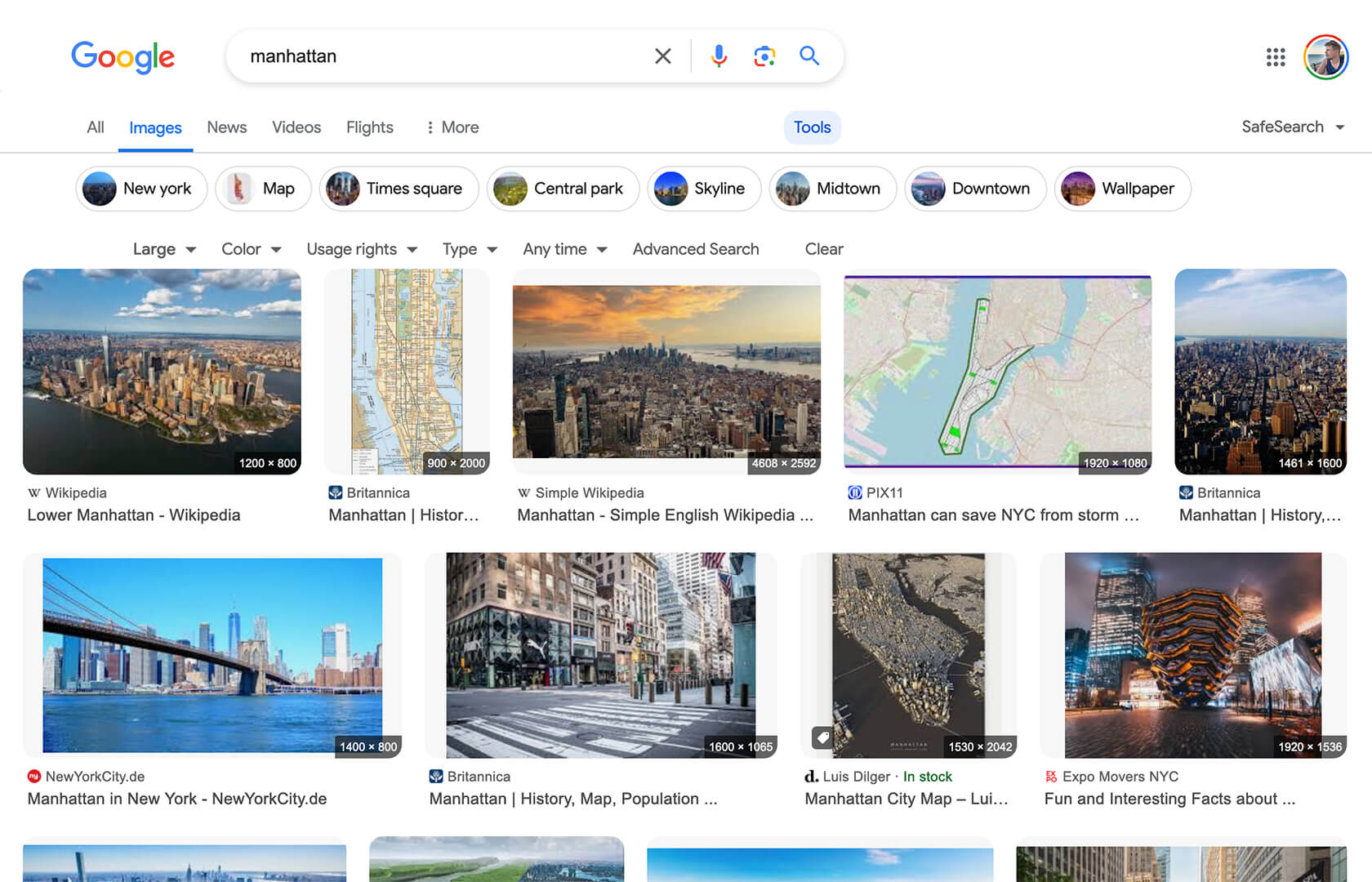
Google Image Search - Show Image Dimensions

Displays image dimensions (eg. "1920 × 1080") for each thumbnail on the Google Image Search results page.

Bu betiği kurabilmeniz için Tampermonkey, Greasemonkey ya da Violentmonkey gibi bir kullanıcı betiği eklentisini kurmanız gerekmektedir.

You will need to install an extension such as Tampermonkey to install this script.

Bu betiği kurabilmeniz için Tampermonkey ya da Violentmonkey gibi bir kullanıcı betiği eklentisini kurmanız gerekmektedir.

Bu betiği kurabilmeniz için Tampermonkey ya da Userscripts gibi bir kullanıcı betiği eklentisini kurmanız gerekmektedir.

You will need to install an extension such as Tampermonkey to install this script.

Bu komut dosyasını yüklemek için bir kullanıcı komut dosyası yöneticisi uzantısı yüklemeniz gerekecek.

(Zaten bir kullanıcı komut dosyası yöneticim var, kurmama izin verin!)

You will need to install an extension such as Stylus to install this style.

You will need to install an extension such as Stylus to install this style.

You will need to install an extension such as Stylus to install this style.

You will need to install a user style manager extension to install this style.

You will need to install a user style manager extension to install this style.

You will need to install a user style manager extension to install this style.

(Zateb bir user-style yöneticim var, yükleyeyim!)

Yazar
Tad Wohlrapp
Günlük kurulumlar
2
Toplam kurulumlar
10.948
Değerlendirmeler
56 2 6
Versiyon
1.5.0
Oluşturulma
19.04.2020
Güncellenme
16.12.2025
Boyut
9,7 KB
Uyumluluk
Firefox ile uyumluluk Chrome ile uyumluluk Opera ile uyumluluk Edge ile uyumluluk
Lisans
MIT
Geçerli

Icon

Google Image Search - Show Image Dimensions

This userscript reintroduces image dimensions on thumbnails on the Google Image Search results page.

Screenshot

Screenshot

Installation

To use userscripts you need to first install a userscript manager. They come as extensions for various browsers:

After you have installed a userscript manager, head over to greasyfork.org/scripts/401432 and click on the green "Install this script" button there.

Usage

After you have installed a userscript manager and this script, just visit the Google Image Search page (https://www.google.com/imghp) and start searching 😃