Custom Profile Backgrounds

KoGaMa Custom Profile Background Support.

Bu betiği kurabilmeniz için Tampermonkey, Greasemonkey ya da Violentmonkey gibi bir kullanıcı betiği eklentisini kurmanız gerekmektedir.

Bu betiği yüklemek için Tampermonkey gibi bir uzantı yüklemeniz gerekir.

Bu betiği kurabilmeniz için Tampermonkey ya da Violentmonkey gibi bir kullanıcı betiği eklentisini kurmanız gerekmektedir.

Bu betiği kurabilmeniz için Tampermonkey ya da Userscripts gibi bir kullanıcı betiği eklentisini kurmanız gerekmektedir.

Bu betiği indirebilmeniz için ayrıca Tampermonkey gibi bir eklenti kurmanız gerekmektedir.

Bu komut dosyasını yüklemek için bir kullanıcı komut dosyası yöneticisi uzantısı yüklemeniz gerekecek.

(Zaten bir kullanıcı komut dosyası yöneticim var, kurmama izin verin!)

Bu stili yüklemek için Stylus gibi bir uzantı yüklemeniz gerekir.

Bu stili yüklemek için Stylus gibi bir uzantı kurmanız gerekir.

Bu stili yükleyebilmek için Stylus gibi bir uzantı yüklemeniz gerekir.

Bu stili yüklemek için bir kullanıcı stili yöneticisi uzantısı yüklemeniz gerekir.

Bu stili yüklemek için bir kullanıcı stili yöneticisi uzantısı kurmanız gerekir.

Bu stili yükleyebilmek için bir kullanıcı stili yöneticisi uzantısı yüklemeniz gerekir.

(Zateb bir user-style yöneticim var, yükleyeyim!)

Yazar
Devorkk
Günlük kurulumlar
0
Toplam kurulumlar
160
Değerlendirmeler
0 0 0
Versiyon
0.3
Oluşturulma
17.01.2023
Güncellenme
17.01.2023
Boyut
1,64 KB
Lisans
N/A
Geçerli

Custom Profile Backgrounds v0.3

Check out this script at GitHub 🧑‍💻

About

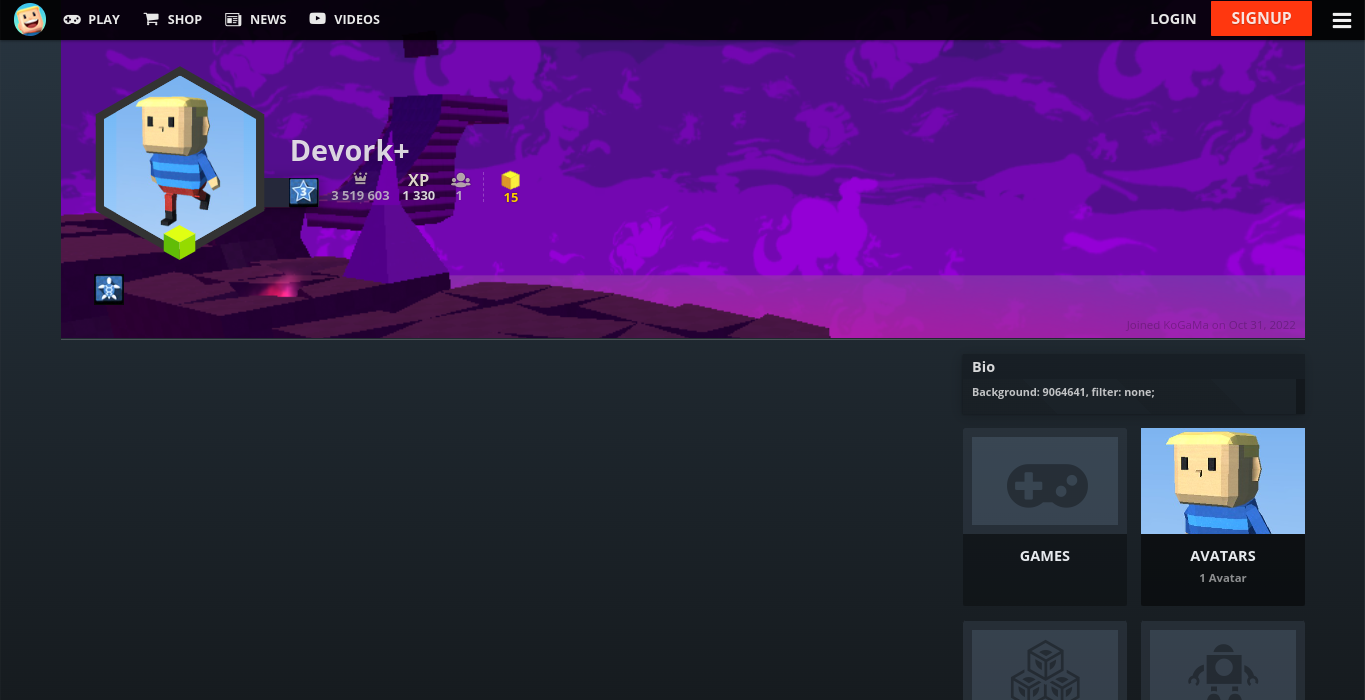
Custom profile background support. Showcase a game or create some profile art for all to enjoy at KoGaMa.

This idea was originally created by the KoGaMa Buddy or ProGraMa Studios, and re-created by me so, others users can enjoy this little tool on a non-firefox/firefox browser.

Preview

Usage

To set a custom profile background, include the following format somewhere in your profile description:
Background: GAME_ID, filter: FILTER;

  • GAME_ID: is the ID of a game on the current server.
  • FILTER: can be light, dark, blur, or none.

Note: The format is case-sensitive, and filter is optional with a default value of light.
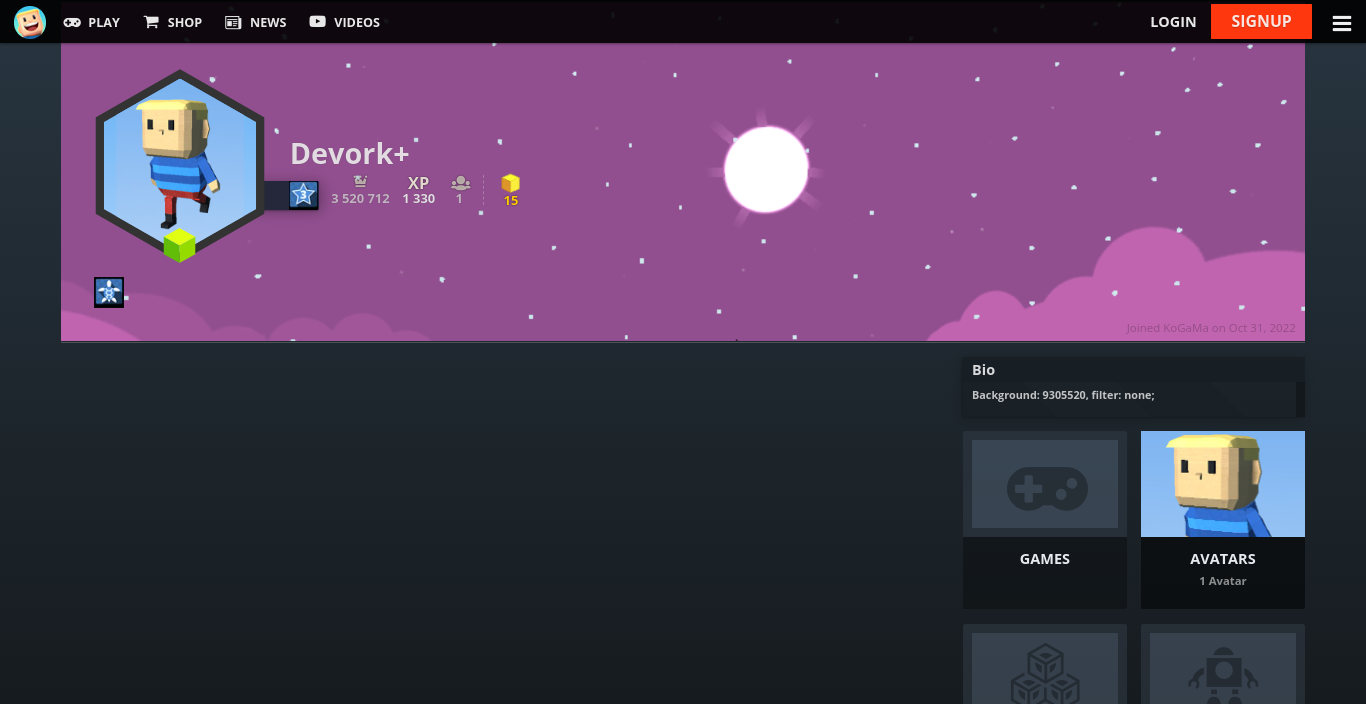
Example