FA Embedded Image Viewer

Embeds the clicked Image on the Current Site, so you can view it without loading the submission Page

Bu betiği kurabilmeniz için Tampermonkey, Greasemonkey ya da Violentmonkey gibi bir kullanıcı betiği eklentisini kurmanız gerekmektedir.

Bu betiği yüklemek için Tampermonkey gibi bir uzantı yüklemeniz gerekir.

Bu betiği kurabilmeniz için Tampermonkey ya da Violentmonkey gibi bir kullanıcı betiği eklentisini kurmanız gerekmektedir.

Bu betiği kurabilmeniz için Tampermonkey ya da Userscripts gibi bir kullanıcı betiği eklentisini kurmanız gerekmektedir.

Bu betiği indirebilmeniz için ayrıca Tampermonkey gibi bir eklenti kurmanız gerekmektedir.

Bu betiği yüklemek için bir betik yöneticisi eklentisi yüklemeniz gerekecektir.

(Zaten bir betik yöneticim var, hadi yükleyelim!)

Advertisement:

Bu stili yüklemek için Stylus gibi bir uzantı yüklemeniz gerekir.

Bu stili yüklemek için Stylus gibi bir uzantı kurmanız gerekir.

Bu stili yükleyebilmek için Stylus gibi bir uzantı yüklemeniz gerekir.

Bu stili yüklemek için bir kullanıcı stili yöneticisi uzantısı yüklemeniz gerekir.

Bu stili yüklemek için bir kullanıcı stili yöneticisi uzantısı kurmanız gerekir.

Bu stili yükleyebilmek için bir kullanıcı stili yöneticisi uzantısı yüklemeniz gerekir.

(Zateb bir user-style yöneticim var, yükleyeyim!)

Advertisement:

Yazar
Midori Dragon
Günlük kurulumlar
0
Toplam kurulumlar
262
Değerlendirmeler
0 0 0
Versiyon
2.5.12
Oluşturulma
27.01.2023
Güncellenme
11.05.2026
Boyut
36,6 KB
Lisans
MIT
Geçerli

FA Embedded Image Viewer

A userscript/browser extension that enhances image viewing on FurAffinity by providing an embedded image viewer. When any submission is clicked, instead of opening the page this script will embedd the clicked image on the current site.

See documentation on FA-Embedded-Image-Viewer.
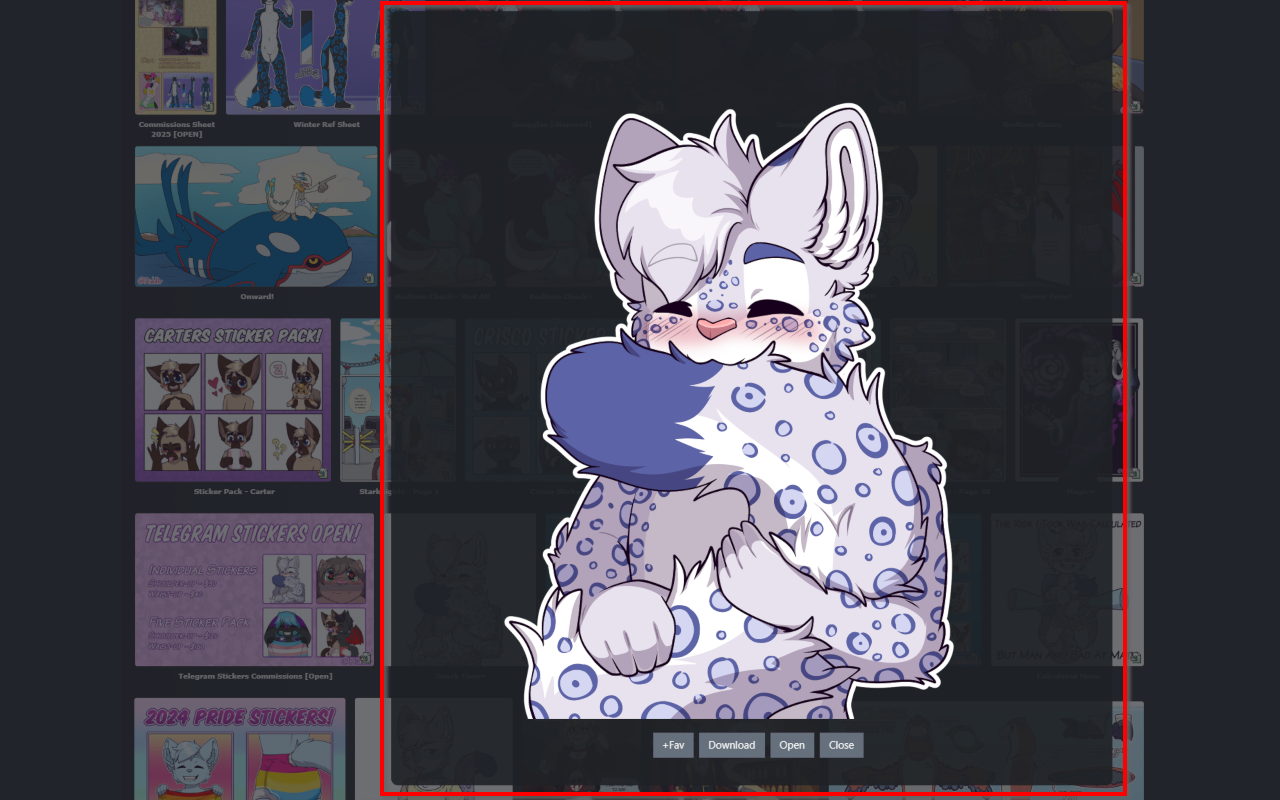
How to use

  • Load this script from GreasyFork or use it inside the browser extensions
  • The viewer automatically handles:
    • Image loading and display
    • Loading animations
    • Quality settings
    • various buttons and options on the embedded page
  • To use just click on any submission and it will be embedded on the current page

Feature Roadmap

Feature Status
Embedded image viewer ✅ Completed
Preview quality settings ✅ Completed
Loading animations ✅ Completed
New tab opening ✅ Completed
Download functionality ✅ Completed
Zooming and panning ✅ Completed

Settings

  • openInNewTab - Whether to open images in a new tab (default is true)
  • loadingSpinSpeedFav - Controls the speed of the favorite loading animation (default is 600)
  • loadingSpinSpeed - Controls the speed of the loading animation (default is 1000)
  • closeEmbedAfterOpen - Whether to close the embed after opening in new tab (default is true)
  • previewQuality - Controls the quality of the preview image. Options: Auto detect, Lower (200px), Low (300px), Medium (400px), High (500px), Higher (600px) (default is Auto detect)
  • enableInMinigallery - Whether to enable the embedded image viewer in the Mini-Gallery on the Submission page (default is true)
  • showWatchingInfo - Controls whether to show if the user is watching the Submissions Author (default is false)