Chatgpt Kod Aracı

Kodu snippet’lerini kaydetme veya kopyala seçeneği de dahil olmak üzere ChatGPT kod bloklarına işlevsellik ekleyin.

Bu betiği kurabilmeniz için Tampermonkey, Greasemonkey ya da Violentmonkey gibi bir kullanıcı betiği eklentisini kurmanız gerekmektedir.

You will need to install an extension such as Tampermonkey to install this script.

Bu betiği kurabilmeniz için Tampermonkey ya da Violentmonkey gibi bir kullanıcı betiği eklentisini kurmanız gerekmektedir.

Bu betiği kurabilmeniz için Tampermonkey ya da Userscripts gibi bir kullanıcı betiği eklentisini kurmanız gerekmektedir.

You will need to install an extension such as Tampermonkey to install this script.

Bu komut dosyasını yüklemek için bir kullanıcı komut dosyası yöneticisi uzantısı yüklemeniz gerekecek.

(Zaten bir kullanıcı komut dosyası yöneticim var, kurmama izin verin!)

You will need to install an extension such as Stylus to install this style.

You will need to install an extension such as Stylus to install this style.

You will need to install an extension such as Stylus to install this style.

You will need to install a user style manager extension to install this style.

You will need to install a user style manager extension to install this style.

You will need to install a user style manager extension to install this style.

(Zateb bir user-style yöneticim var, yükleyeyim!)

Yazar
人民的勤务员
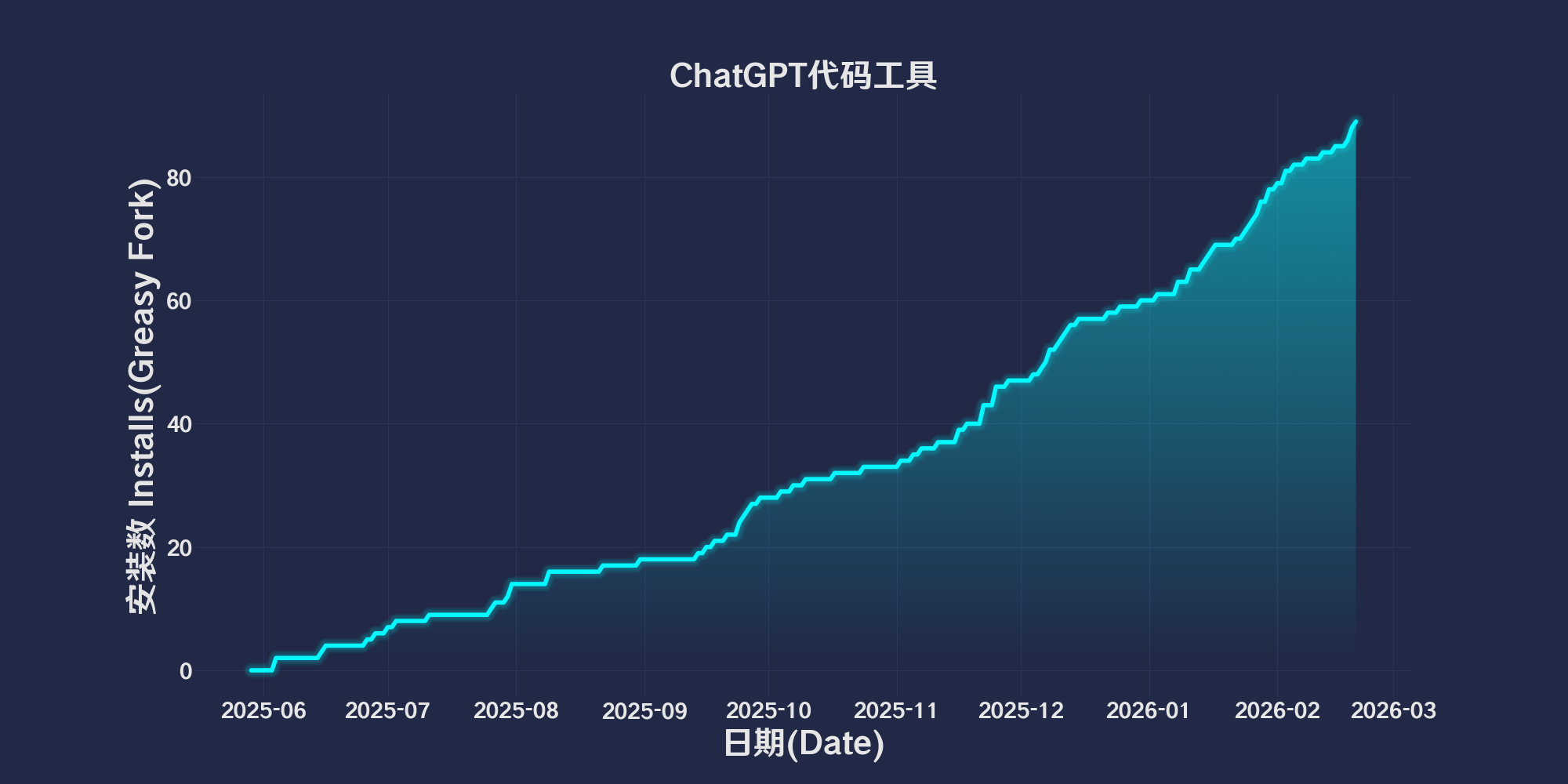
Günlük kurulumlar
0
Toplam kurulumlar
58
Değerlendirmeler
0 0 0
Versiyon
2025.6.2.1
Oluşturulma
29.05.2025
Güncellenme
02.06.2025
Boyut
49,2 KB
Uyumluluk
Firefox ile uyumluluk Chrome ile uyumluluk Opera ile uyumluluk Safari ile uyumluluk Edge ile uyumluluk
Lisans
MIT
Geçerli

简体中文 | English | 한국어 | Tiếng Việt | 繁體中文

👆️access GitHub Readme file on for a better experience。

Recommended use:
Support
Support
Support
💡 Tip: The script manager and browser listed above do not represent all
The script runs normally in the following environment
Passed

ChatGPT Code Tool

「 Add functionality to ChatGPT code blocks, including the option to save or copy code snippets. 」

Views

Download:Github | ⭐Greasy Fork

Scripting functions and implementation

Code block addition“Save the code”and“Copy the code”Button,To quickly save or copy code snippets。

Functional Overview

1. Detect code blocks

  • Automatically add action buttons for each code block(Avoid repeated additions)。

2. Add action button

  • Save code button

    • Code block-based language(Infer file extensions by class name)。
    • Dynamically set according to extension MIME type。
    • Create a download link and trigger a download。
  • Copy code button

    • Copy code snippets to clipboard。
    • Provide status feedback(like“Copy successfully”or“Copy failed”)。

3. Dynamic adaptation

  • monitor DOM Changes,Automatically add buttons to the newly added code blocks。

4. Button style and interaction

  • Customize button styles(Background color、frame、Mouse hover effect)。

  • Status feedback mechanism:

    • Normal state:Blue Button。
    • At work:Green button displays status(like“Saving...”or“Copyed”)。
    • Error status:The red button displays error message。

💖 The script referenced or used the following script:

🧑‍💻 @CarpeNoctemXD ⇒ 📜 ChatGPT Code Tools

Help

Recommended browser and script manager:

  • Greasemonkey + Waterfox
  • Tampermonkey/Violentmonkey + Firefox
  • Tampermonkey/Violentmonkey + Chrome
  • Userscripts + ios Safari
  • Violentmonkey/KiWiBrowser + Android

If you need to learn more about how to install user scripts,Click meView the teaching of pictures and texts!

View all publish scripts