TweetDeck Clear

Add buttons and keyboard shortcuts to tweetdeck for clear all tweets or column tweets

You will need to install an extension such as Tampermonkey, Greasemonkey or Violentmonkey to install this script.

You will need to install an extension such as Tampermonkey to install this script.

You will need to install an extension such as Tampermonkey or Violentmonkey to install this script.

You will need to install an extension such as Tampermonkey or Userscripts to install this script.

You will need to install an extension such as Tampermonkey to install this script.

You will need to install a user script manager extension to install this script.

(У мене вже є менеджер скриптів, дайте мені встановити його!)

You will need to install an extension such as Stylus to install this style.

You will need to install an extension such as Stylus to install this style.

You will need to install an extension such as Stylus to install this style.

You will need to install a user style manager extension to install this style.

You will need to install a user style manager extension to install this style.

You will need to install a user style manager extension to install this style.

(I already have a user style manager, let me install it!)

Автор
b1nj
Щоденних встановлень
0
Всього встановлень
463
Рейтинги
5 1 0
Версія
0.6.6
Створено
06.01.2016
Оновлено
06.04.2019
Size
7,1 кБ
Ліцензія
License:X11 (MIT)
Відноситься до

TweetDeck Clear

About

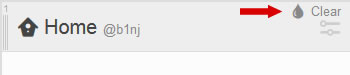
In TweetDeck it's not easy to clear each column after read the tweets. Three clicks on each columns are necessary.

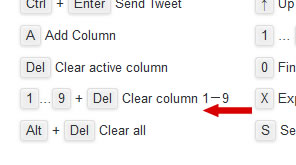
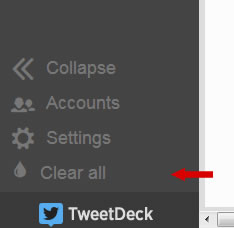
Userscript TweetDeck Clear add buttons to clear all tweets or column tweets an add keyboard shortcuts.

How do I use a TweetDeck Clear?

It requires the installation of an extension specific to your browser. These extensions help simplify management tasks like installing, removing and updating userscripts.

After you can install TweetDeck Clear.
Screenshots

screenshot all screenshot column screenshot keyboard shortcuts

Code

The source code of this user script is hosted on GitHub. Feel free to report any issues there or submit a pull request right away.