Текст для посилання

Перетворити текстові посилання на посилання, що можна натиснути

You will need to install an extension such as Tampermonkey, Greasemonkey or Violentmonkey to install this script.

You will need to install an extension such as Tampermonkey to install this script.

You will need to install an extension such as Tampermonkey or Violentmonkey to install this script.

You will need to install an extension such as Tampermonkey or Userscripts to install this script.

You will need to install an extension such as Tampermonkey to install this script.

You will need to install a user script manager extension to install this script.

(У мене вже є менеджер скриптів, дайте мені встановити його!)

You will need to install an extension such as Stylus to install this style.

You will need to install an extension such as Stylus to install this style.

You will need to install an extension such as Stylus to install this style.

You will need to install a user style manager extension to install this style.

You will need to install a user style manager extension to install this style.

You will need to install a user style manager extension to install this style.

(I already have a user style manager, let me install it!)

Автор
人民的勤务员
Щоденних встановлень
0
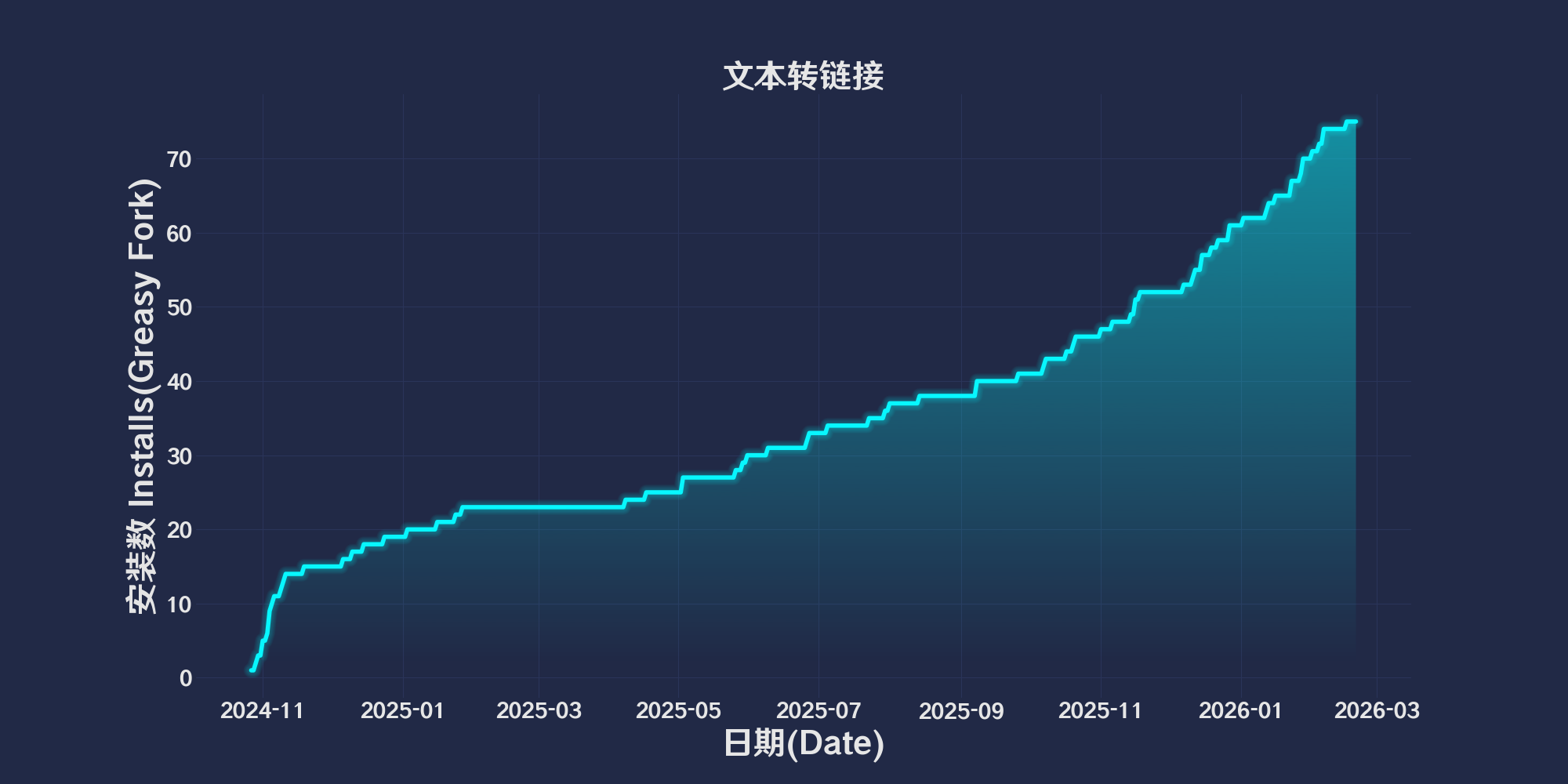
Всього встановлень
57
Рейтинги
1 0 0
Версія
2025.5.26.1
Створено
27.10.2024
Оновлено
26.05.2025
Size
31,7 кБ
Сумісність
Сумісний з Firefox Сумісний з Chrome Сумісний з Opera Сумісний з Safari Сумісний з Edge
Ліцензія
MIT
Відноситься до
Всі сайти

简体中文 | English | 한국어 | Tiếng Việt | 繁體中文

👆️访问 GitHub 上的自述文件以获得更好的体验。

推荐使用:
Support
Support
Support
💡 Tip: 以上已列出的脚本管理器和浏览器不代表全部
脚本在以下环境中运行正常
Passed

文本转链接

「 把文字链接转换为可点击链接 」

Views

Download:Github | ⭐Greasy Fork

修改自Text To link 仅对转换后的链接添加一个虚线框,便于识别。和排除了 greasyfork 网站查看代码的页面😅

💖 脚本参考或使用了以下脚本:

🧑‍💻 @lkytal ⇒ 📜 Text To link

使用帮助

推荐浏览器和脚本管理器:

  • Greasemonkey + Waterfox
  • Tampermonkey/Violentmonkey + Firefox
  • Tampermonkey/Violentmonkey + Chrome
  • Userscripts + ios Safari
  • Violentmonkey/KiWiBrowser + Android

如果你需要了解更多关于如何安装用户脚本,点击我查看图文教学!

查看所有发布脚本