GitHub News Filter

Userscript to filter GitHub news feed using case-insensitive regular expression

You will need to install an extension such as Tampermonkey, Greasemonkey or Violentmonkey to install this script.

You will need to install an extension such as Tampermonkey to install this script.

You will need to install an extension such as Tampermonkey or Violentmonkey to install this script.

You will need to install an extension such as Tampermonkey or Userscripts to install this script.

You will need to install an extension such as Tampermonkey to install this script.

You will need to install a user script manager extension to install this script.

(Tôi đã có Trình quản lý tập lệnh người dùng, hãy cài đặt nó!)

You will need to install an extension such as Stylus to install this style.

You will need to install an extension such as Stylus to install this style.

You will need to install an extension such as Stylus to install this style.

You will need to install a user style manager extension to install this style.

You will need to install a user style manager extension to install this style.

You will need to install a user style manager extension to install this style.

(I already have a user style manager, let me install it!)

Tác giả
hckr
Cài đặt hàng ngày
0
Số lần cài đặt
5
Đánh giá
0 0 0
Phiên bản
0.6.4
Đã tạo
15-01-2019
Đã cập nhật
16-02-2019
Kích thước
4 KB
Giấy phép
MIT
Áp dụng cho

GitHub News Filter

Userscript to filter GitHub news feed using case-insensitive regular expression.

How to use

Just type a regular expression (or just plain text) pattern and enjoy filtered news feed. :)
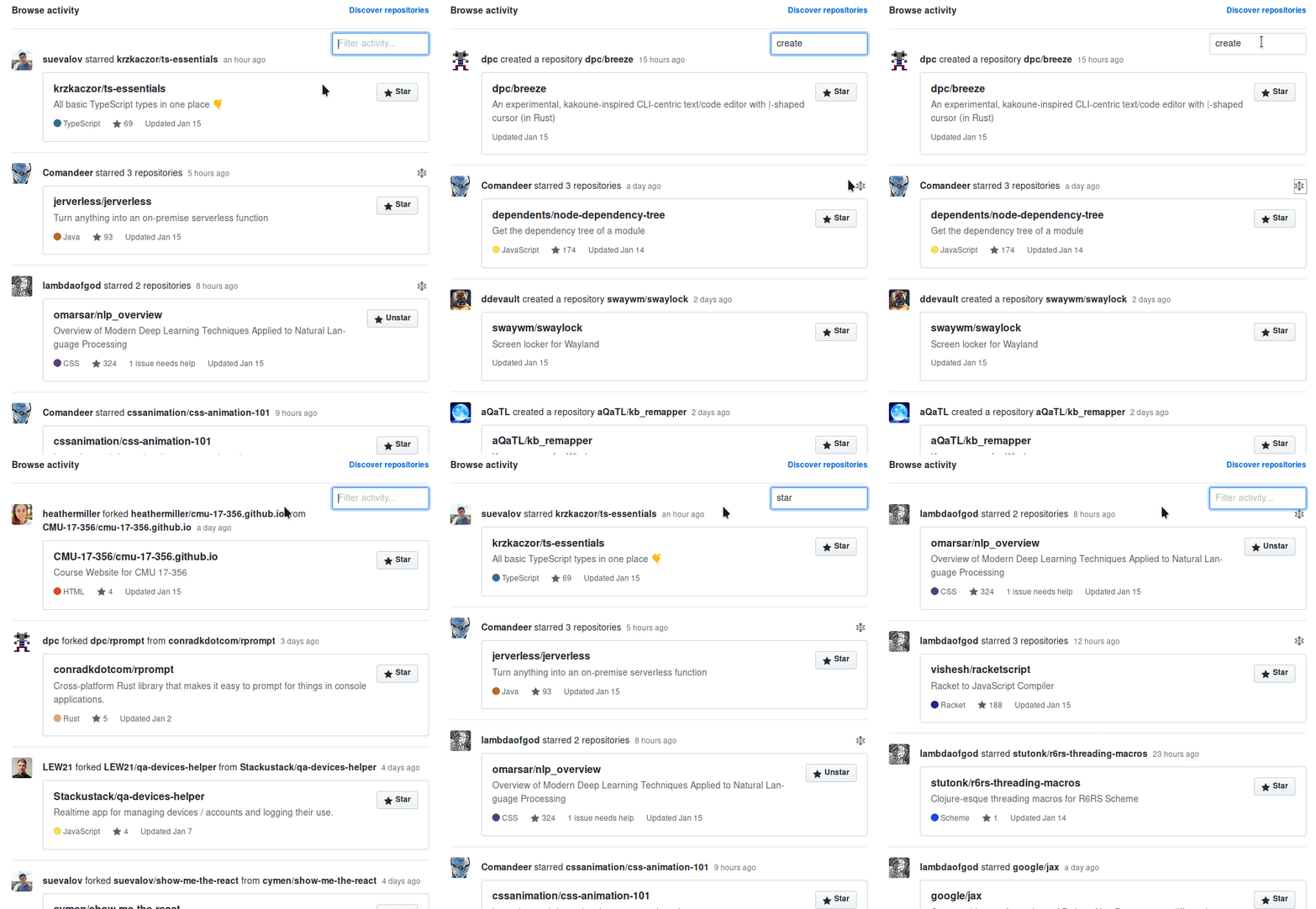
demo

Prerequisites

In order to use userscripts you need to have Tampermonkey or Greasemonkey installed in your browser.

Install GitHub News Filter

Click on the link above to install the userscript.

Wishes / Issues / Enjoyment?

Star Issue/Wish Fork