超级翻译助手

用鼠标选中文字,按下快捷键(默认为F9),可自动翻译文字。已支持超过 14 种语言。


You will need to install an extension such as Tampermonkey, Greasemonkey or Violentmonkey to install this script.

You will need to install an extension such as Tampermonkey to install this script.

You will need to install an extension such as Tampermonkey or Violentmonkey to install this script.

You will need to install an extension such as Tampermonkey or Userscripts to install this script.

You will need to install an extension such as Tampermonkey to install this script.

You will need to install a user script manager extension to install this script.

(Tôi đã có Trình quản lý tập lệnh người dùng, hãy cài đặt nó!)

You will need to install an extension such as Stylus to install this style.

You will need to install an extension such as Stylus to install this style.

You will need to install an extension such as Stylus to install this style.

You will need to install a user style manager extension to install this style.

You will need to install a user style manager extension to install this style.

You will need to install a user style manager extension to install this style.

(I already have a user style manager, let me install it!)

Tác giả
🥇_🥇
Cài đặt hàng ngày
0
Số lần cài đặt
6.485
Đánh giá
5 0 2
Phiên bản
1.0.7
Đã tạo
12-01-2023
Đã cập nhật
18-07-2024
Kích thước
20 KB
Giấy phép
MIT
Áp dụng cho
Tất cả trang web

超级翻译助手

超级翻译助手

tampermonkey LICENSE chrome chrome platform

👉 一个免费超级翻译助手 👈
适用于 Linux,macOS,Windows 平台


【超级翻译助手】可以将网页中选定文字翻译成其他语言,详见使用说明。

目前已支持以下语言:阿拉伯语 德语 俄语 法语 韩语 拉丁语 葡萄牙语 日语 泰语 西班牙语 意大利语 英语 简体中文 繁体中文

安装成功后可以选择要翻译的文字,然后按下翻译快捷键 F9 查看翻译内容。

📖 使用说明

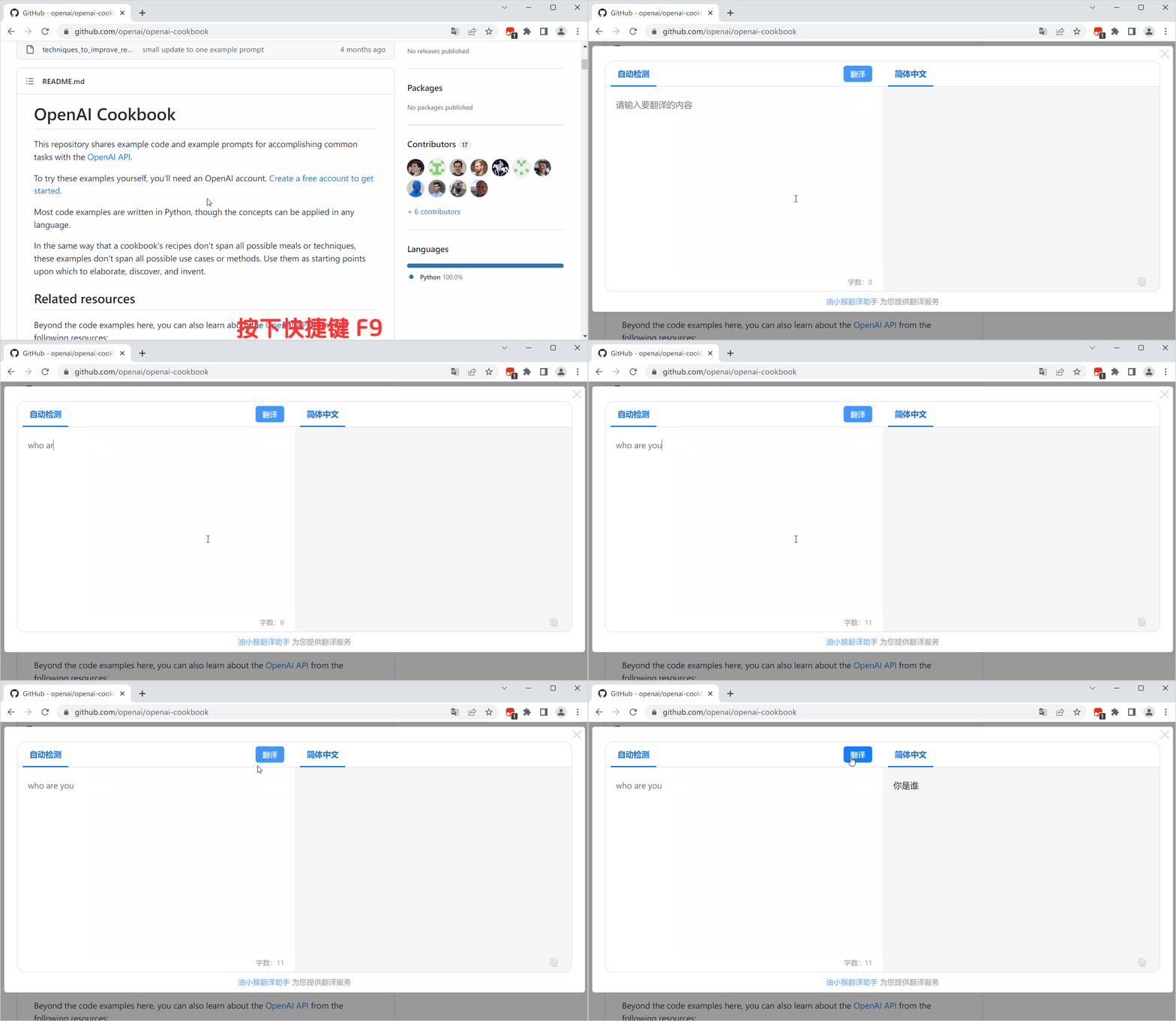
方法一:按下翻译快捷键 F9,输入要翻译的文字

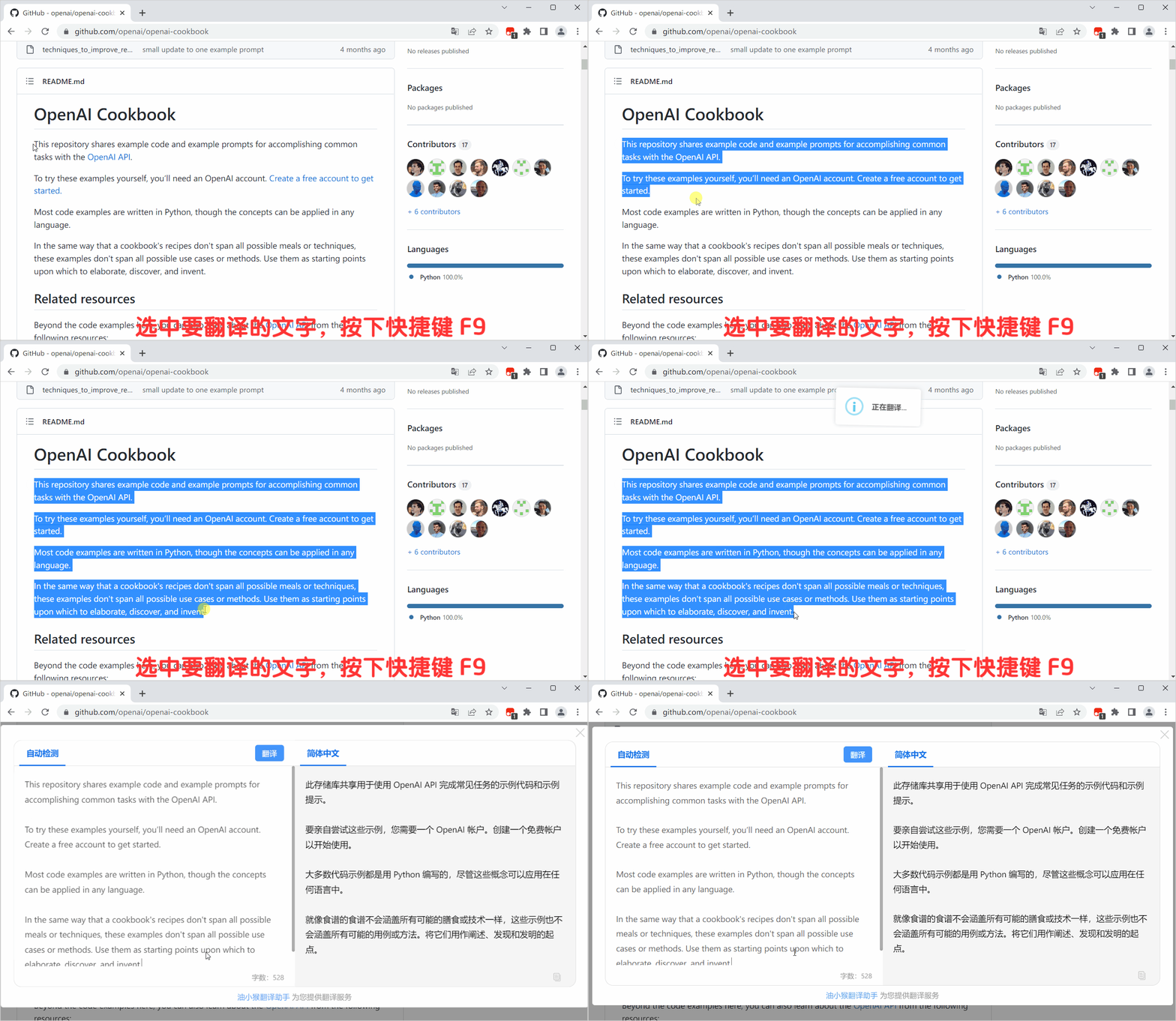
方法二:选中要翻译的文本,按下翻译快捷键 F9,会自动翻译选中文本

📝 更新日志

v1.0.0 增加 14 种可翻译语言,支持自定义快捷键,原始语言和目标语言。

🔧 助手配置

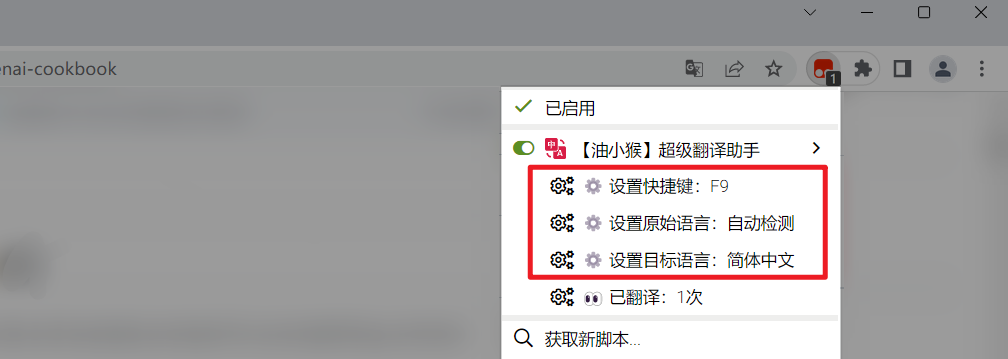
可以点击 图标打开配置选项,可配置选项如下图:

  • 自定义翻译快捷键,默认为:F9
  • 自定义原始语言,默认为:自动检测
  • 自定义目标语言,默认为 简体中文

🐞 Bug 反馈

如果您在使用过程中遇到问题,请 前往 GitHub发送邮件 进行反馈。