Outlook Calendar Scroll

Scroll to switch calendar months in Outlook PWA
You will need to install an extension such as Tampermonkey, Greasemonkey or Violentmonkey to install this script.

You will need to install an extension such as Tampermonkey to install this script.

You will need to install an extension such as Tampermonkey or Violentmonkey to install this script.

You will need to install an extension such as Tampermonkey or Userscripts to install this script.

You will need to install an extension such as Tampermonkey to install this script.

You will need to install a user script manager extension to install this script.

(I already have a user script manager, let me install it!)

You will need to install an extension such as Stylus to install this style.

You will need to install an extension such as Stylus to install this style.

You will need to install an extension such as Stylus to install this style.

You will need to install a user style manager extension to install this style.

You will need to install a user style manager extension to install this style.

You will need to install a user style manager extension to install this style.

(I already have a user style manager, let me install it!)

Author
Linho1219
Daily installs
0
Total installs
1
Ratings
0 0 0
Version
1.6.0
Created
2025-08-07
Updated
2025-11-11
Size
8.35 KB
License
MIT
Applies to

Outlook Calendar Scroll Enhancer

GitHub repo

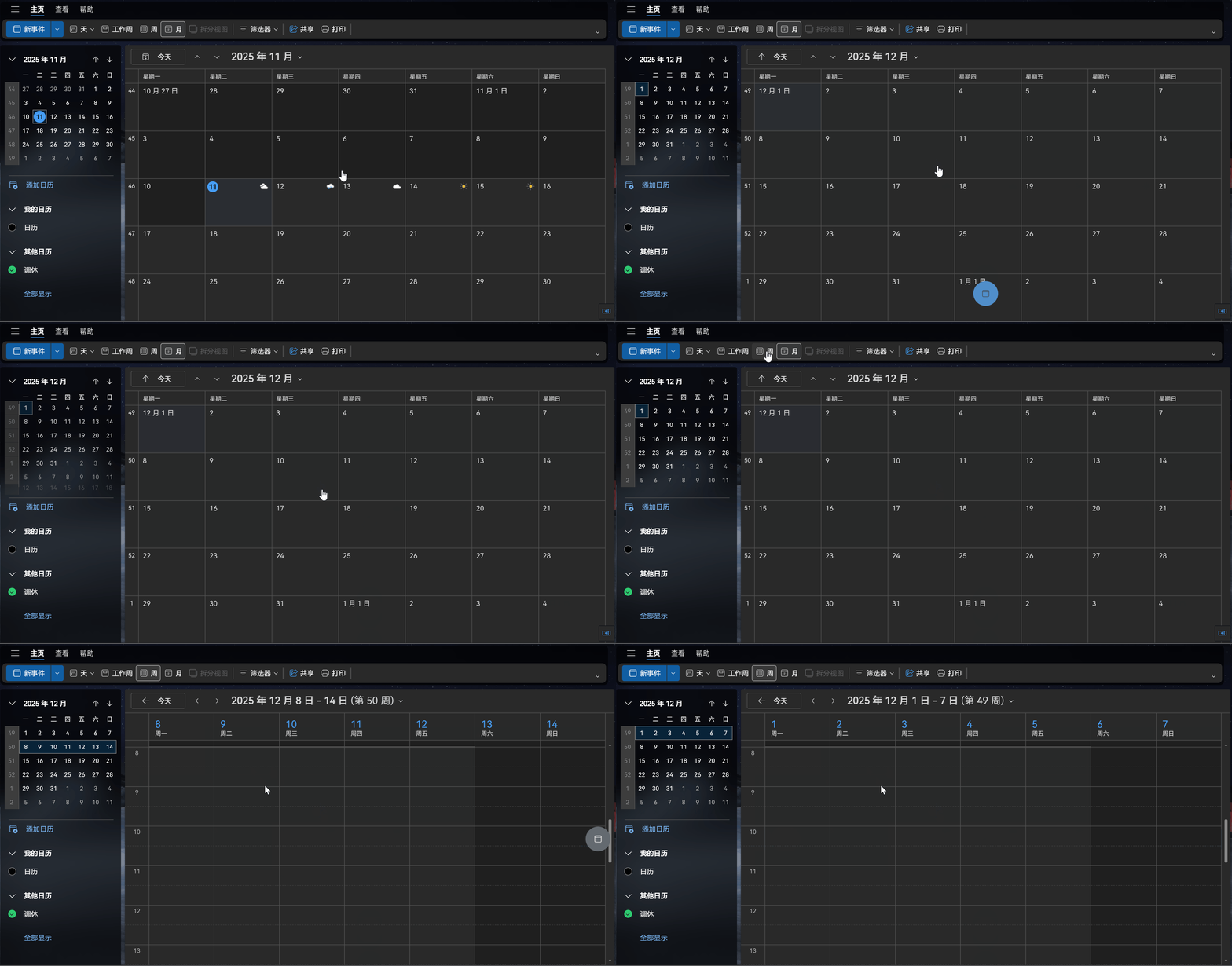
Screen record

A userscript to enhance the scrolling experience in the Outlook Web Calendar.

Supports natural vertical or horizontal scroll navigation depending on the calendar view (month view scrolls vertically, week/day views scroll horizontally).

Features

  • Detect Outlook calendar views (day, workweek, week, month) dynamically in the SPA environment.
  • Enable intuitive scrolling navigation:
    • Month view: scroll up/down to switch months.
    • Week/day views: scroll left/right to switch weeks/days.
  • Visual scroll indicator with smooth feedback and trigger threshold.
  • Written in TypeScript with Vite build setup.
  • Easy to customize and extend.

Installation

The source code does not contain the built userscript file (*.user.js).

Please visit the Releases page, download outlook-calendar-scroll.user.js and put it in a userscript manager (Tampermonkey, Violentmonkey, etc.). Enjoy.

Development

  • Node.js and pnpm required.
  • pnpm install to install dependencies.
  • pnpm dev pnpm dev starts a development server that serves the userscript at http://localhost:3000/outlook-calendar-scroll.user.js, which reloads automatically on source changes. You can load this URL directly in your userscript manager for live testing.
  • pnpm build to build the userscript (dist/outlook-calendar-scroll.user.js).

License

MIT