Shift Space Toggle Youtube CE Element

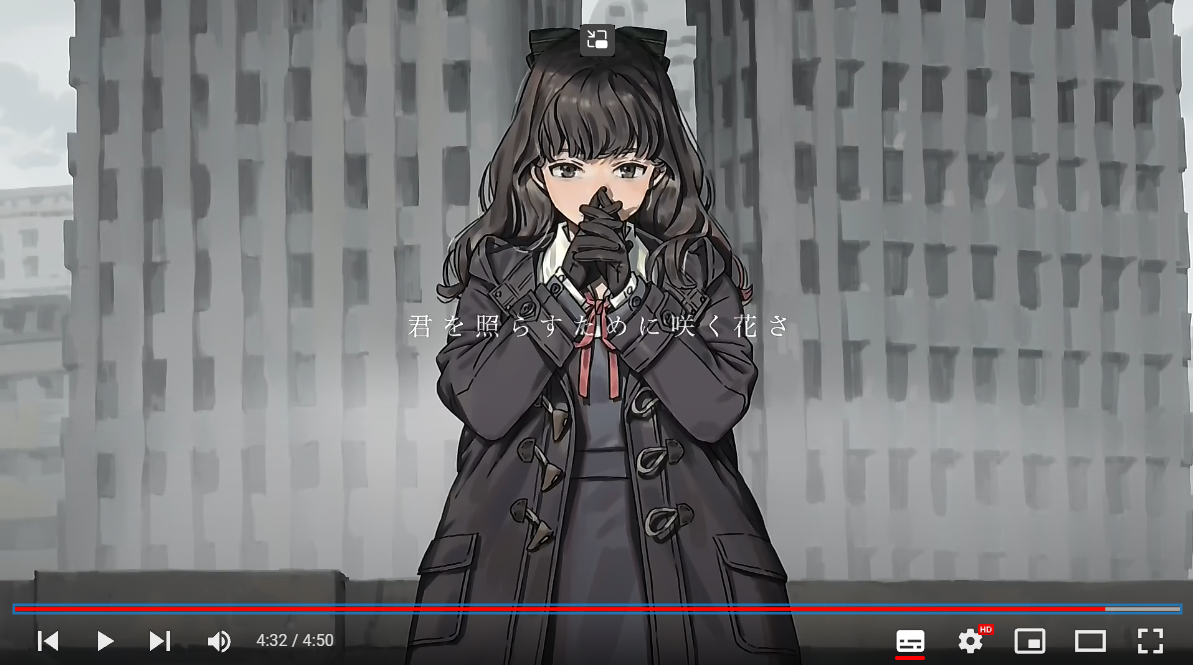
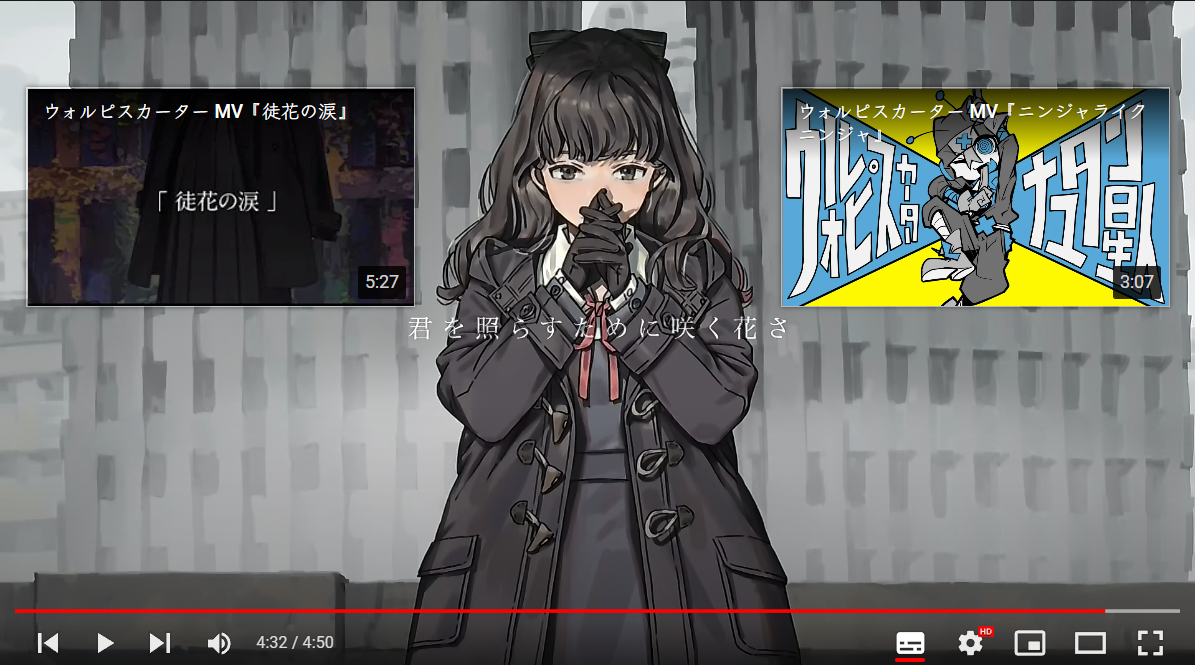
This is to toggle annoying Youtube CE Element near the end of the video

You will need to install an extension such as Tampermonkey, Greasemonkey or Violentmonkey to install this script.

You will need to install an extension such as Tampermonkey to install this script.

You will need to install an extension such as Tampermonkey or Violentmonkey to install this script.

You will need to install an extension such as Tampermonkey or Userscripts to install this script.

You will need to install an extension such as Tampermonkey to install this script.

You will need to install a user script manager extension to install this script.

(I already have a user script manager, let me install it!)

You will need to install an extension such as Stylus to install this style.

You will need to install an extension such as Stylus to install this style.

You will need to install an extension such as Stylus to install this style.

You will need to install a user style manager extension to install this style.

You will need to install a user style manager extension to install this style.

You will need to install a user style manager extension to install this style.

(I already have a user style manager, let me install it!)
Author
𝖢𝖸 𝖥𝗎𝗇𝗀
Daily installs
0
Total installs
175
Ratings
2 0 0
Version
0.5.1
Created
2022-04-24
Updated
2022-08-18
Size
4.76 KB
License
MIT
Applies to

Near the end of video, CE Element popup and block your watching.
Click Shift-Space to toggle !