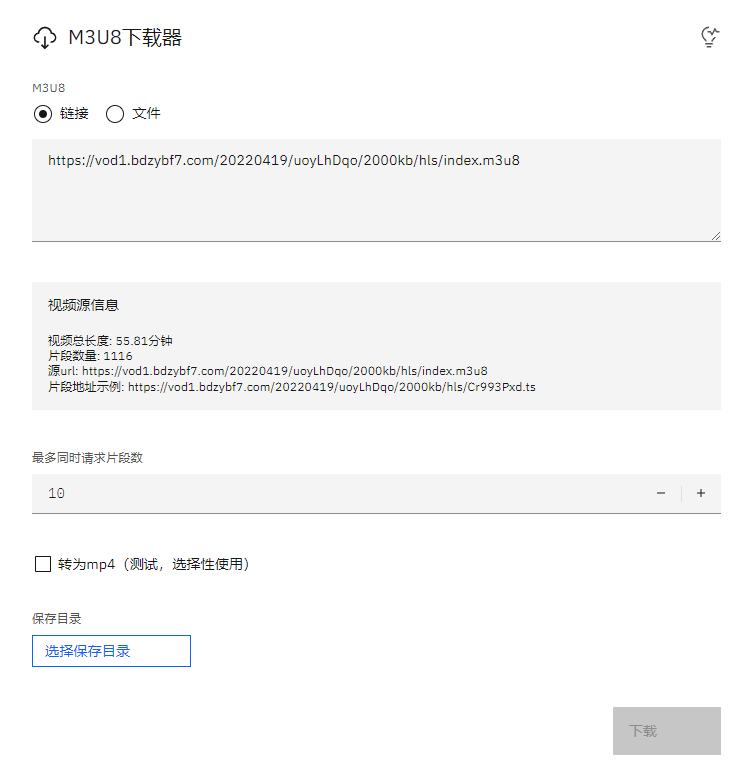
Automatically detect the m3u8 video of the page and download it completely. Once detected the m3u8 link, it will appear in the upper right corner of the page. Click download to jump to the m3u8 downloader.
v 1.5.0
1. Optimized and adjusted the download method for direct video links.
2. Optimized m3u8 downloading: prevents repeated unauthorized cross-origin requests.
3. Optimized interface display.
v 1.4.0
1. Adjusted the download method for standard videos.
v 1.3.0
1. Added compatibility for GM.api to support script managers other than Tampermonkey (e.g., on Safari).
2. Links can now be copied by clicking on them.
v 1.2.0
Update: In addition to m3u8, support for [Direct Video Links] (video links embedded in video tags) has been added for more convenient downloading.
v 1.1.0
Update: Improved detection methods; almost all m3u8 links can now be detected.
v 1.0.1
Major Update: Implemented script proxying to [bypass cross-origin restrictions]. It can now download the vast majority of previously undownloadable videos (limited to detected m3u8 links)!
Once an m3u8 link is detected, it will automatically appear in the top-right corner of the page. Click "Download" to redirect to the m3u8 downloader.
Also supports detection of simple direct video links.
Supports recognition of magnet links and redirecting to playback (Pikpak) (Not download).
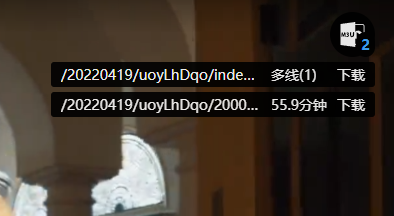
Click the indicator to show or hide it; drag to move its position.
The m3u8 information displayed includes: partial link path, duration, and the download button.
Hover over the path to view the full address.
Downloader Interface: