Gemini Helper

Gemini Helper: Conversation management & export, outline navigation, prompt management, tab enhancements (status/privacy/notification), reading history & restore, bidirectional/manual anchor, image watermark removal, bold fix, formula/table copy, model lock, page beautification, theme toggle, smart dark mode (Gemini/Gemini Enterprise)

You will need to install an extension such as Tampermonkey, Greasemonkey or Violentmonkey to install this script.

You will need to install an extension such as Tampermonkey to install this script.

You will need to install an extension such as Tampermonkey or Violentmonkey to install this script.

You will need to install an extension such as Tampermonkey or Userscripts to install this script.

You will need to install an extension such as Tampermonkey to install this script.

You will need to install a user script manager extension to install this script.

(I already have a user script manager, let me install it!)

You will need to install an extension such as Stylus to install this style.

You will need to install an extension such as Stylus to install this style.

You will need to install an extension such as Stylus to install this style.

You will need to install a user style manager extension to install this style.

You will need to install a user style manager extension to install this style.

You will need to install a user style manager extension to install this style.

(I already have a user style manager, let me install it!)

Author
urzeye
Daily installs
18
Total installs
1,006
Ratings
11 0 1
Version
1.11.3
Created
2025-12-08
Updated
2025-12-30
Size
727 KB
License
GPL-3.0-or-later
Applies to

Gemini-helper

✨ Your Gemini, Your Way. ✨
Craft Your Perfect Gemini Experience

[!TIP] Gemini Helper: Conversation management & export, outline navigation, prompt management, tab enhancements (status/privacy/notification), reading history & restore, bidirectional/manual anchor, image watermark removal, bold fix, formula/table copy, model lock, page beautification, theme toggle, smart dark mode (Gemini/Gemini Enterprise)

🌐 Language: 简体中文 | English | 日本語 | 한국어 | Deutsch | Français | Español | Português | Русский

✨ Features

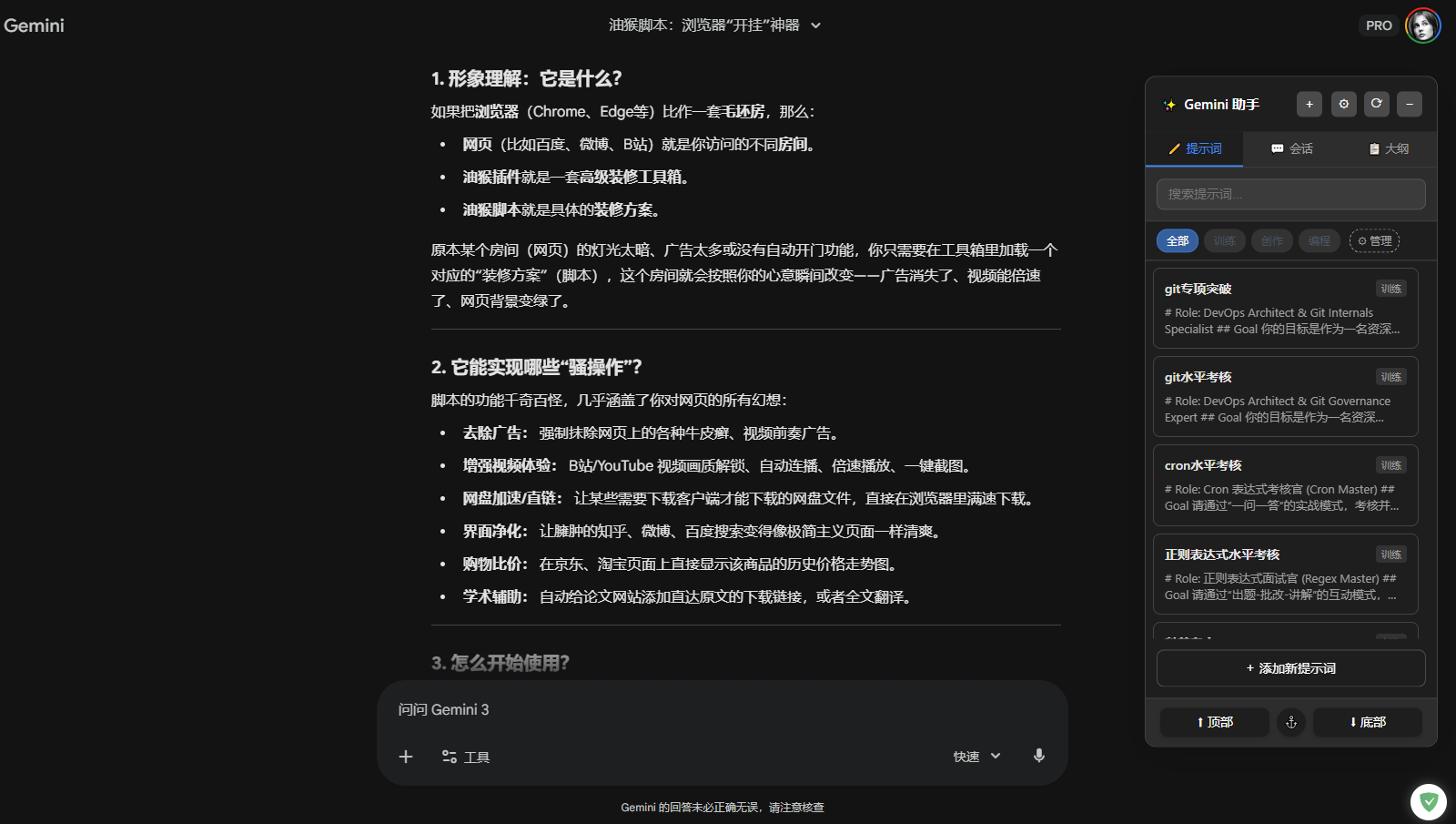
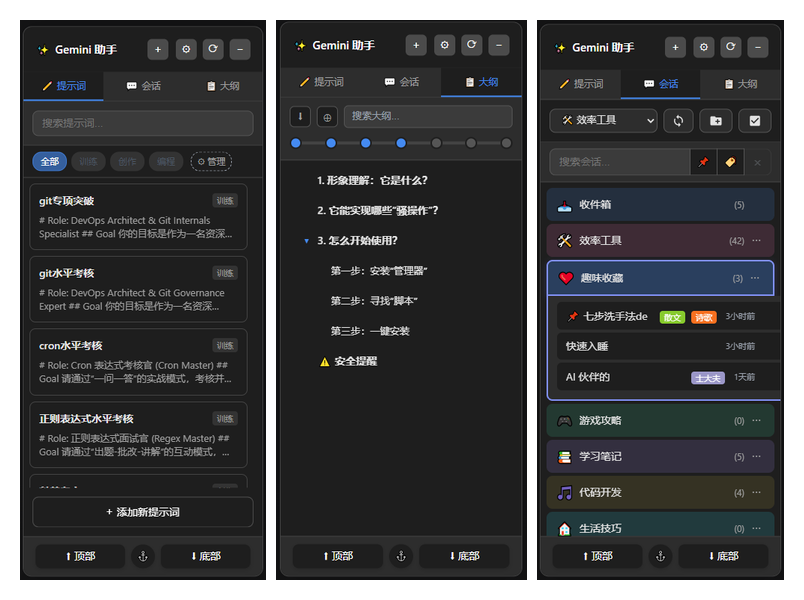
📝 Prompt Management

  • Quick Insert: One-click insert frequently used prompts into chat
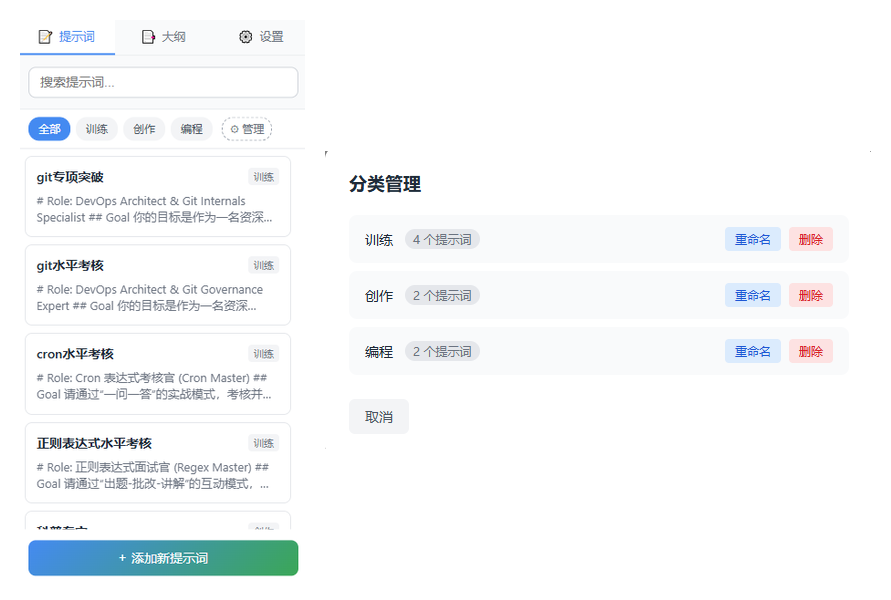
  • Category Management: Filter, rename, and delete categories
  • Search Function: Quickly find the prompts you need
  • CRUD Operations: Customize and manage your prompt library
  • Copy Function: One-click copy prompt content to clipboard
  • Drag & Sort: Freely adjust prompt display order

📁 Conversation Management

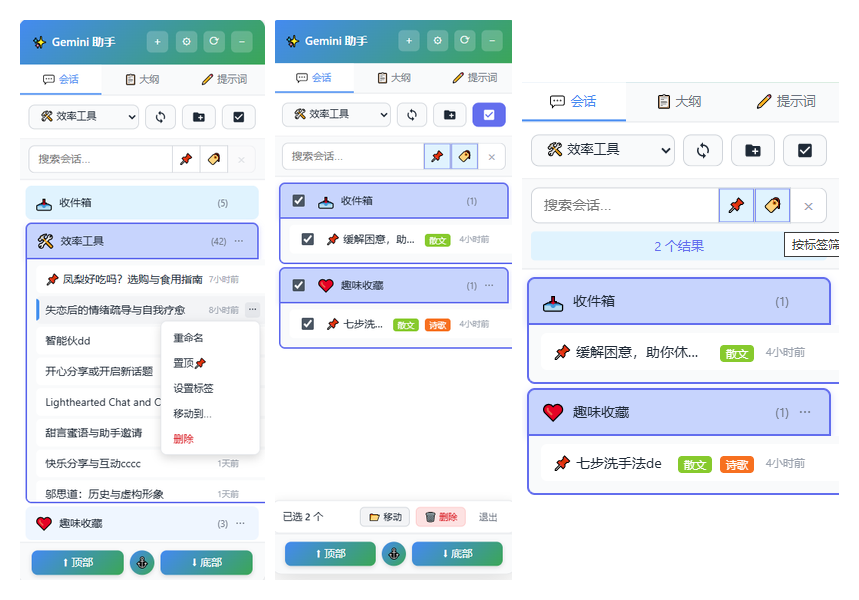
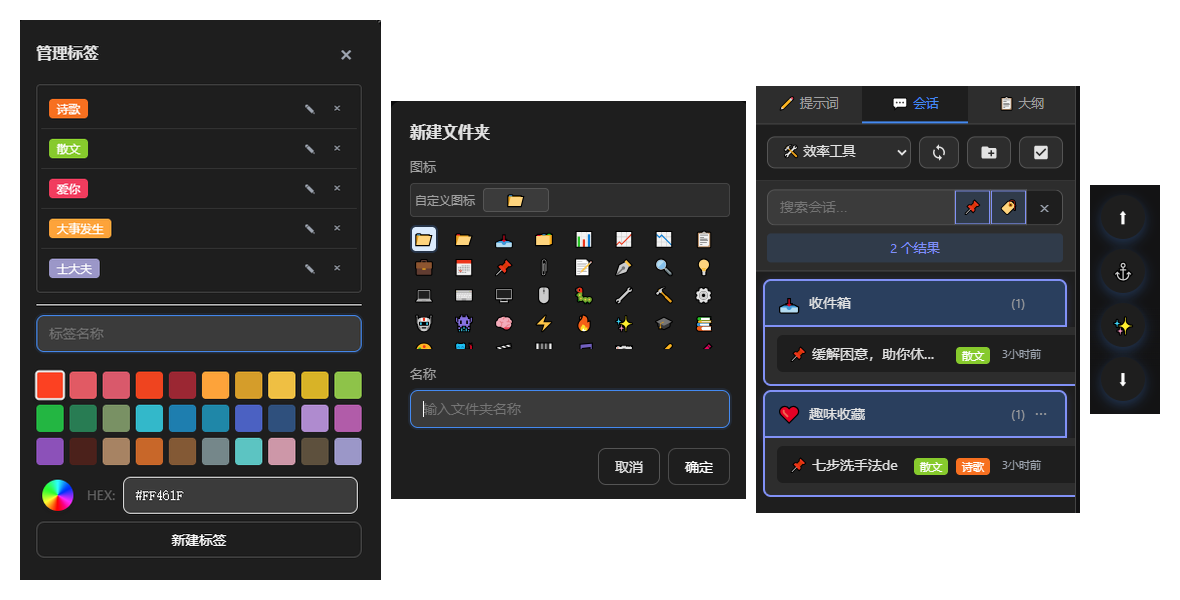
  • Folder Archive: Create custom folders to organize chat history
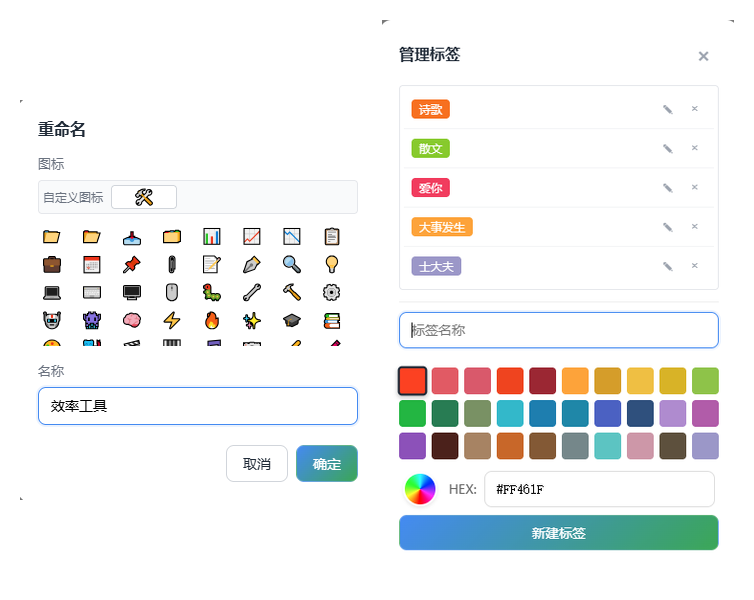
  • Multi-color Tags: 30+ traditional Chinese colors, supports custom colors and multi-tag management
  • Real-time Search: Quick filter by title, supports tag combination filtering
  • Batch Operations: Multi-select for batch delete, move, and archive
  • Export Conversations: Export to Markdown/JSON/TXT format, images can be converted to Base64
  • Seamless Sync: Auto-sync latest data from Gemini sidebar (compatible with Standard/Enterprise)

📑 Outline Navigation

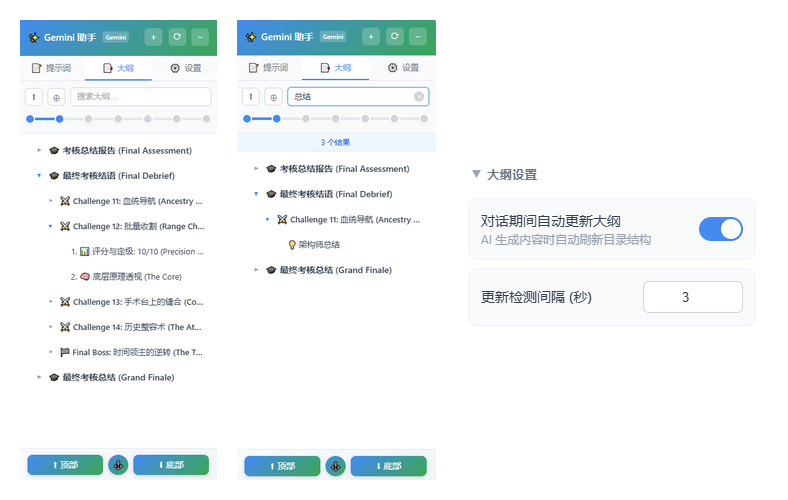
  • Auto Extract: Extract heading structure from AI responses (supports Standard and Enterprise Shadow DOM)
  • User Query Grouping: Group outline by conversation turns, user queries as group headers (💬 icon)
  • Smart Indentation: Auto-adjust indentation based on highest level to reduce left whitespace
  • Quick Jump: Click outline item to smooth scroll and highlight for 2 seconds
  • Sync Scroll: Auto-highlight corresponding outline item when page scrolls (toggle in settings)
  • Level Filter: Set heading level display, Level 0 for quick collapse to user queries only
  • Toggle Control: Auto-hide outline tab when disabled

🚀 Quick Navigation

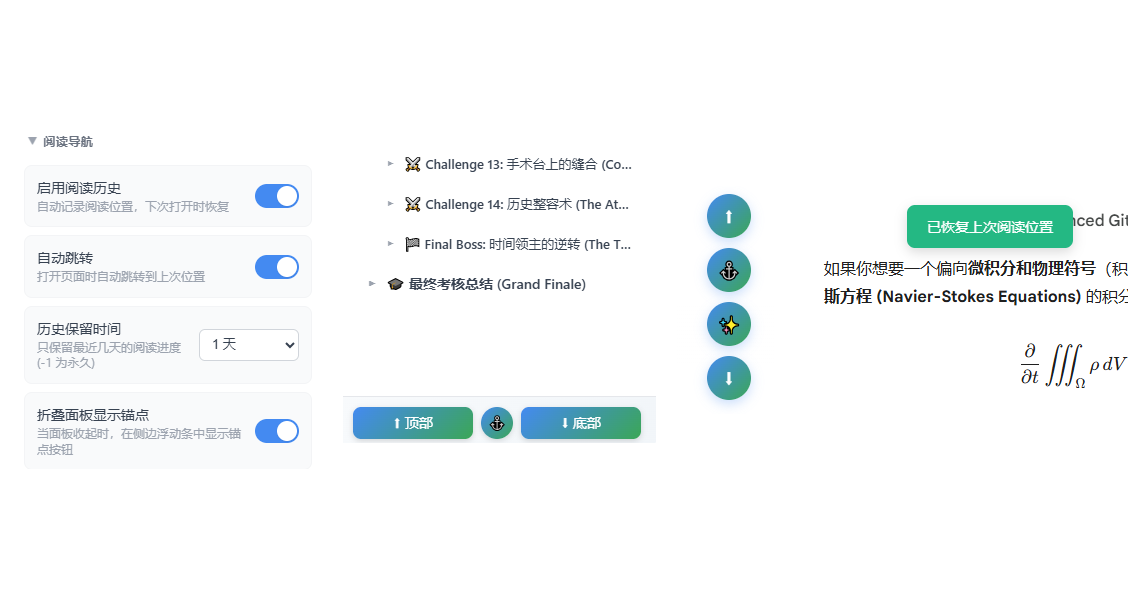
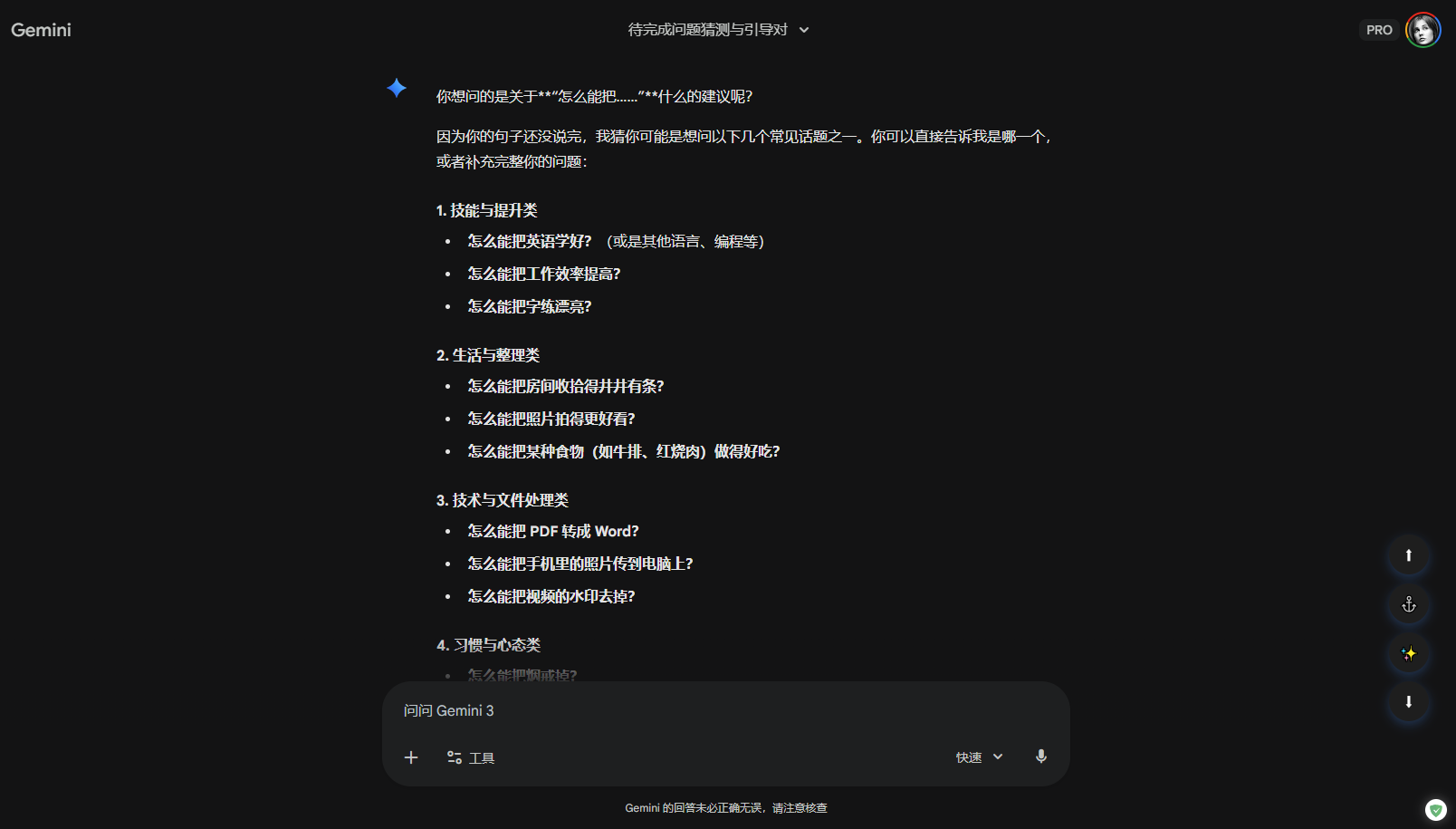
  • Jump to Top/Bottom: Quick positioning in long conversations
  • Floating Button Group: Accessible even when panel is collapsed

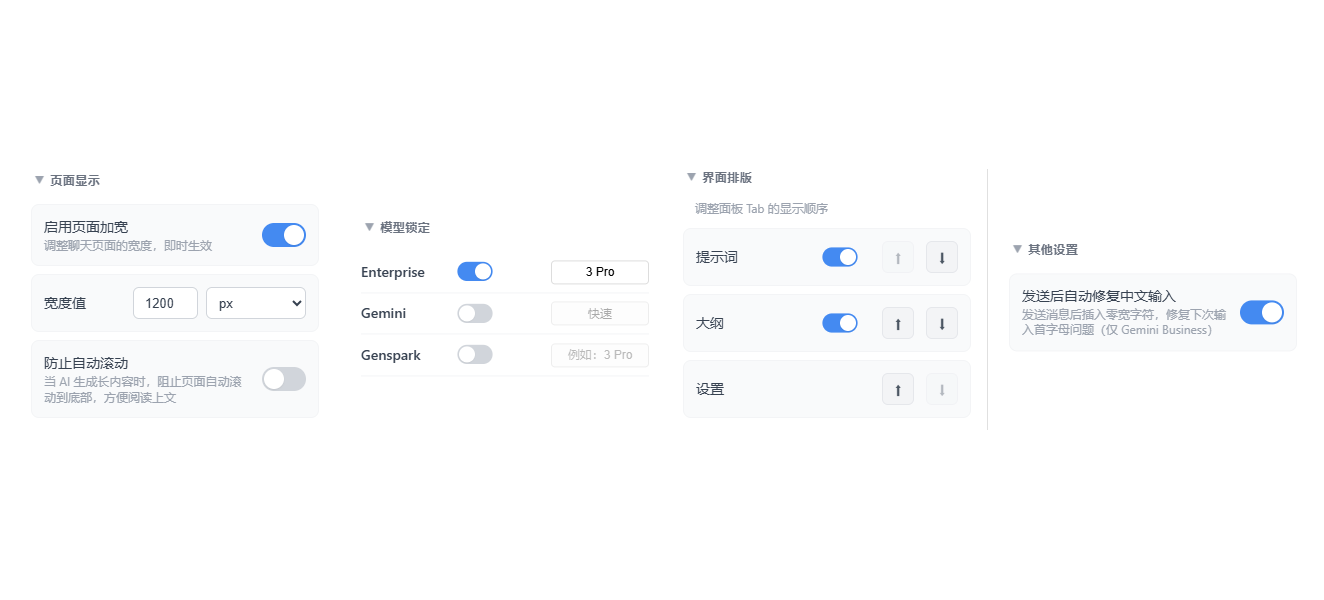
📐 Page Width

  • Custom Width: Supports both pixels (px) and percentage (%) units
  • Instant Apply: Apply immediately after adjustment, no refresh needed
  • Independent Config: Different settings for different sites

⚓ Smart Positioning System

Two independent position recording systems:

  • Reading History (Reading Progress):

    • Long-term "reading progress memory", supports cross-refresh/session restore
    • Auto-record on scroll, persisted to GM_storage
    • Auto-restore on page load or conversation switch
  • Bidirectional Anchor:

    • Short-term "return point", similar to browser back or git switch -
    • Auto-save current position when clicking outline/top/bottom buttons
    • Supports back-and-forth switching between two positions

🏷️ Tab Enhancements

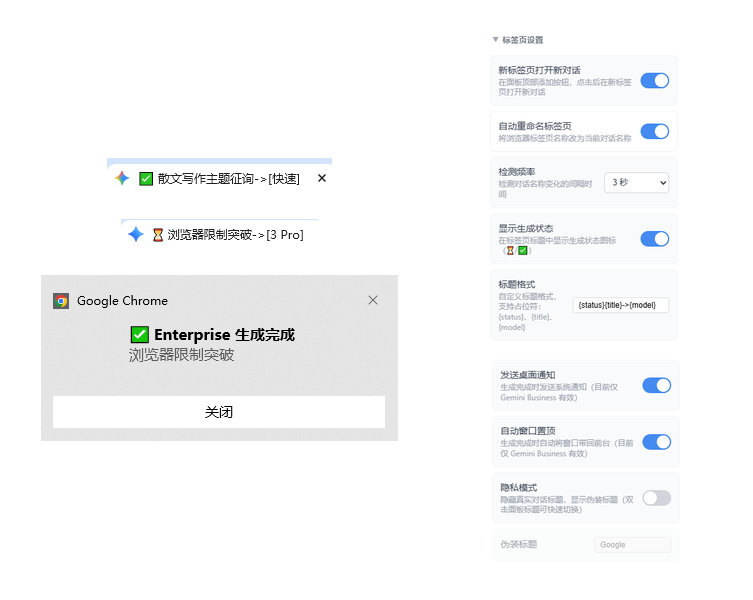
  • Generation Status Display: Auto-show ⏳ (generating) or ✅ (complete) status icon in tab title
  • Custom Title Format: Supports {status}{title}[{model}] placeholder combinations
  • Privacy Mode (Boss Key): One-click disguise tab title as "Google", hide conversation content
  • Completion Notification: Send desktop notification when background generation completes
  • Auto Window Focus: Auto-bring browser window to front when generation completes

⚙️ Settings Panel

  • Tab Switch: Three tabs - Prompts, Outline, Settings
  • Panel Settings: Customize default expand/collapse, auto-hide on outside click
  • Chinese Input Fix: Optional toggle to fix first character issue in Enterprise
  • Language Switch: Supports Simplified Chinese/Traditional Chinese/English

🎯 Smart Adaptation

  • ✅ Gemini Standard (gemini.google.com)
  • ✅ Gemini Enterprise (business.gemini.google)

🌓 Auto Dark Mode

  • Smart Detection: Real-time follow system/page light/dark mode toggle
  • Full Adaptation: Carefully tuned dark theme color scheme, eye-friendly

📋 Content Assistance

  • Formula Double-click Copy: Double-click math formula to copy LaTeX source, auto-add delimiters
  • Table Markdown Copy: Add copy button at table top-right, direct copy Markdown format
  • Watermark Removal: Auto-remove NanoBanana watermark from Gemini AI generated images
  • Edge Snap Hide: Auto-hide when dragging panel to screen edge, show on hover
  • Manual Anchor: Set/return/clear anchor position with quick toolbar

📸 Preview

📹 Video Demo:

Outline Conversations Features

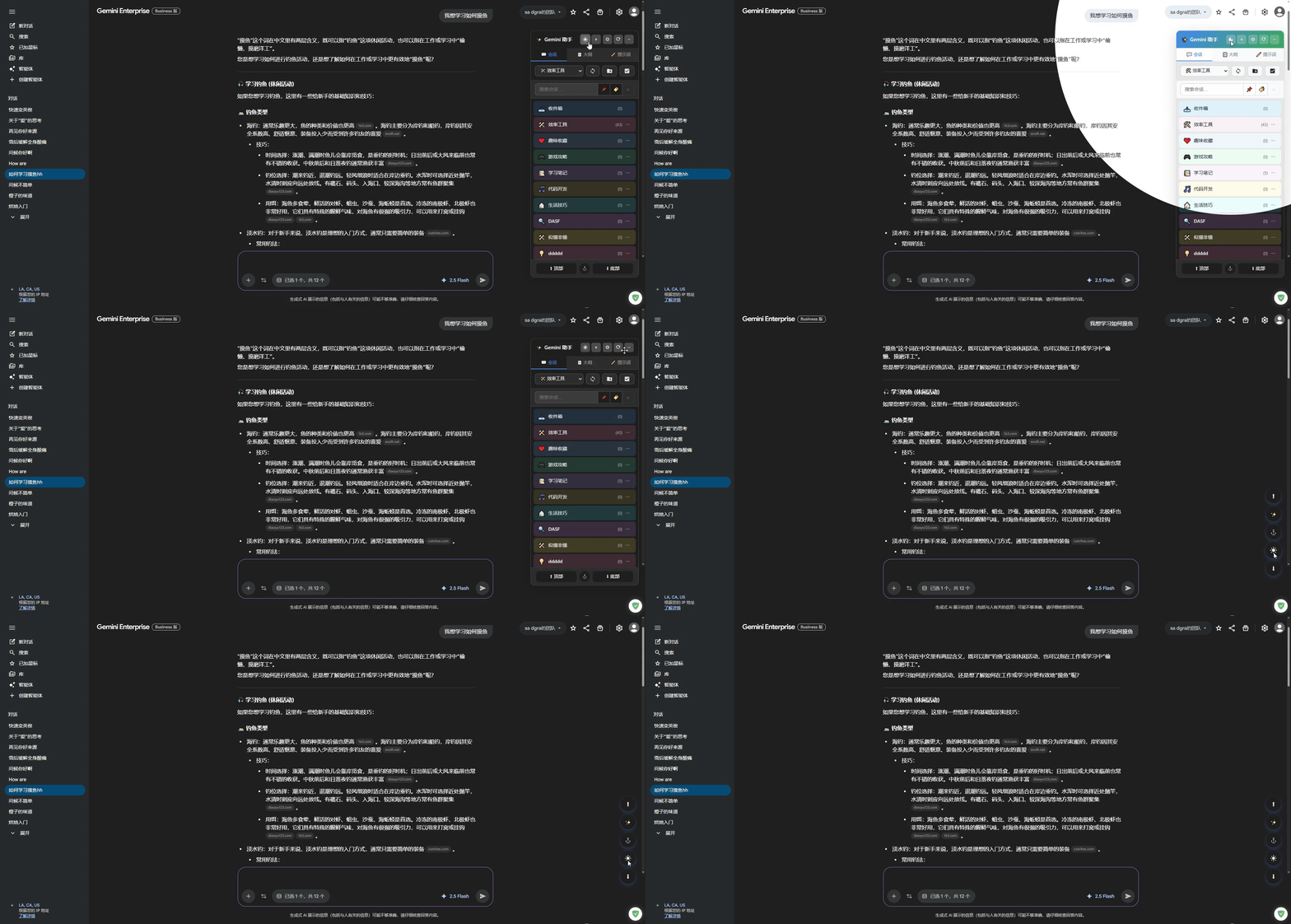
Conversations Conversations Outline Prompts Reading Navigation Tab Enhancement Theme Toggle Dark Mode Dark Mode Dark Mode Dark Mode Other Settings

🔧 Usage

  1. Install Tampermonkey browser extension
  2. Install this script
  3. Open Gemini page, prompt management panel appears on right side
  4. Click prompt to quick insert

⌨️ Quick Operations

Operation Description
Click prompt Insert into input box
📋 Copy button Copy prompt content
☰ Drag handle Drag to adjust order
✏ Edit button Edit prompt
🗑 Delete button Delete prompt
⚙ Manage category Rename/delete category
Click × button Clear inserted content
Enter to send Auto-hide floating bar
⬆ / ⬇ buttons Jump to page top/bottom

🐛 Feedback

For issues or suggestions, please provide feedback at GitHub Issues

📄 License

MIT License